
edit: this are straight out of the box PLX1000's
Calibrated perfectly
Comment actions
Please look at the video.
https://www.youtube.com/watch?v=dAqt3l3ZYaY&feature=youtu.be
With DVS the pitch is still al over the place. if you correct the platter to stay on point the pitch goos up way to much and stays. After reset the BPM with my keyboard shortcut, same thing happens, and sometimes its not possible to reset the BPM at all
This is the BETA version, but same thing with 4.2.5
Post is closed for comments.
edit: this are straight out of the box PLX1000's
Calibrated perfectly

Video unavailable...
@pulse please try again, video was private
Have you run the calibration for the DVS in the preferences?
yes, calibration is fine
Are you able to provide a video where the turntable itself can be seen? It's hard to know exactly what you're doing without seeing that portion of the puzzle.
the only thing im doing is give a turn on the platter. not hard but subtle like
you would do on a cdj
i understand the bpm will go up when you give a turn to the platter, but the problem is it stays there
Here's a other one. if you do a brake at the end the other tracks goos down in pitch
Try disabling the sync first.
yes i understand that, but that should just not happen.
In Serato or traktor stays perfect on same bpm.
its clear that there is a problem in Rekordbox with DVS control on the stability of the BPM
If you have sync enabled, and the input signal slows down, the slave deck will try and follow. This is a separate issue to any stability issues you're experiencing.
You never mentioned which timecode vinyl you're using - Serato, Traktor or rekordbox?
Yes i use it to try to point out where the problem is
o sorry, i use the original Rekordbox Vinyls
other one... Diddnt touch the platter!
https://www.youtube.com/watch?v=bQZtvbFNqFs&feature=youtu.be
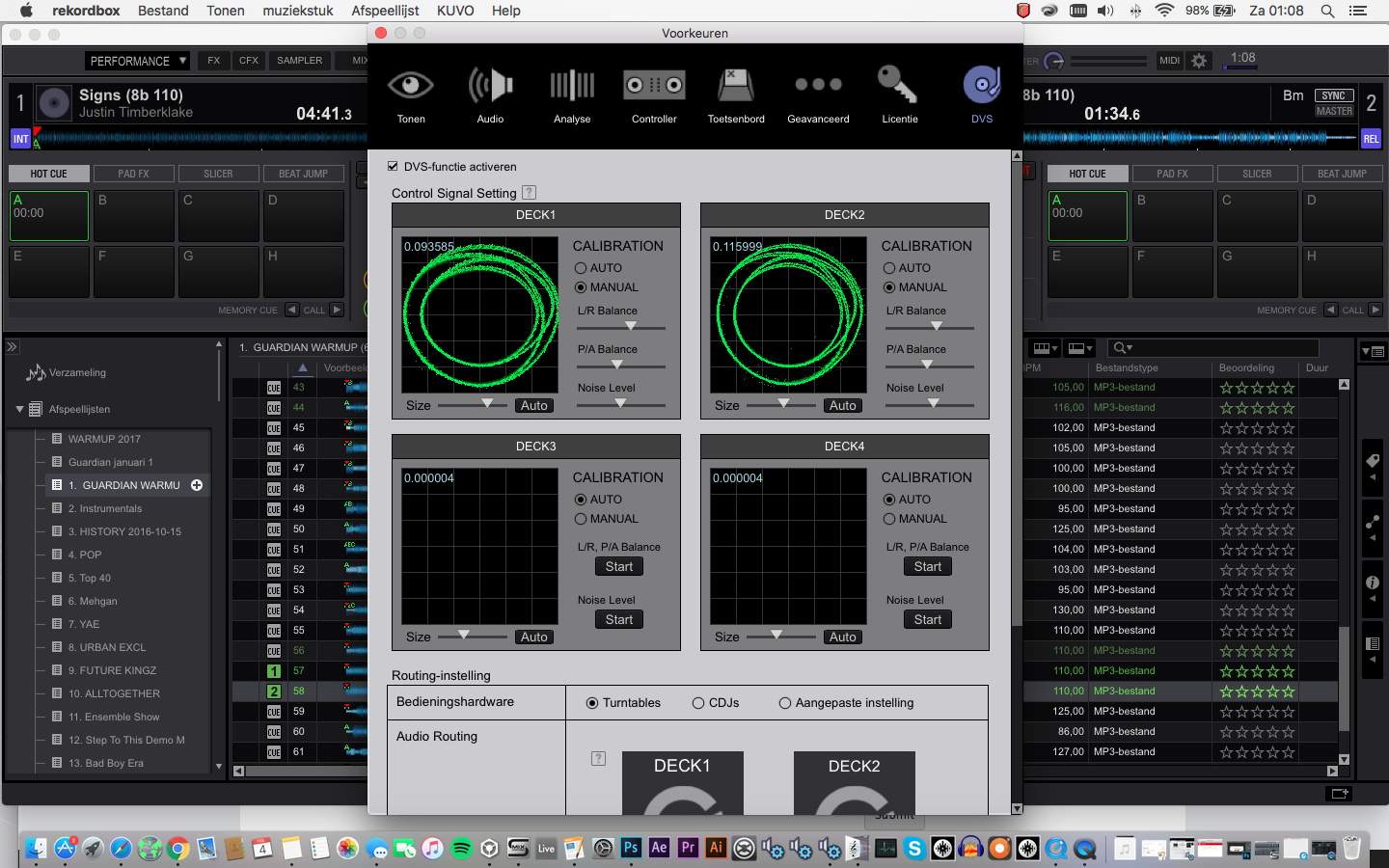
Here's the problem with your video ... I have no idea what you're actually doing. I can see the screen, but you keep scratching and doing other things with the turntable that we can't see, so can't be certain of what the actual problem is.
As for the timecode calibration, that one on the left isn't quite circular (not that I'm saying that's the problem), but it could be an issue with your cartridge or tonearm balance; you can tweak it in the software to be more round.

So bassically your saying if you playing a track on deack A, and go to mix in a track on deck B, you have sync turned on, drop the first beat of track B and its slightly infront or behind where it should be. Normally you would slow down/speed up platter with your finger. When u do this it doesnt work correctly.
On mine you have to press really hard to slow it down cos otherwise it wont move and when it does move its goes way to far..
Basically with sync on using dvs its impossible to get the tracks to line up correctly unless u drop it on the beat perfect firsttime!!
Thats the problem im having anyway. Never had that problem with serato.
No, basically I'm saying I can't see your turntable so I'm not quite certain what you're doing and can't make much assessment beyond that.
(Sorry, meant for @michel)
@Jaymac > If you speed it up or slow it down on the SLAVE deck, the track will speed up or slow down as you nudge it. What you can't do is adjust the pitch, because it's sync'd to the master.
@pulse, in the last video i'm NOT touching the turntables.
I will make a new video, but i think you need to hook up
Some gear and find out yourself.


