Official comment

When [DJM-850 ASIO] is selected for rekordbox Audio, did you select [USB x/x] for the input channel of DJM-850 hardware ?
Comment actions

Hi,
Some time ago, I buy brand new Pioneer DJM850 mixer and 2xCDJ850 cdplayers. Now, I would like to start playing with some 3rd party software like Rekordbox DJ.
I download the trail version of Rekordbox (before I buy it, I need to be 100% sure that will work with my setup), and configure it. Here some details:
1. Laptop - Windows 7 64bit (brand new), with 2USB ports.
2. 1st cdplayer is connected with laptop using USB cable on channel 2
3. 2nd cdplayer is connected with laptop using USB cable on channel 3 (via USB HUB as I've only 2usb ports)
4. Mixer is connected with laptop using USB cable (via USB HUB as I've only 2usb ports)
5. On Mixer, each channel which I am using is set to "line".
6. All drivers (DJM850+CDJ850) are downloaded from the official pioneer website and installed.
7. In Rekordbox, I choose "Pioneer CDJXDJ ASIO" as audio device.
8. External Output Deck 1 set to CDJ/XDJ(1) (same set on CDJ)
9. External Output Deck 2 set to CDJ/XDJ(2) (same set on CDJ)
10. I've Adam A7X monitors, which are connected via XLR cable to the mixer.
Good. With this configuration, I'm albe to hear and control RekordboxDJ with my CDJ's - everything works perfectly!
The issue starts when I'm going to record my dj-set. I'm not able to chose External Input Record.. There is nothing to choose.. Only CDJs.. When I set audio to Pioneer DJM850, and setup everything as per documentation: https://forums.pioneerdj.com/hc/en-us/articles/207705016-Recording-a-mix-in-rekordbox-4-x-with-a-DJM-Windows- - I can't record, and can't hear anything on my speakers..
I would like to ask you for help with my issue, as I really want to buy and use rekordbox DJ software, but it doesn't work for me..
Regards,
Grzeg
When [DJM-850 ASIO] is selected for rekordbox Audio, did you select [USB x/x] for the input channel of DJM-850 hardware ?
Post is closed for comments.
Yes.. Sadly even I tried to set for Input record "PIONEER DJM-850 ASIO : REC OUT" after closing this TAB, the field is again empty.. 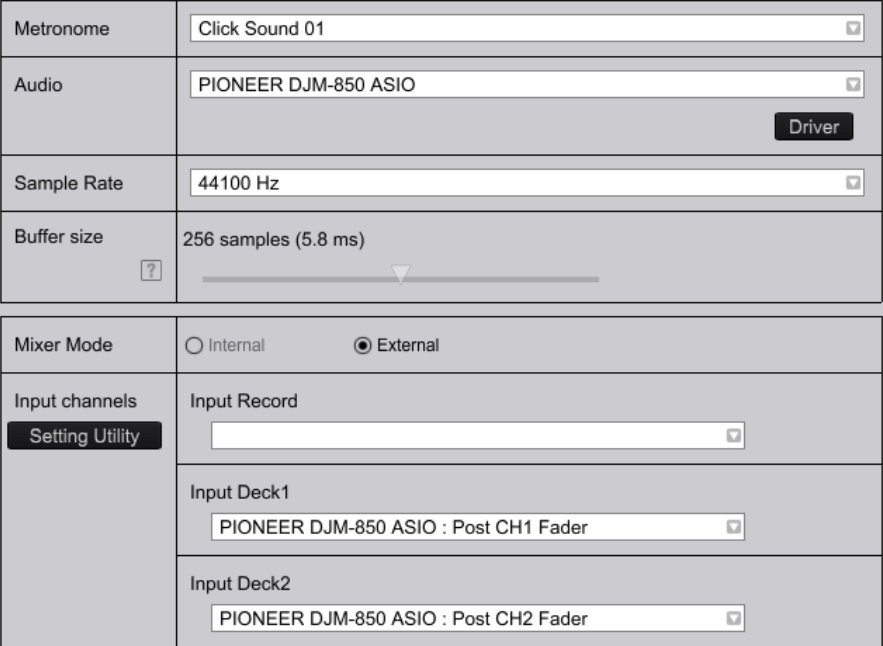
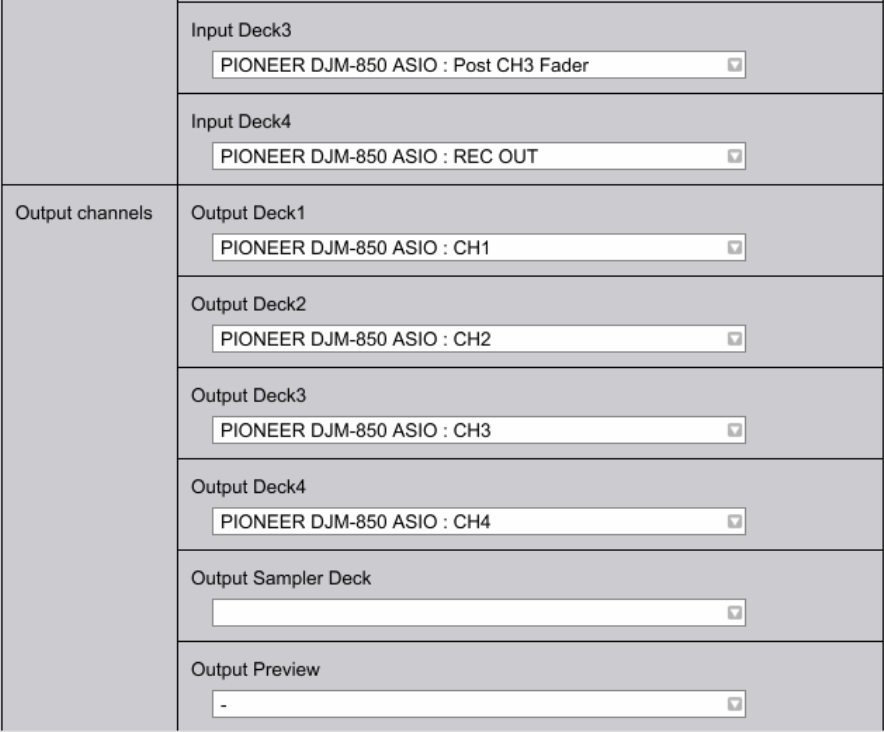
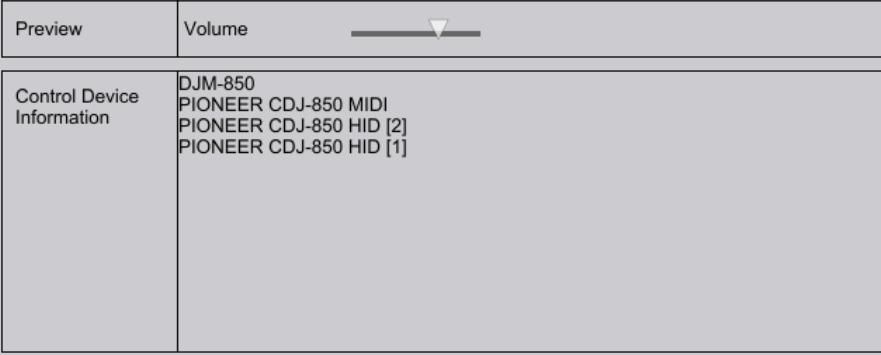

Even here the phenomenon occurred that the field [Input Record] became empty. That is probably a bug. Our rekordbox team will investigate the cause.
However, in our environment sound can be output from the mixer and also can be recorded.
Please check the following.
1.
It is supplement to my comment one before.
If [Pioneer CDJXDJ ASIO] is selected in rekordbox [Preferences]>[Audio]>[Audio], on mixer please set each channel which you are using to [CD/LINE] or [LINE]. However, in this case you can not record.
If [Pioneer DJM-850 ASIO] is selected in rekordbox [Preferences]>[Audio]>[Audio], on mixer please set each channel which you are using to [USB].

2.
Please uninstall the driver of DJM-850 once, install the latest version of the driver again, and try the procedure.
3.
If you are running [DJM-850 Setting Utility], close it and try the procedure.
If it still does not work, please file a support ticket here.
https://rekordbox.com/en/support/inquiry.php
Our rekordbox team will be happy to assist you in resolving this issue.
Thanks for your feedback. Even I still can't choose REC OUT on CH4 in "Input Record" section, with the following setup recording works ;) Many thanks for your help on that topic! Resolved.


