
Could try lowering the Buffer size in Settings, Audio, Buffer Size.
Comment actions

hi
Am using a Pioneer DDJ SB2 (know it is intended for Serato) controller hooked up to my Apple Macbook (OSX El Capitan) and running Rekordbox DJ.
The problem is this: Works 100% from the start, but after about an hour of continuous mixing, the visual Beatgrid on screen shifts out of sync/alignment with what i am hearing from the speakers. ie. When you hear the beat in the speakers whilst watching the screen the "lines" of the BeatGrid do not line up with the "red Centre line", which they do perfectly at the start. How do i fix this? is it aBuffer size setting? Mapping issue?
Please help?
thank you, much appreciated
Post is closed for comments.
Could try lowering the Buffer size in Settings, Audio, Buffer Size.
thank you. will try that.

What is the model identifier of your computer? You can find it by going to the Apple icon at the top left of your screen, hover over About This Mac but hold the Option key and it will change to System Information... - click that and get the info from the 2nd line.
thank you.
Model Identifier: MacBookPro10,1

Many of us have the same problem, and we cant do anything... this is rekordbox Bro)
eih! sorry to hear. not good news. I trust Pioneer/Rekordbox is addressing the issue ?
@Alex > It's not necessarily a rekordbox issue - as I type this, I have an SB2 hooked up to a MBP running rekordbox 4.3.0 and I don't have the same problem.
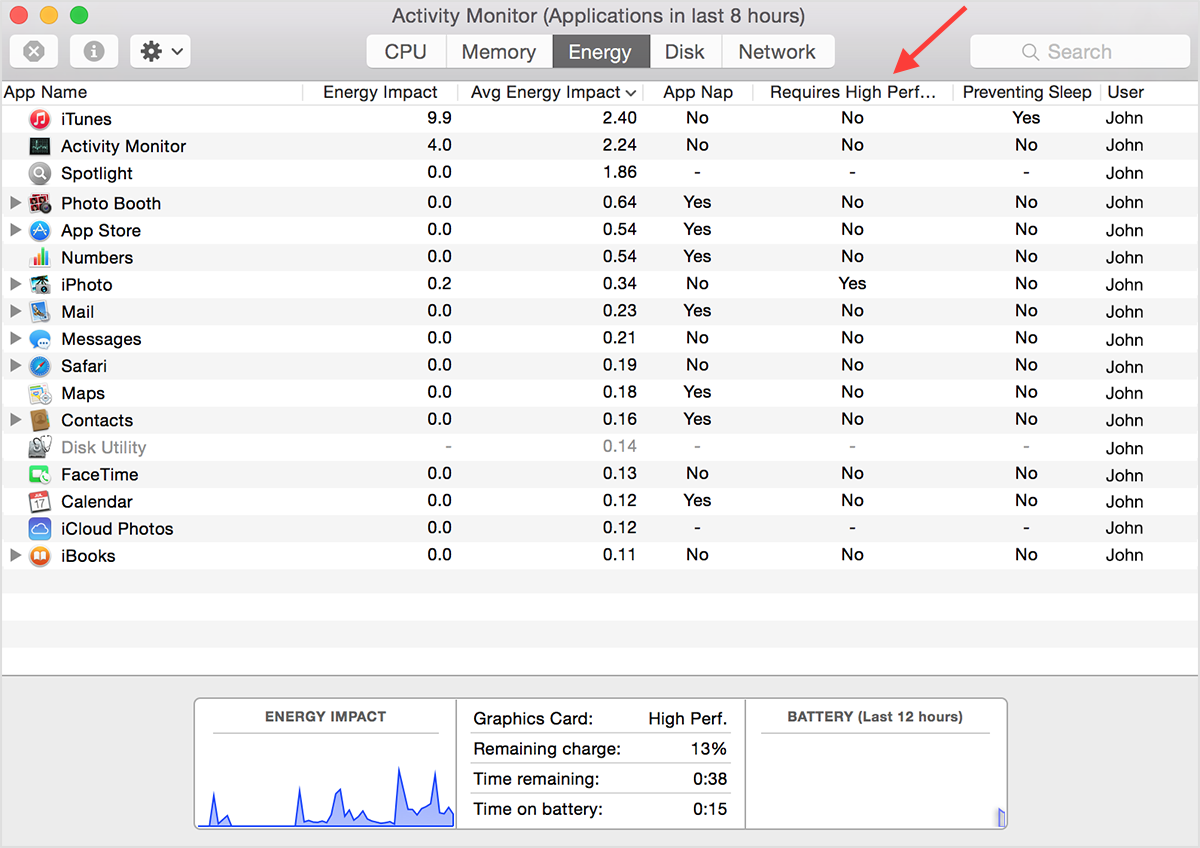
@heiko > If your computer has dual graphics cards, check to see which one is in use while rekordbox is running. Open the Activity Monitor, click to the Energy tab and see if this column is shown, and what the status is for rekordbox:
I use windows 7 and in the resource monitor the priority of the recordbox is set to the maximum level. But despite this after some time, there are problems with synchronization. The wave image of the track does not correspond to the sound. I also noticed that after a while the bit marks begin to diverge even when synchronization is enabled.
P.s. i7 - 3.6 ghz , 8gb dual chenal ram, ssd 256 gb 2 gb graphic card
thanks for all the responses.
gave it a good run yesterday. still doing the same after an extended play, and also encountered some other glithes (track BPM increasing and decreasing at it's own will), and static in play back.
Don't understand why it works perfectly at the start then goes out after about an hour?
attached my activity monitor. Not sure what it is telling me. Anybody know?
using a Mac: Model Name: MacBook Pro
Model Identifier: MacBookPro10,1
Processor Name: Intel Core i7
Processor Speed: 2.3 GHz
Number of Processors: 1
Total Number of Cores: 4
L2 Cache (per Core): 256 KB
L3 Cache: 6 MB
Memory: 8 GB
Boot ROM Version: MBP101.00EE.B0A
SMC Version (system): 2.3f36
OS X El Capitan Version 10.11.3, MacBook Pro (Retina, Mid 2012), Processor 2.3 GHz Intel Core i7, Memory 8 GB 1600 MHz DDR3, Startup Disk Macintosh HD, Graphics NVIDIA GeForce GT 650M 1024 MB
thanks. much appreciated
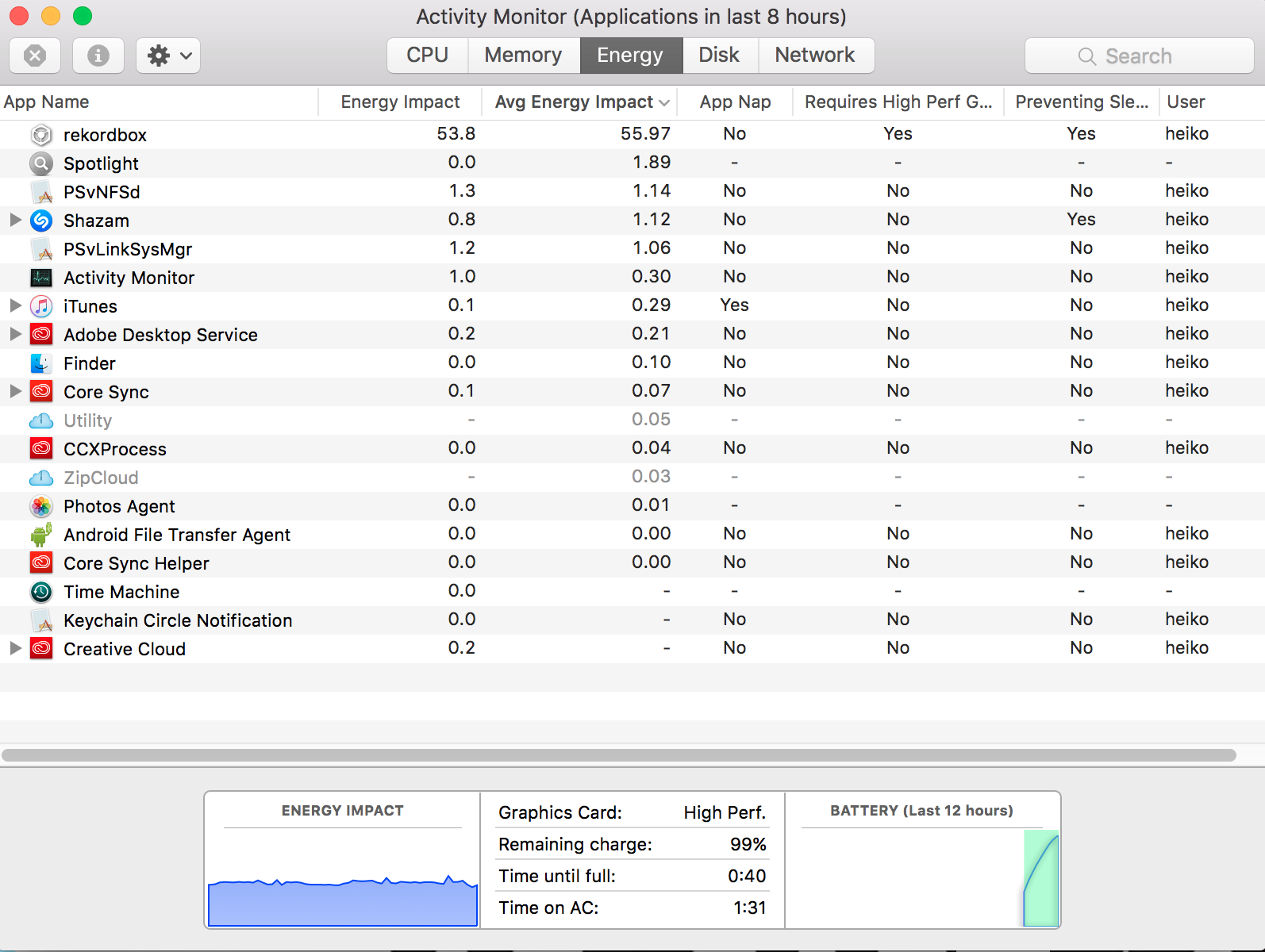
@heiko > See where it says "requires high perf. graphics" ? Try changing that so it uses the default adapter by using the setting on this page, and see if the issue persists after the same amount of time.


