Have a feature request or suggestion? Post your idea here!

Post

4 followers Follow
0
Avatar

Setup help with XDJ-RX2

Just trying out my XDJ-RX2 in MIDI mode with Rekordbox 5 and I'm having a couple of issues.

Firstly after a while, the audio starts to distort, often after using the filter or sample but at other random times as well.  I've increased the buffer size but doesn't seem to stop it, although if I increase it whilst it is distorting it does sort the problem for a while but it comes back again.  The fact that it does temporarily cure it does suggest it may be a buffer problem but when when you increase the buffer size whilst playing I think it may clear the buffer anyway?  I am running a MacBook Pro with 16GB of RAM so I am surprised if it does struggle?  Could it be another issue that affects this buffer?

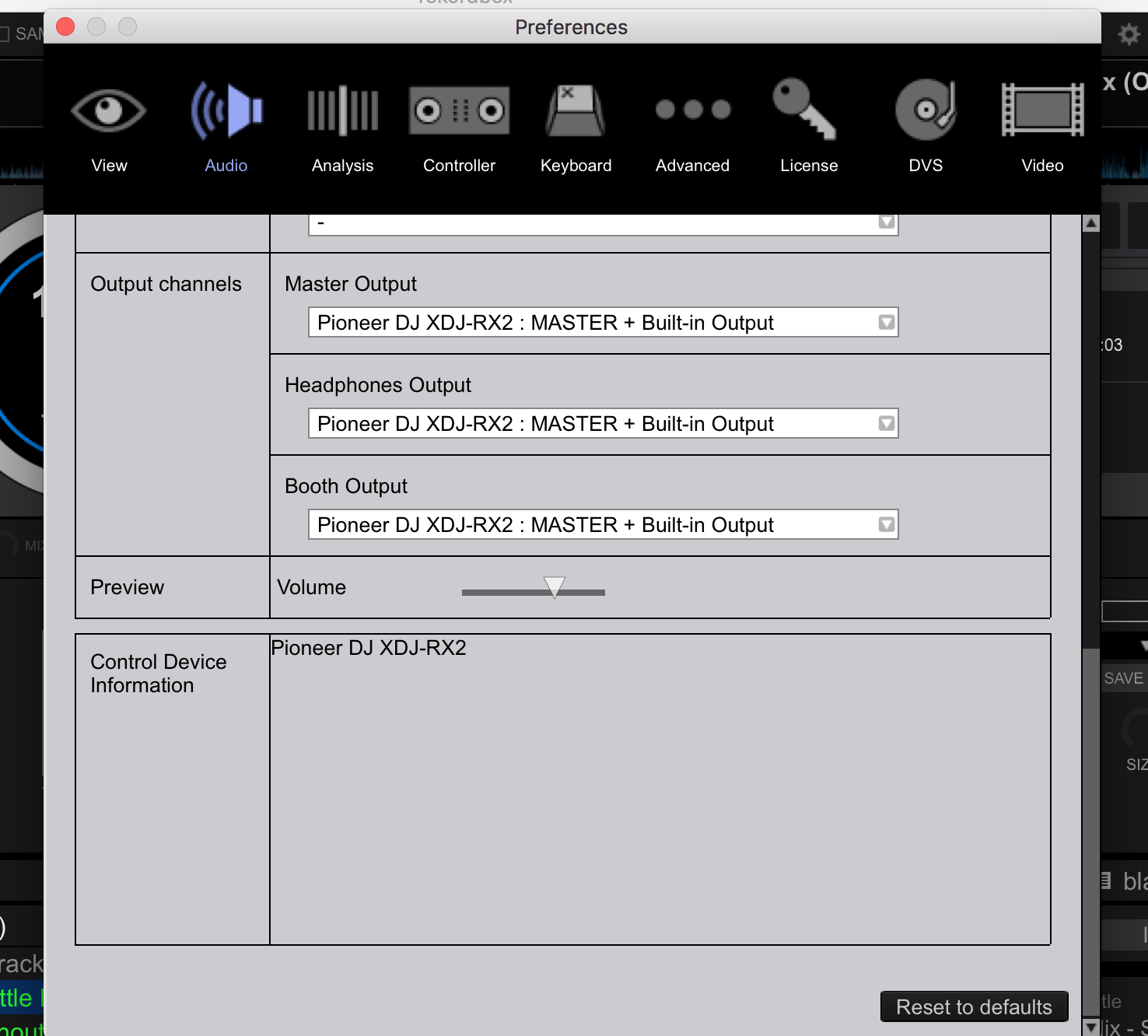
Also I want the output to be from the souncard of the XDJ-RX2, not the Mac.  At the moment I can only get it to output from both at the same time?  As you can see in the picture, it outputs to the controller + Built In output which means the sound is coming from both?

Also, do I set the mixer to Internal?  Have I set the rest up right?


Stuart Cox

Official comment

Avatar

Please don't cross-post, we see all the forums. ;)

Try taking the buffer size up to 2048 samples and see if that helps.

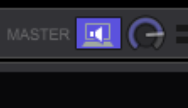
To disable the built-in (Mac) output, simply click the "PC Master" icon at the top-right to turn it off.

As for the output config, yes, you can use internal, but you'll want to have the outputs configured for the HEADPHONE OUT for the headphones.

Pulse
Comment actions Permalink

Post is closed for comments.

8 comments

0
Avatar

I've increased the buffer and it seems to be OK.  Surely though a top spec Mac with 16GB of RAM can cope with it being lower??

Stuart Cox 0 votes
Comment actions Permalink
0
Avatar

Not if you have other stuff running in the background. Always look for the lowest value where there are no errors; if that means you can go lower because it's working at 2048, cut it in half (1024) and if it glitches, go half way up (1536) etc. until you dial it in. Be sure to engage effects and other extras as you would during normal play to try and "max it out."

Pulse 0 votes
Comment actions Permalink
0
Avatar

Did you disable the PC Master output (as I described above)?

When this starts to happen, can you take screen shots of the Activity Monitor application (CPU and MEMORY pages), with the sort order by CPU % and Memory (descending)?

Pulse 0 votes
Comment actions Permalink
0
Avatar

Just trying out my RX2 and Rekordbox for the first time. I've been able to figure out all the features except I can't get the crossfader to work. Any suggestions?

Daniel Esmond 0 votes
Comment actions Permalink
0
Avatar

@Daniel > Please post a new topic next time.

You have options on the hardware to enable the crossfader on the front of the unit - the "Cross Fader Curve" switch should be set to either of the positions other than "THRU."

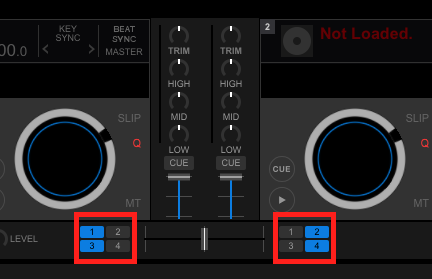
In the software, you have the ability to assign them by selecting which deck is assigned to each side:

Pulse 0 votes
Comment actions Permalink
0
Avatar

HI, 

I don't hear any music from my headphones. what should I do? 

Elmer Aguilera 0 votes
Comment actions Permalink