Official comment

Okay, in that case, your output from rekordbox is incorrect - you're sending the audio to the 6i6, not the aggregate, so when Logic accesses the aggregate, even though it contains the 6i6, it's not getting what it needs... plus an output from one software to a hardware device doesn't mean that the other software can access that input; it needs to monitor an output.
I've replicated what you need to do here with Ableton Live and a DJM-S9; follow along...
You'll first need to close rekordbox and Logic, then grab and install Jack Audio Router.
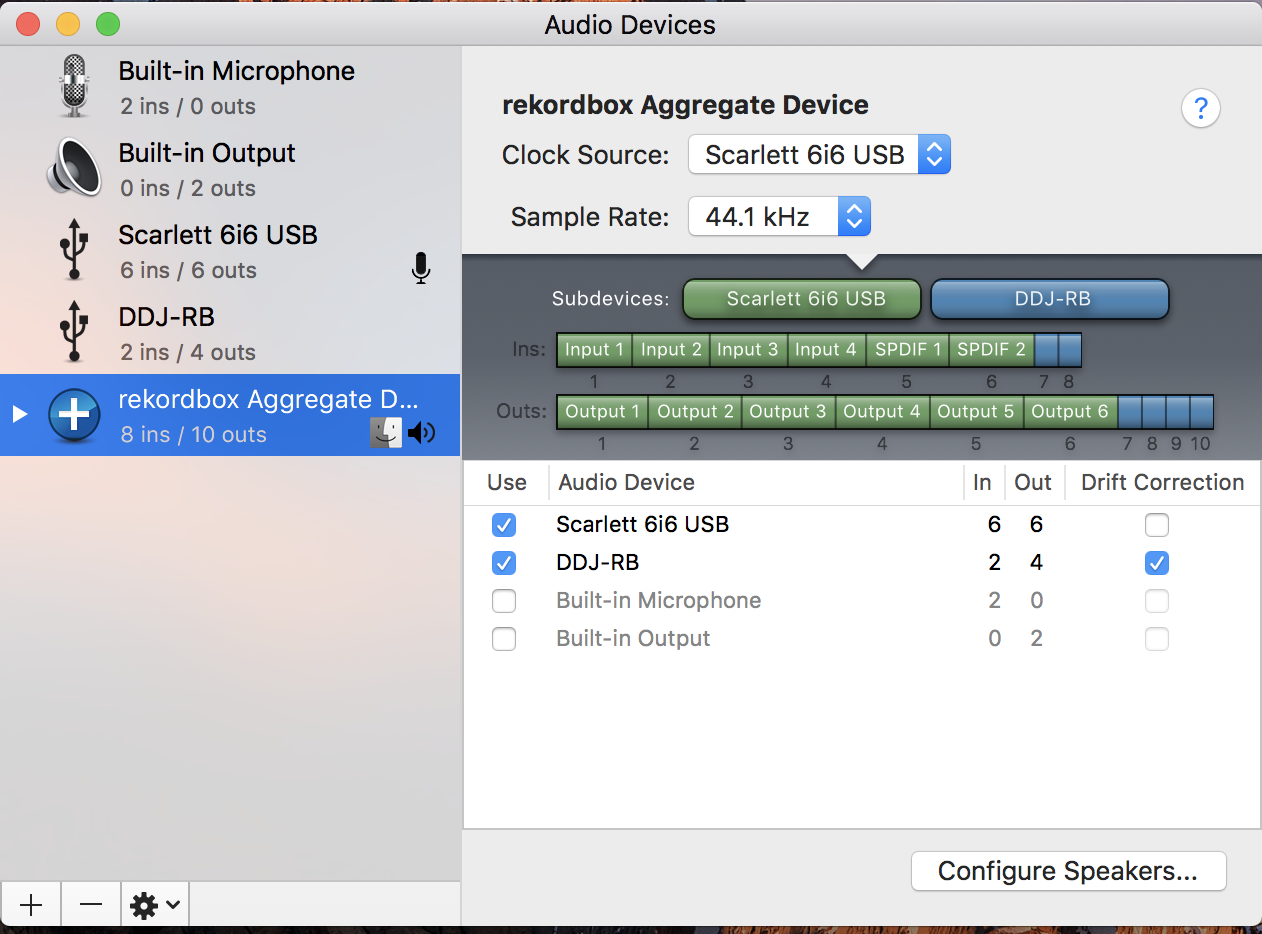
Create an aggregate for the 6i6 and RB, but don't have the word "DDJ-RB" anywhere in the aggregate name.
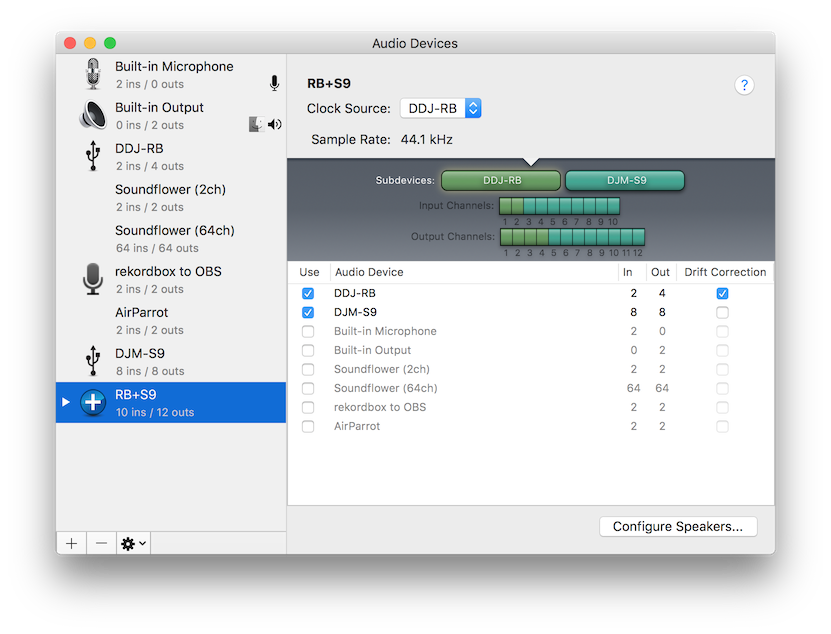
Next, open JackPilot and set your preferences, selecting the aggregate as your devices:
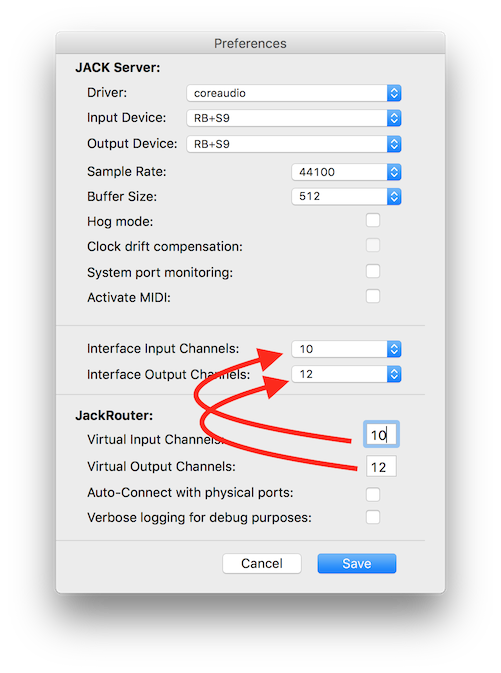 Make sure the number of virtual ports matches the physical ports, and un-check System port monitoring and Auto-Connect with physical ports. Click save, then click the Start button on JackPilot.
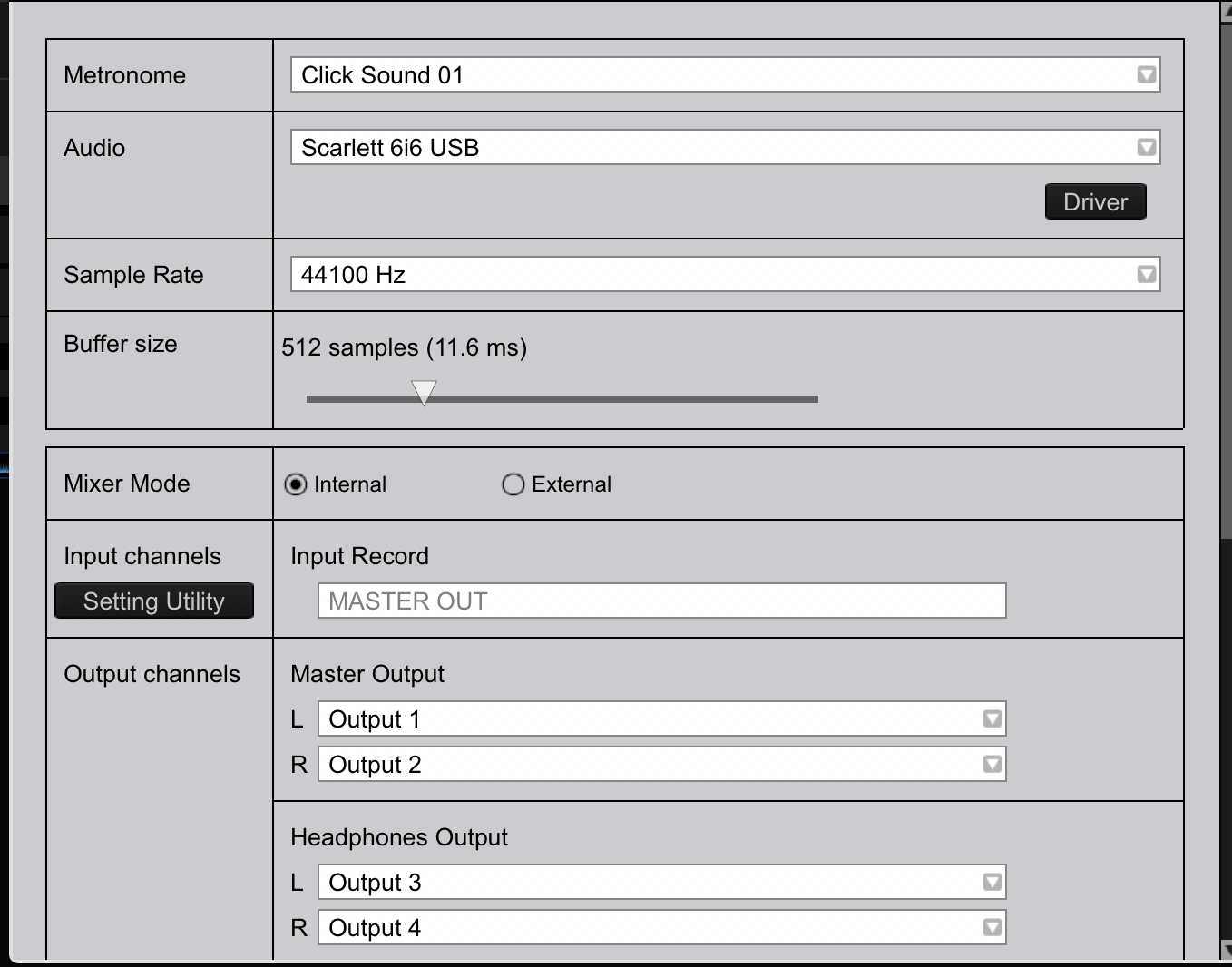
Open rekordbox, and select JackRouter as your audio device, making sure the mixer mode is internal, and configuring the outputs as follows:
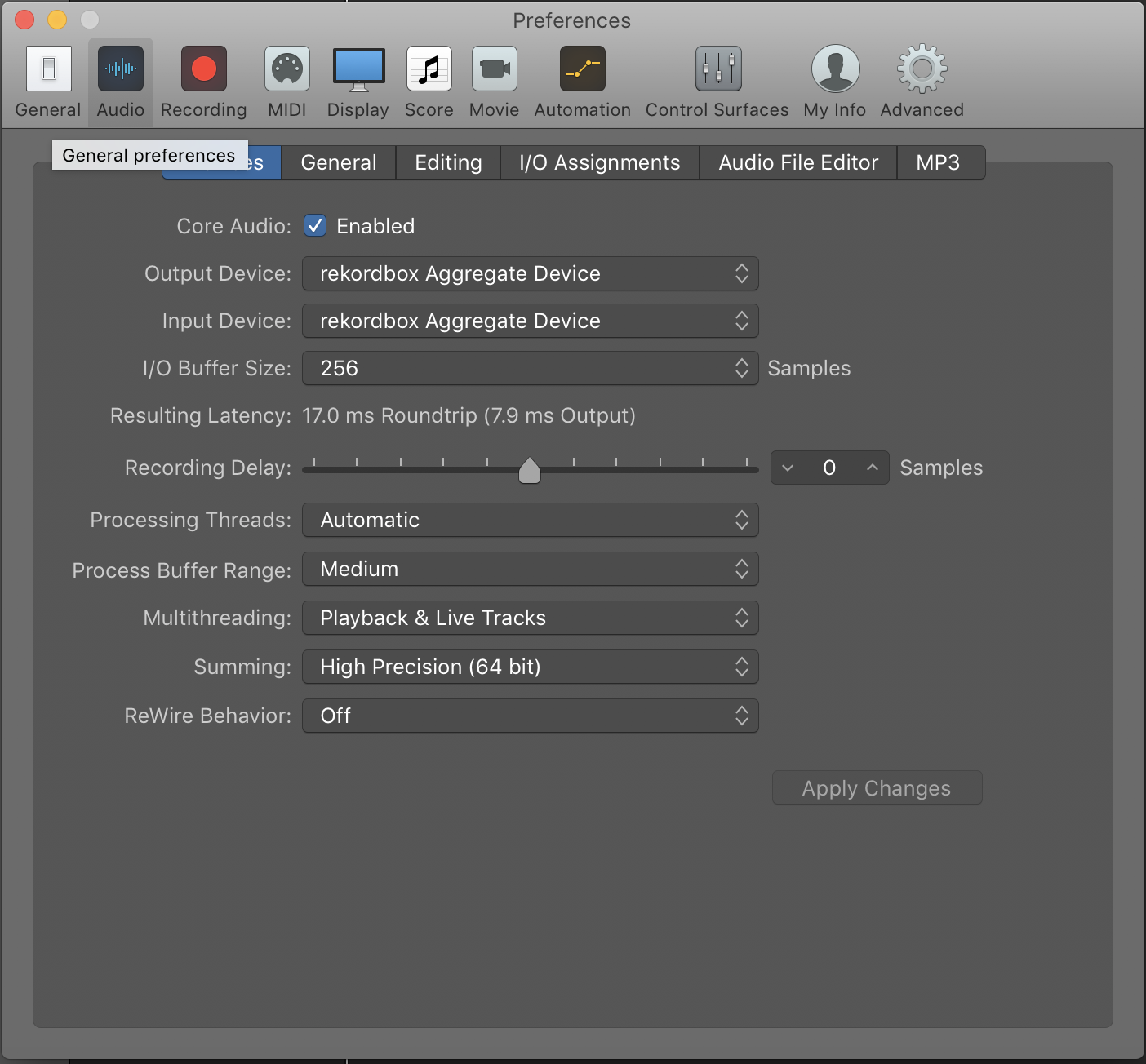
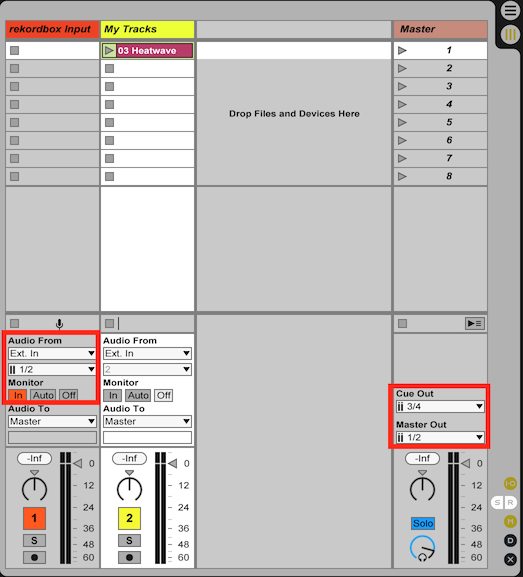
 Close the preferences, and open Logic, set your audio devices to JackRouter as well. Your output routing should simply match whatever you have going on with your 6i6, your input routing should take inputs 1/2 to a channel for recording what's coming from rekordbox. Here, in Live, you can see I've configured it that way:
Go back to the JackPilot app, click the Routing button.
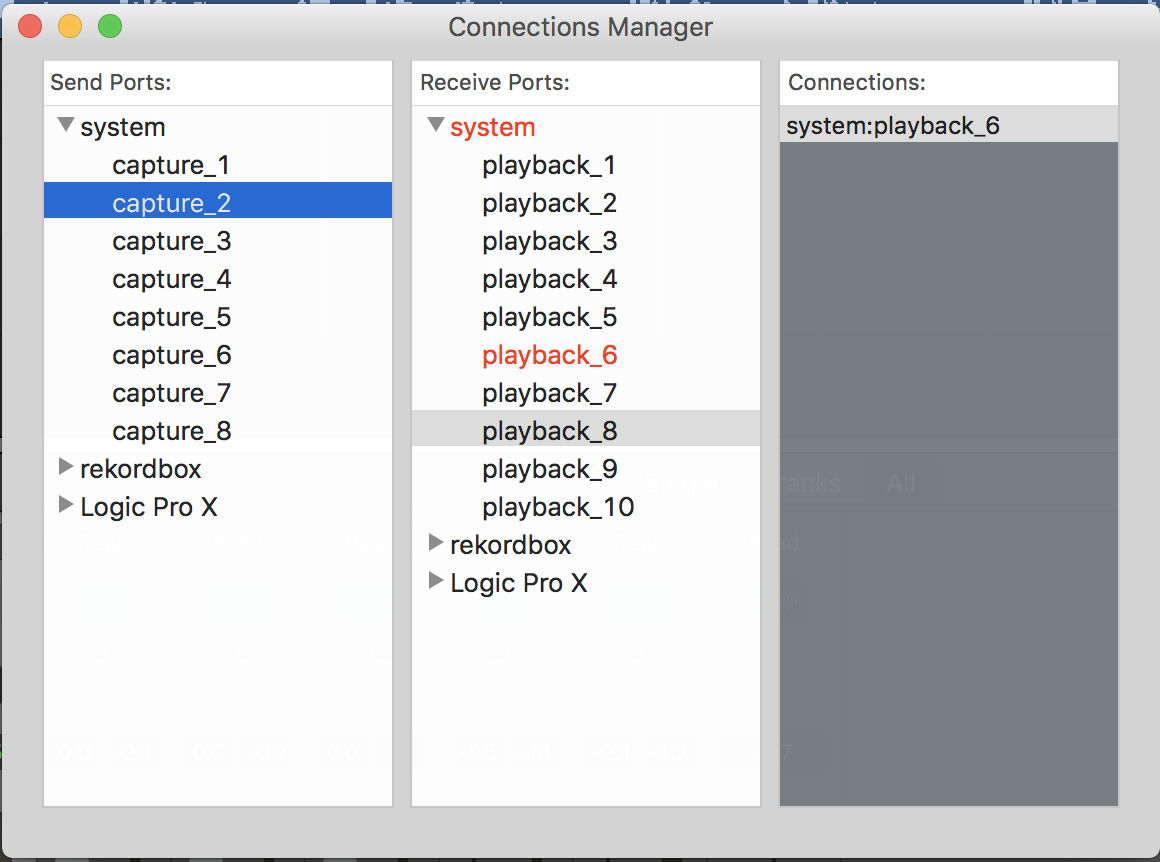
Toggle the triangles beside rekordbox in both the Send Ports pane, and the Logic in the Receive Ports pane of the Connection Manager window. To patch the audio between the correct ins and outs, you'll first select the item you want to patch, then double-click on the item you're patching it to. Start by selecting the rekordbox out1 and then double-click Logic in1. You'll see it turn red, and rekordbox:out1 will appear in the Connections pane (this sends the rekordbox master output to your Logic JackRouter 2 input channel). Repeat that process for the following:
- rekordbox out2 > Logic in2 (this sends the rekordbox master output to your Logic JackRouter 2 input channel)
- rekordbox out3 > system playback_3 (this is the DDJ-RB headphone L)
- rekordbox out4 > system playback_4 (this is the DDJ-RB headphone R)
- Live out1 > system playback_5 (this is the 6i6 output 1)
- Live out2 > system playback_6 (this is the 6i6 output 2)
- Live out3 > system playback_7 (this is the 6i6 output 3)
- Live out4 > system playback_8 (this is the 6i6 output 4)
That should be enough to output from the 6i6 to your speakers, the headphone output on the RB should also still work for monitoring there without it going to the recording.
Let me know if you have any other questions,