Have a feature request or suggestion? Post your idea here!

Post

2 followers Follow
0
Avatar

Do i pay for the Export files function to work ?

Hi new to this today, i have uploaded tracks and want to export to USB, i can't see an EXPORT button to do this, do i have to pay now, if so how much is that to do?

CHRIS ANSLOW Answered

Official comment

Avatar

@Chris > No - the export function of rekordbox is free (performance mode, to DJ from within the software, is what you pay to upgrade for).

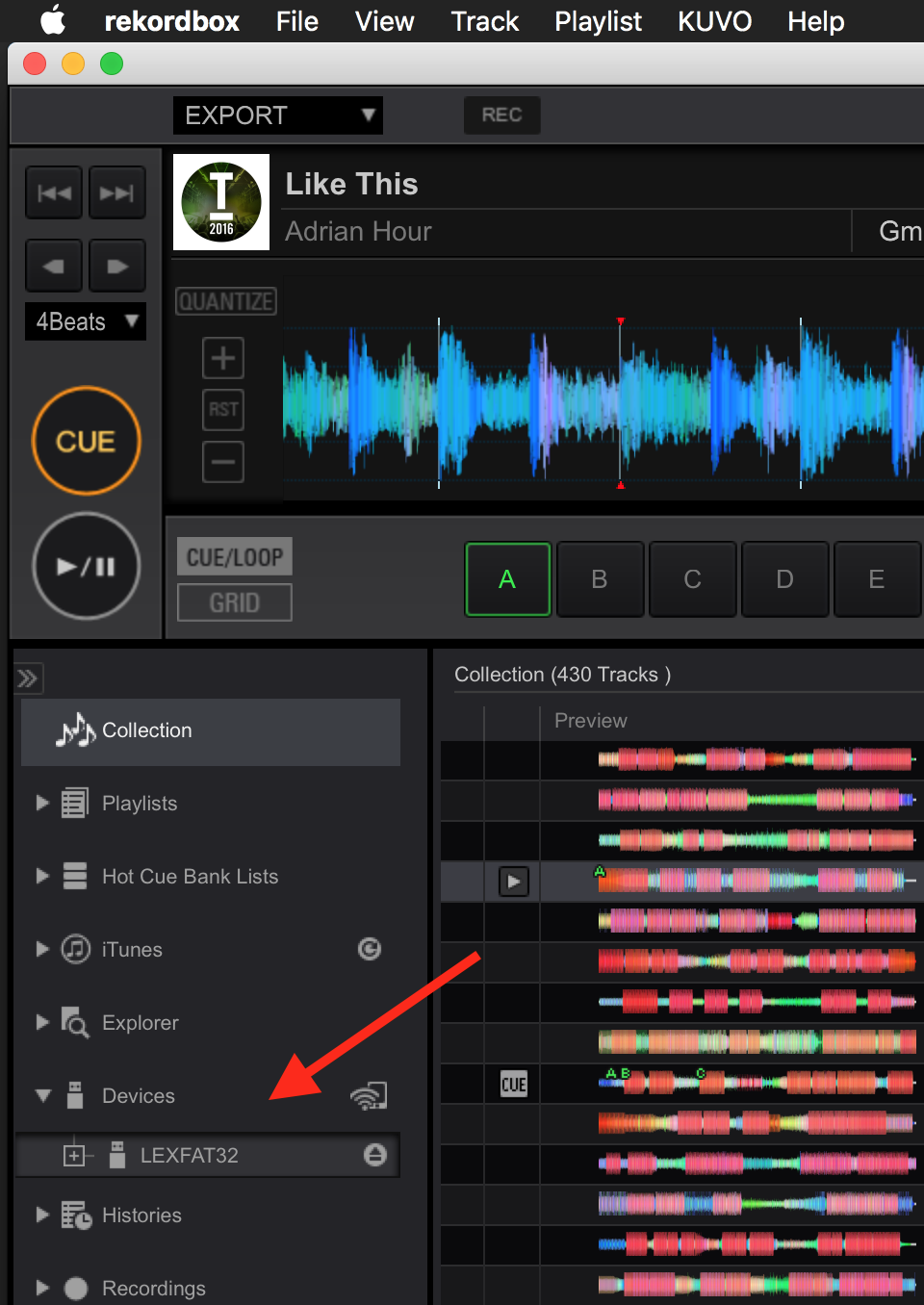
All you have to do is connect a USB device, formatted to either FAT32 or HFS+ (MacOS), and it will appear on the left side of rekordbox, allowing you to export songs / playlists.

Pulse
Comment actions Permalink

Post is closed for comments.

4 comments

0
Avatar

Thank you for the help, that makes sense now, i have put the USB into my PC and i'm still not getting the option to EXPORT, i can see it in the drop down but, it's not clickable..

What am i doing wrong?

CHRIS ANSLOW 0 votes
Comment actions Permalink
0
Avatar

Does the USB have to be 32Gb as i'm trying to use a 16GB ?

CHRIS ANSLOW 0 votes
Comment actions Permalink
0
Avatar

@Chris > No, any capacity drive can be used.

You may not see an "Export" option anywhere; if you're in the free version of the software, it will simply say "Trial" at the top where the drop-down would appear, or, if you've already used your trial, none will appear at all - you're always in export mode.

The device would appear on the left side:

Pulse 0 votes
Comment actions Permalink