What is the actual BPM of the song?
What BPM range do you have rekordbox set for analysis?

Comment actions

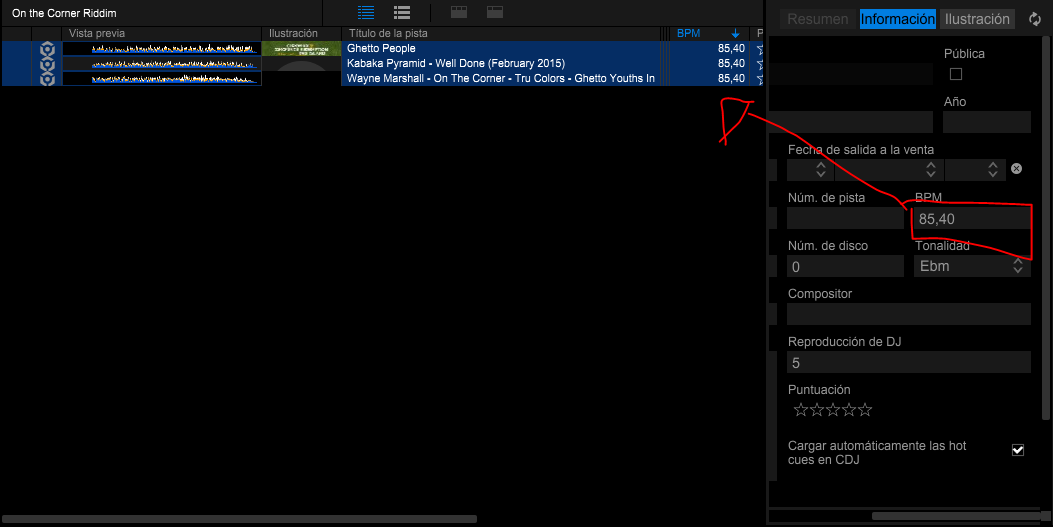
Hola que tal espero me ayuden con este gravísimo problema. Pongo analizar todas las canciones que me hice como nuevo playlist y con ciertos detalles que el analizador de bpm no detecta los bpm como debe de ser los detecta doble asi como observan en la imagen que les marque en rojo

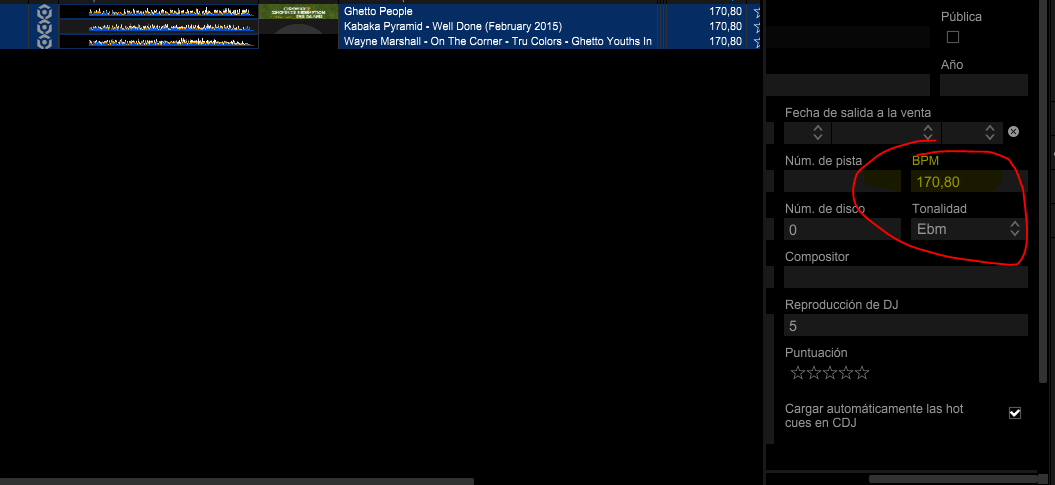
Una ves que lo corrijo manualmente que es demasiado cansón todo esto de verdad espero que en futuras actualizaciones puedan mejorar esto. Me pasa que en el jog del software me aparece con el bpm doble a un y no me deja calcularlo bien para ponerlo igual con el otro bpm de otras canciones tal como se los muestro aquí en esta imagen

Me pregunto si existe alguna forma de cambiar eso por favor ya estoy desesperado con esto tengo 2 controladores Pioneer 1 es una DDj-Sr Y la nueva es la DDj-Rb y me estoy pasando de serato a Rekordbox ya que ustedes se decidieron hacer su propio software y también me gustaría saber si existe una forma de pasar todo mis créate de serato a Rekordbox ya con los Hot Cue que les tenia a las canciones
Post is closed for comments.
What is the actual BPM of the song?
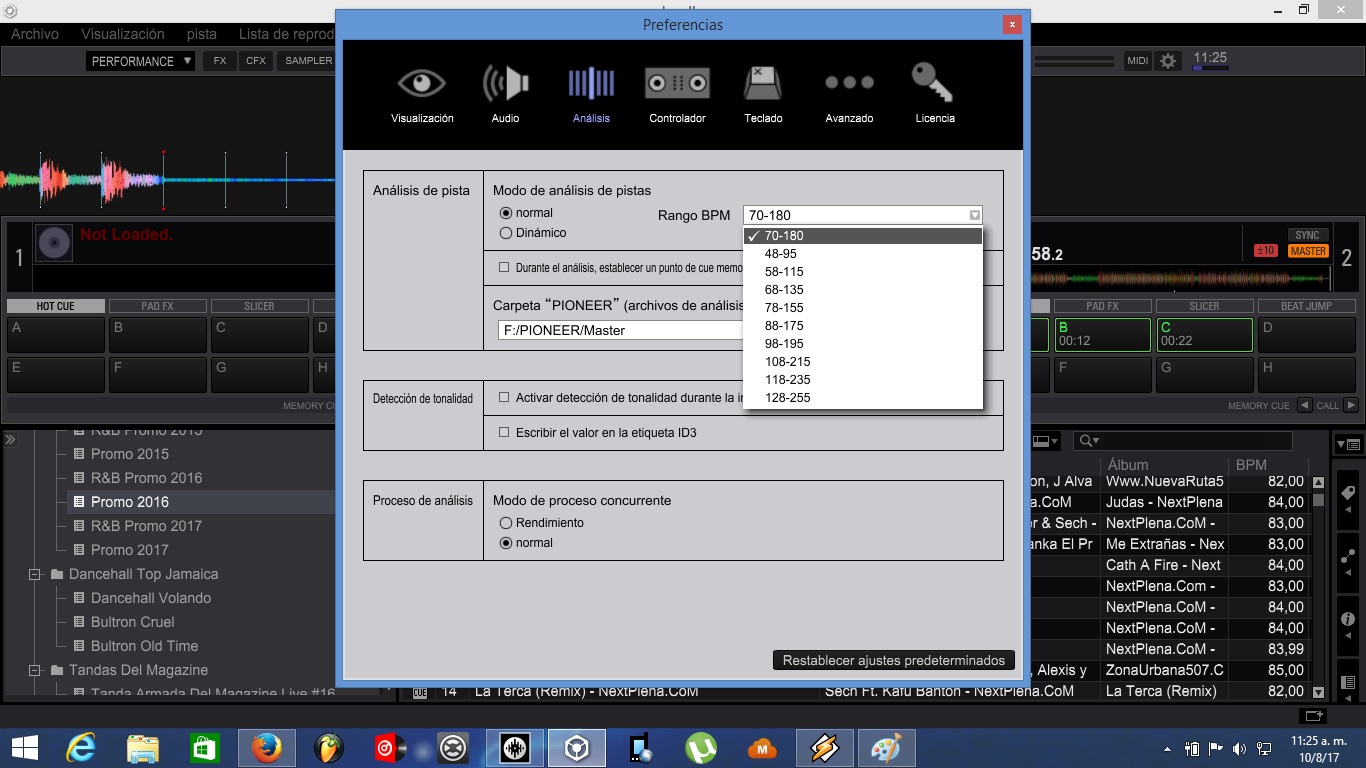
What BPM range do you have rekordbox set for analysis?
I have it in a range of 70-180
And what is the ACTUAL BPM of that track?
Has a huge problem with the BPM analyzer in Latin music as an example (salsa, reggaeton, cumbia, ranchera etc) and with Jamaican music too (reggae, dancehall, socca etc) Here I will let you capture the other software that if you gave me the exact bpm of the songs you use to show them in the screenshot 1-Mana - it's okay 2- Tego Calderon - Pegaito to the wall I hope they can improve the bpm analyzer of rekordbox for future since not all the dj of other countries we mix electronics we have some that we know to mix all the genre of sauce horns to arrive at the electronics without needing to use track or bases to be able to realize mixture I hope not Be the first to have this problem Here I leave catch with the software that has not had problem in that subject of the bpm analysis for my ant the moment the best software that has the best precision in bpm analyzer is traktor I hope they can outdo them


Try changing the analysis range setting to 48-95 for those songs and see if it correctly identifies the BPM.
Thanks I worked but now I have another question, do I have to do the same thing to change the bpm range if I want to analyze other BPM songs? Should improve the bpm analyzer 70-140

Tengo una ddj1000 y tengo tmb problemas con los bpm en la pantalla de los platos no es el msimo número de bpms.... También me gustaría cambiar la sensibilidad del pitch... Como puedo hacerlo? Espero vuestra respuesta
@Jose> Do you mean the BPM in the display is not showing the same BPM as the deck within rekordbox?
And I'm not sure if you mean you want to change the pitch range (eg. 6% / 10% / 16% / WIDE)?

hola tengo el problema que no me deja analizar los temas que puede ser???
@ivan > Please create a new post and provide us with a bit more information about your issue - right now there are too many other questions I may have as to where the music is / what the file types are / etc. If you create your own post, I can properly assist you. Thank you.

tengo un problema con el software ya que varian los bpm con o sin la controladora conectada me podrian ayudar¿? cuento con un plan activado

Hola yo he logrado solucionar el problema del BPM al doble del original, pero de una forma muy manual.
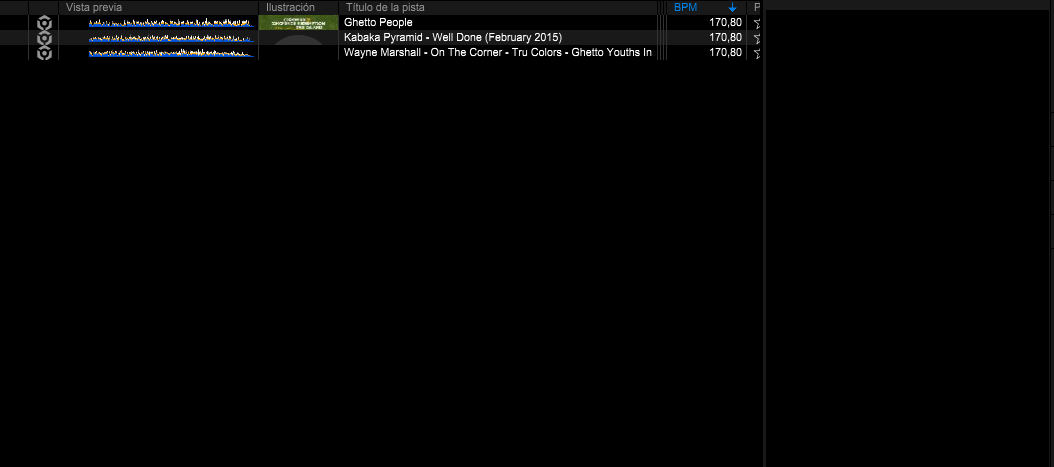
Lo primero que hice fue ir carpeta por carpeta o RIDDIM por riddim e ir viendo cuanto BPM tenia, por ejemplo si la cancion es de 170BPM ( error o fallo ) la dividimos entre 2 y nos da el resultado del cual deberia mostrar desde un inicio.
En la imagen adjunto un ejemplo de como se muestra esto.
Lo siguiente seria tomar todas las canciones de dicha carpeta o ritmo dar CTRL + SHIFT para seleccionar varias o todas y luego presionamos click derecho para desplegar el apartado de INFORMACION DE LA CANCION.
Una vez desplegado y aun con todas las canciones seleccionadas o marcadas en azul, nos vamos a ese cuadro al lado derecho que dice BPM y lo cambiamos manualmente por el que deberia ser el correcto.
PD. Las imagenes que adjunte deben leerse de abajo hacia arriba. si quieren comprobar que funciona pueden analizarlas de nuevo para que vean que ya no se vuelve a cambiar el valor.