Have a feature request or suggestion? Post your idea here!

Post

5 followers Follow
1
Avatar

Rekordbox Beatport error "Your Subscription has expired"

Now unable to log into Beatport from Rekordbox. Was previously working OK.

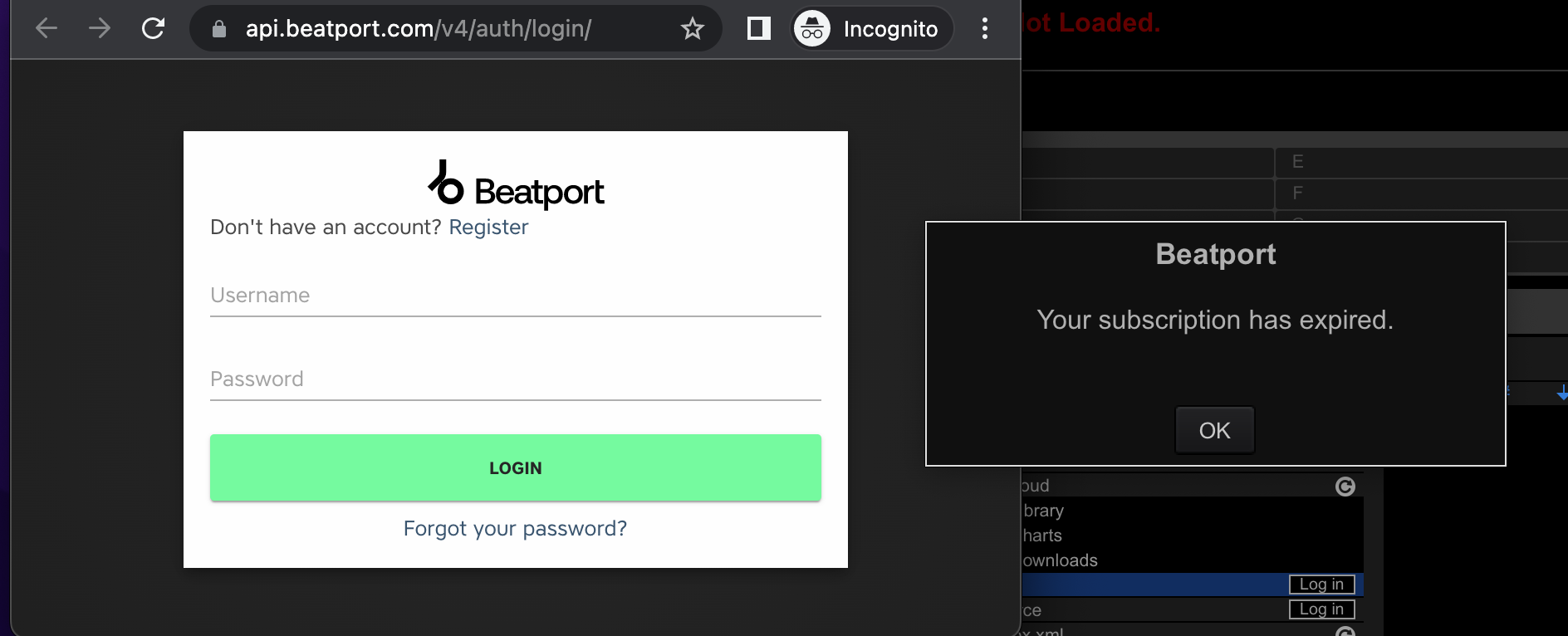
Click log in to Beatport from Rekordbox, browser opens, complete login to Beatport OK.

Then get error in Rekordbox Your Subscription has expired"

My subscription has not expired.

Tested the Beatport sync feature in Traktor, am able to login and stream ok, Issue is 100% not with Beatport subscription, issue is with Rekordbox.


Its like the browser is not passing back the successful authentication to Rekordbox, or it is passing it back and Rekordbox is miss-interpreting it.

Tried the useual - Reboot, reinstall, downgraded to previous version, cleared browser cache, tried different browser.


Running on MaC Ventura, which is now suppose to be supported!

Anyone seen this before or have any other suggestions of what to try?


Cheers,

Neil

Neil Dickinson

Post is closed for comments.

6 comments

0
Avatar

I realized that you were running on Mac a bit too late; for Windows there are some folders to delete under the Rekordbox folders (via the profile folders). I suppose there's a similar solution for Mac too. Where I found my solution it still seems like the Mac-parts are (unfortunately) unanswered.

It has been discussed here:

https://www.reddit.com/r/Rekordbox/comments/pgi5ac/rekordbox_beatport_problem/

Tornevall 0 votes
Comment actions Permalink
0
Avatar

Thanks for your reply.

Yes, I'm on Mac. I had already seen the post you are referring to.

Setting the file paths aside as they will obvs be different between Mac & Windows, the same file names do not exist on Mac.

I also uninstalled from Mac then searched for anything with Pioneer, Rekordbox or Beatport in the name and removed those files as well. Did not fix the issue.

If you have any other suggestions, please let me know? :-) 

Neil Dickinson 0 votes
Comment actions Permalink
1
Avatar

I'm having exactly the same issue. Did you manage to solve it?

Ivan Lim Canoura 1 vote
Comment actions Permalink
2
Avatar

I fixed it!!!

I'm not sure if all the things I list below are required to fix it, but I'm going to list them all as that is what I did and it may help others with similar (ish) problems.

I fixed it by:

1) Uninstalling Rekordbox

2) deleted:    /Users/$YOURUSER/Library/Pioneer  

IMPORTANT: This resets Rekordbox to default and you will lose settings, etc. You should look into and understand exactly what you will lose before doing this as you will lose a lot!


TBH, I'm not even sure if this step is required, but I did it, so listing it here...

Might be worth trying the other steps without this...

3) Went to the link below, which Beatport have provided due to a different issue, it fully logs you out of Beatport:

https://api.beatport.com/v4/auth/logout/

Again, not sure if required but I did it..

4) Installed Rekordbox 6.6.1 from here: https://rekordbox.com/en/support/faq/v6/#faq-q600141

Must be that exact version

5) Started Rekordbox

(setup my library etc. via the new config wizard that auto launches when Rekordbox is run for the "first" time)

6) Logged into Beatport via Rekordbox as per the "normal" way

7) Streamed a track to ensure it was working as expected

8) Upgraded to the latest version of Rekordbox (6.6.8) via the Rekordbox update manager

All working OK now, hopefully is continues to do so!

Hope this helps a few people, merry Christmas 2022 :-) 

Neil Dickinson 2 votes
Comment actions Permalink
0
Avatar

WTF Pioneer... this happens like every other version upgrade or randomly to your or Beatport's backend services when you issue a new upgrade. Please learn how to work with your integration partners and fix this issue...when people have a gig the next day and they can't download their music offline... that's a problem.

All of my subscriptions are current and I pay for all the highest level of plans (read: a lot of $ per month). I am on Mac Monterrey 12.5.1. ... upgraded from 6.6.7 to 6.6.8, then back to 6.6.5, then back to 6.6.8... which didn't help either. Not attempting an OS upgrade at this point given last issues after a new MacOS was released (despite compatibility assurances). This all worked a few weeks ago with no changes from my end. I literally turned on my laptop from a month ago and this happened. 


Oh, and rekordbox continues to drain battery even when plugged in.... never ending saga... 5% as I write this ... 1% a minute... *sigh*.

tzwizard 0 votes
Comment actions Permalink
2
Avatar

Support actually responded fairly quickly, so thank you to them. They gave me these steps for Mac and my problem was resolved. The issue seemed to be the oauth client (i.e. rekordbox as registered on my laptop) being deregistered and never re-registered, possibly because Beatport updated their authscheme and/or for some reason rekordbox had registered a new client. I'm assuming these steps delete the client registration in rekordbox for beatport and a fresh login re-registered them. The other issue is perhaps I had a new local rekordbox client get registered for some reason as I saw my same laptop registered under my profile in rekordbox and online on 'my page'. I also deleted any reference to those old ones. Weirdly enough, I never changed my laptop name or registered a new client, though perhaps that did so in the last rekordbox upgrade?? 

Steps provided by support (MAC ONLY): 

Finder and click Go > Go to Folder… from the menu bar. Enter this in the pop-open window:
 
~/Library/Application Support/Pioneer/rekordbox6
 
Inside you'll find the file BeatportSetting.txt - please delete that file.
 
Press Command + Shift + . (dot) and hidden files will be shown; delete the .beatport folder.
 
You can press Command + Shift + . (dot) again to hide the hidden files again, then launch rekordbox and login to Beatport again.

YMMV.

tzwizard 2 votes
Comment actions Permalink