

@unbelievablebeats > It sounds like you haven't mapped the audio interface within the software properly.
If you're on a PC, you need to download the SX drivers. On a Mac, it's automagic.
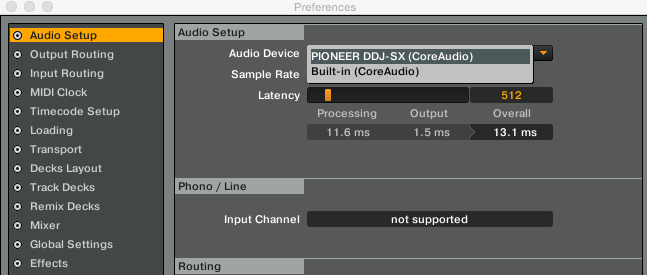
Within Traktor, go to Preferences > Audio Setup, and select the Pioneer DDJ-SX as your audio interface.
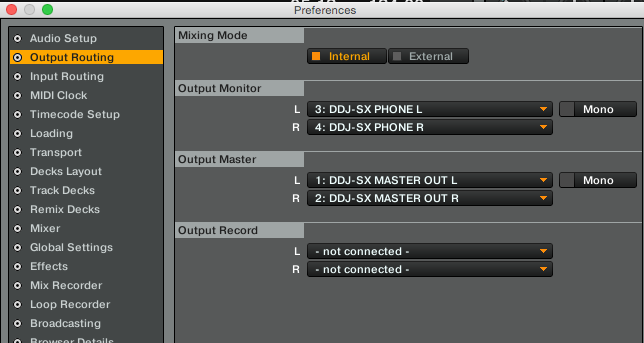
Next, go to the Output Routing page and configure the Mixing Mode to be Internal, and set the outputs as follows (exact naming may be different on a PC):


Comment actions