
Mapping for xdi rx 2.10 version Traktor pro 2.10.1 full mapping
Mixer in midi mode
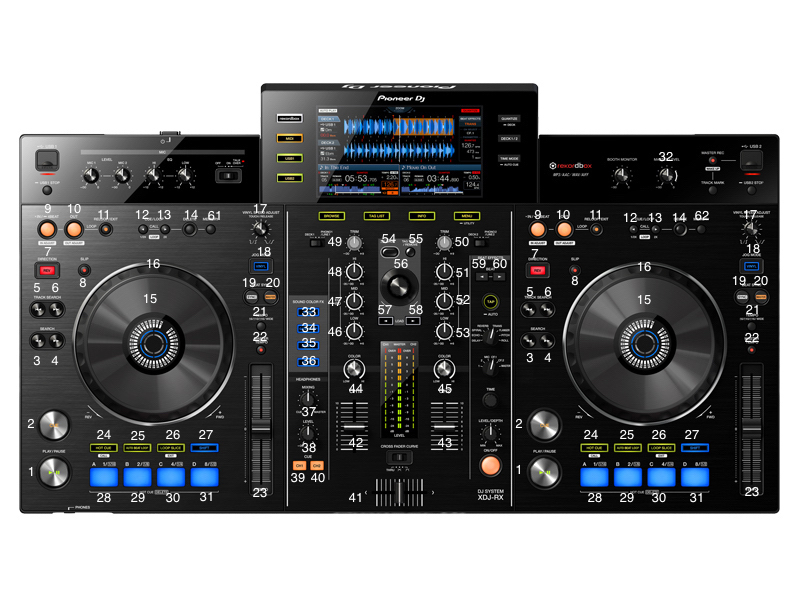
1: play
2: cue
3: seek position <—-
4: seek position —->
5: track up
6: track down
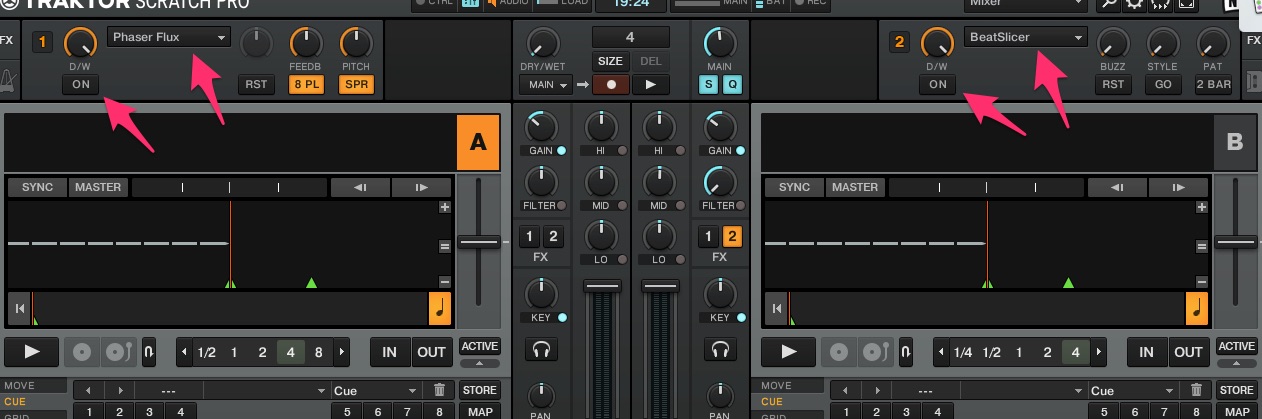
7 button deck a unit effect 1 on off
7 button deck b unit effect 2 on off
8: flux button deck a
8: flux button deck b
9: loop in set
10: loop out
11: loop active on off
12: loop half
13: loop double
14: deck left not mapping
14: right deck record on off
15: jog touch
16: pitch bend
17: deck a zoom waveform
17: deck b volume rekord
18: vinyl on off
19: sync on off
20: set at tempo master
21: tempo range
22: key on off
23: tempo
24: hot cue
28: hot cue 1
29: hot cue 2
30: hot cue 3
31: hot cue 4
27: press to delete hot cue
25: loop
28: loop 1
29: loop 2
30: loop 4
31: loop 8
26: loop
28: loop 1/16
29: loop 1/8
30: loop 1/4
31: loop 1/2
32: volume master
33: effect one left right - when the key 59 60 and pressed
34: effect two left right - when the key 59 60 and pressed
35: effect tre left right - when the key 59 60 and pressed
36: filter on off
37: headphones mini cue master
38: headphones volume
39: monitor cue left
40: monitor cue right
41: crossfader
42: volume left
43: volume right
44: filter left
45: filter right
46: low
47: mid
48: high
49: gain
46: level effect tre - when the key 59 60 and pressed
47: level effect two - when the key 59 60 and pressed
48: level effect one - when the key 59 60 and pressed
49: dry wet - when the key 59 60 and pressed
53: low
52: mid
51: high
50: gain
53: level effect tre - when the key 59 60 and pressed
52: level effect two - when the key 59 60 and pressed
51: level effect one - when the key 59 60 and pressed
50: dry wet - when the key 59 60 and pressed
54: folder preferred down
55: folder preferred up
56: library un and down and pressing only browser
57: load track left
58: load track right
59: switching effect rack 1
60: switching effect rack 2
61: full screen on off
62: cut track record
new insert : when pressing key 59+39 assign crossfader left to deck a
when pressing key 60+40 assign crossfader right to deck b
download instructions
https://www.dropbox.com/sh/1236zxu892lv5yw/AAAnnNOSqmFHJjN6Hzmgk9Rca?dl=0