
@Oleg > Have you tried lowering the waveform drawing rate from HIGH to MEDIUM in the rekordbox preferences?
Comment actions

I recently bought DDJ-RZ and sometimes I have audio dropouts and glitches during playback and recording. They occur randomly, I tried to set buffer size to max or to use another usb port but it didn't help. I even replaced my HDD with SSD and still no change. My specs are:
Lenovo Y510P laptop (late 2013)
Intel Core i7-4700MQ 2.4 GHz
16 GB RAM
SSD 128 GB + internal SSD 22 GB (I keep my tracks on this drive for now)
Hope you can help me.
Post is closed for comments.
@Oleg > Have you tried lowering the waveform drawing rate from HIGH to MEDIUM in the rekordbox preferences?
Yes, I have. It doesn't help. And I have tried to change the layout to vertical, but still nothing... By the way, yesterday I noticed that glitches occur even without connected controller, so I don't think it's a hardware problem.
Can you send a screenshot of your task monitor, sorted by CPU usage and another sorted by Memory usage?
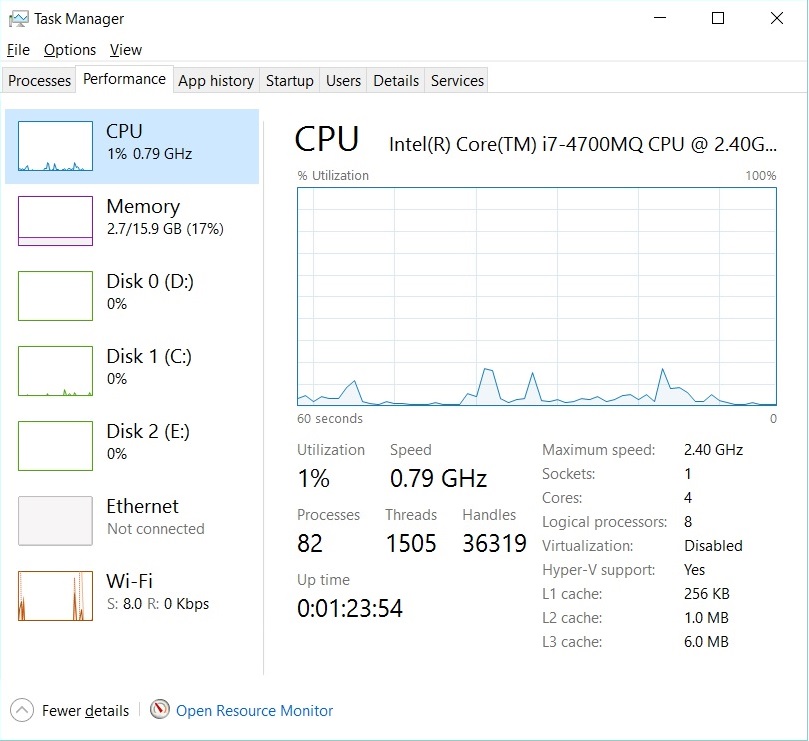
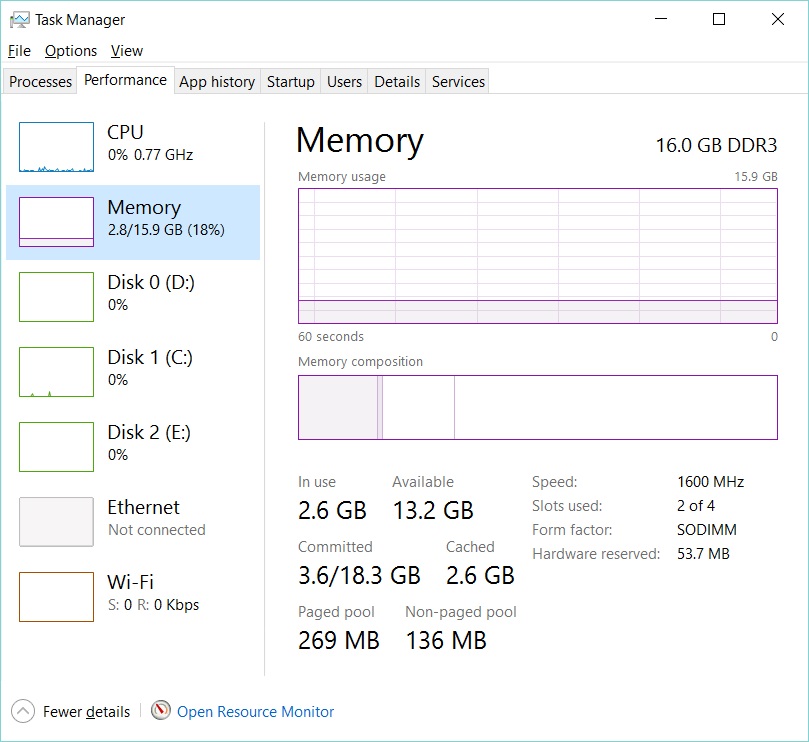 Here they are.
Sorry, I should have said from the Processes tab while rekordbox was running. The totals only show the big picture, we need details to see if there's something specific chewing up resources in conflict with rekordbox.
Like that?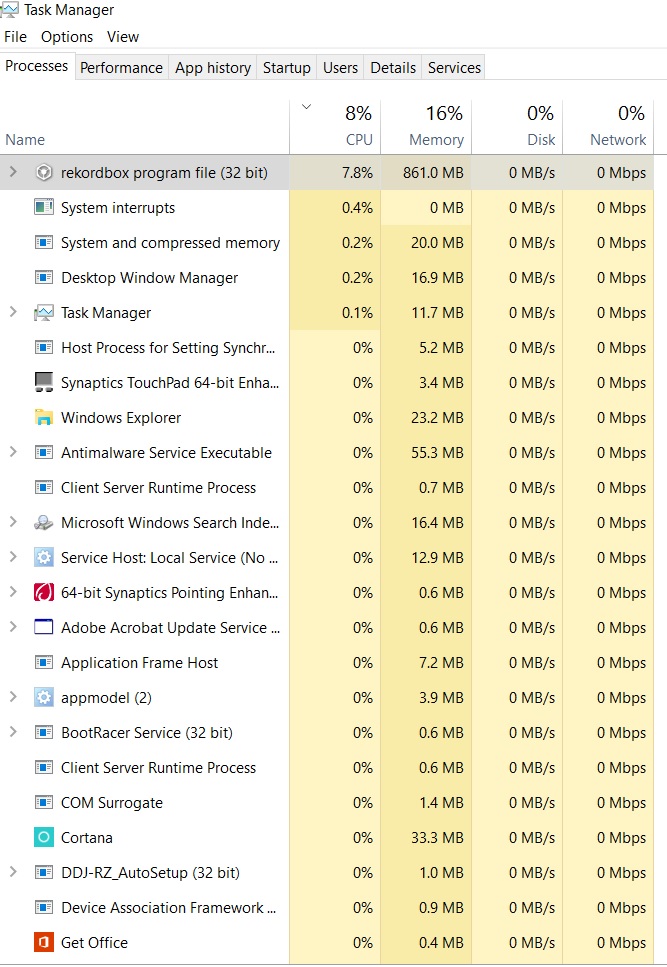
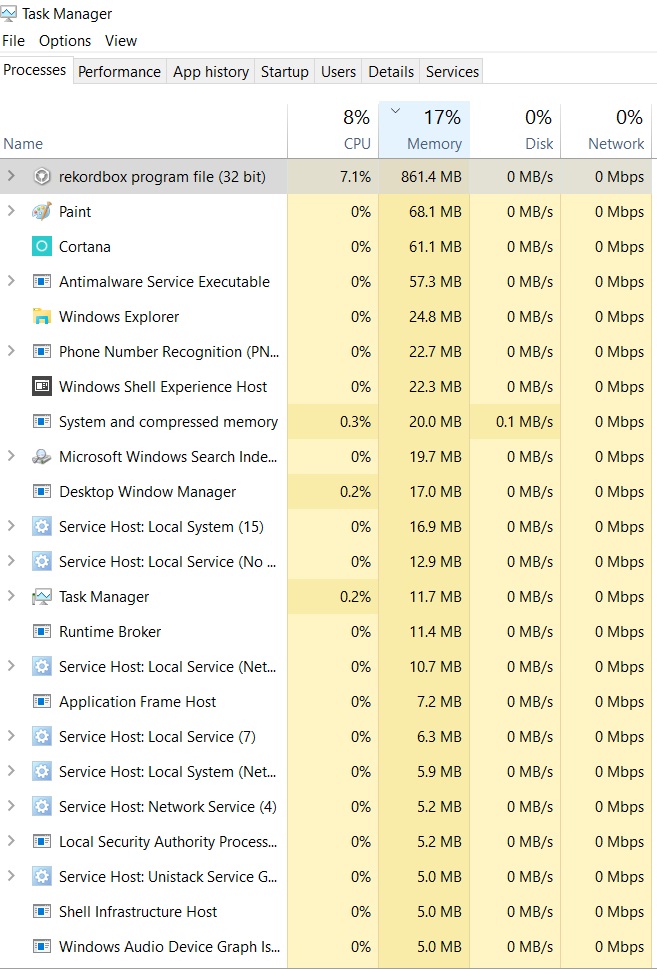
Thanks! And do you have all of the latest Windows updates applied as well as the graphics drivers (directly from the manufacturer -- NOT through Windows update)?
Most updates were installed through Windows update. The graphics drivers aren't the latest as I can see. But windows is up to date.

Yes i have the Same Problem like you , i have an i7 Quad Core with 4x 2,5ghz and a NVIDIA 840 M graphic Card . I have the Same values in the Task Manager, but the recordbox dj software have very much Audio dropouts during the mix
Could you both please try updating the graphics drivers?
Already done. And it doesn't help, short stutters still occur even without connected controller.
So, i did it too. But it does'nt help.
If you want to see it in "real" , your developer Team can Look over teamviewer in my pc , to find the mistake. Or can i help you with other things?
So Now i fixed the Problem. Ithink there was a Problem with the Energie saver Prozessor Mode. But maybe it Makes problems , if you just made a
Update from Windows 8 to 10 Or from 7 to 10 without a clean install . If you want to fix it, Save your data and delete anything from your pc ( Windows Reinstall). If you have a new clean version of Windows, install the newest drivers. Then the Problem will be fixed and Recordbox will work well .
sorry for my Bad english
kind regards from Germany


