Try to reformat the usb flash. Make sure you are formatting it FAT32 and using MBR partition table, not GPT.
Once done, sync the drive with the Rekordbox application and try.
Comment actions

Hey,
Just Picked up some XDJ 700's - with some Corsair Stealth Survivor (USB3) 128gb USB Sticks.
Formatted in Fat32.
When I putt one sticks in the XDJ - It only displays a "contents" folder. It finds settings data, but none of the rekordbox search's are available. Example - http://imgur.com/offle1J
The other stick, will do the same, but if I hit usb stop, remove and replace it works fine.
Am I doing something wrong?
Post is closed for comments.
Try to reformat the usb flash. Make sure you are formatting it FAT32 and using MBR partition table, not GPT.
Once done, sync the drive with the Rekordbox application and try.
Done that, I'm thinking it must be a problem with the Corsair sticks. The other drives I have (a 64kingston and a 32 Integral) both work totally fine, formatted as you say.
I have got one Survivor 32gb. Will give it a try...
Thanks man. Just a nuisance that the expensive drives I got for it are being a pain, and the cheap one's I've had for years work no problems.
Hey Matt,
Just tied my corsair survivor on the xdj-1000.
Formatted on my mac to be FAT32, MBR. Synced one playlist with the rekordbox and works fine on my player - all the library features are available.
How are you syncing the usb sticks with the rekordbox? Are you using the sync manager in the rekordbox?
Yep, using Rekordbox Sync. Formatted as it should be Fat32 with a Master Boot Record. Both sticks causing problems. Have returned, it's obviously something on the sticks. Like I said, they still found the Settings data, but not the Rekordbox Database, just the contents folder.
Picked up some ultra fit 128gb sticks, formatted fat 32, mbr, all works a treat.
Thank you for taking the time to help, I'm annoyed that I could not figure out what was up with these sticks, but hey-ho.

You didn't find a solution after then Matt? I'm having the EXACT same problems with you except with the 64GB version. 32GB Kingston cheap one works fine but this Corsair only shows the content file like yours :(
Can't even return the USB because I bought it end of March and I've been having problems trying to fix it since! Should have returned it sooner but I'm adamant there's gotta be a fix for it!!

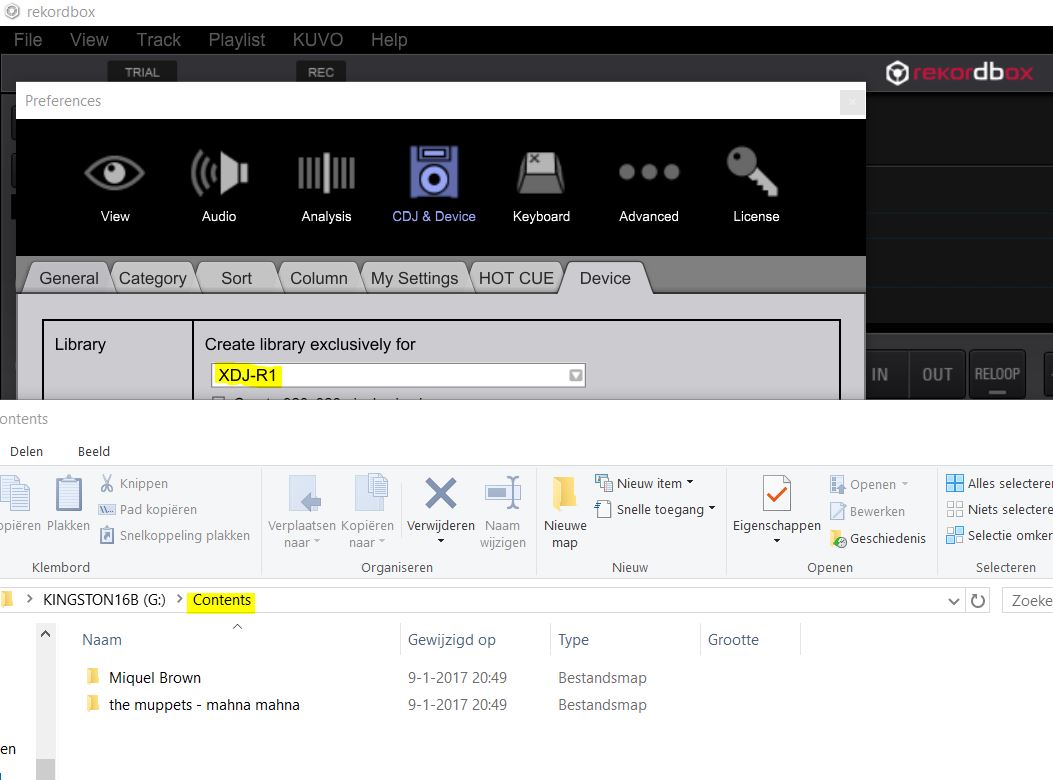
After refreshing Windows 10 and installing RB 4.2.5 (latest) all tracks are exported to the CONTENTS folder. XDJ R1 can not handle this; no playlists available...
Device Settings; XDJ R1 exclusively
USB 16GB FAT32 (reformatted)
Before refreshing and installing RB 4.2.5 this was not the case, same USB stick.
My gig was totally screwed because of this. Please advise PioneerDJ!