
Are you using vinyl or CDJ source?
Comment actions

Just purchased the new recordbox DVS system (Windows 10) to try outThe channel inputs won't sync up with the software (Left input is on the right waveform display and right input is on the left) sometimes the right channel won't even work. I've tried all variations with the recordbox Timecode in the audio Settings Utilly. I have the compatible Pioneer DJM-850 Mixer. Help! I have the mixer setup the same for Traktor Pro (Serato DJ & VDJ) with no problems.
Post is closed for comments.
Are you using vinyl or CDJ source?
Using Vinyl
@Derrick > You need to check four things:
1) The configuration of your inputs on the DJM-850 Setting Utility. Shown below for reference are my DJM-900SRT settings:
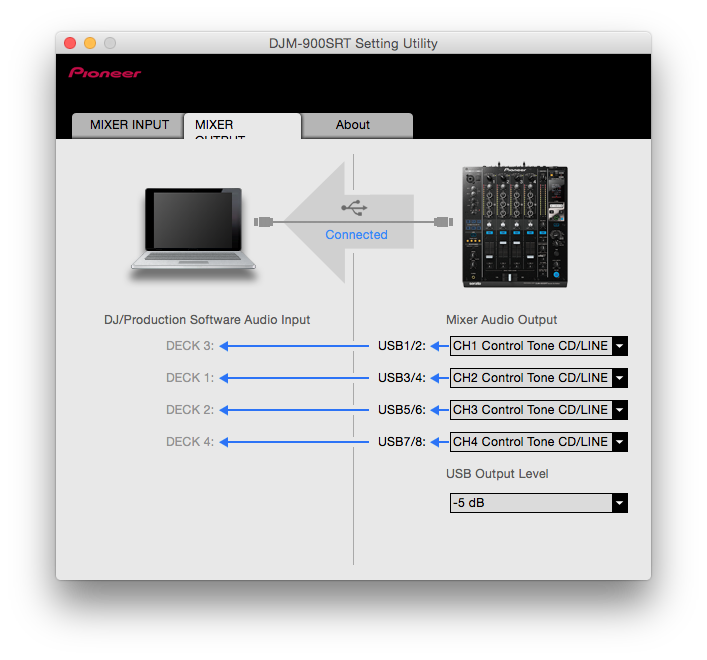
Note that I have mine set to DECK 3 <- USB1/2 <- CH1 Control Tone -- the channels don't match because this is how I have my physical decks connected. Keep this in mind for later.
2) Make sure each channel input selector on your DJM-850 is set to USB.
3) Open rekordbox's Preferences > Audio page:
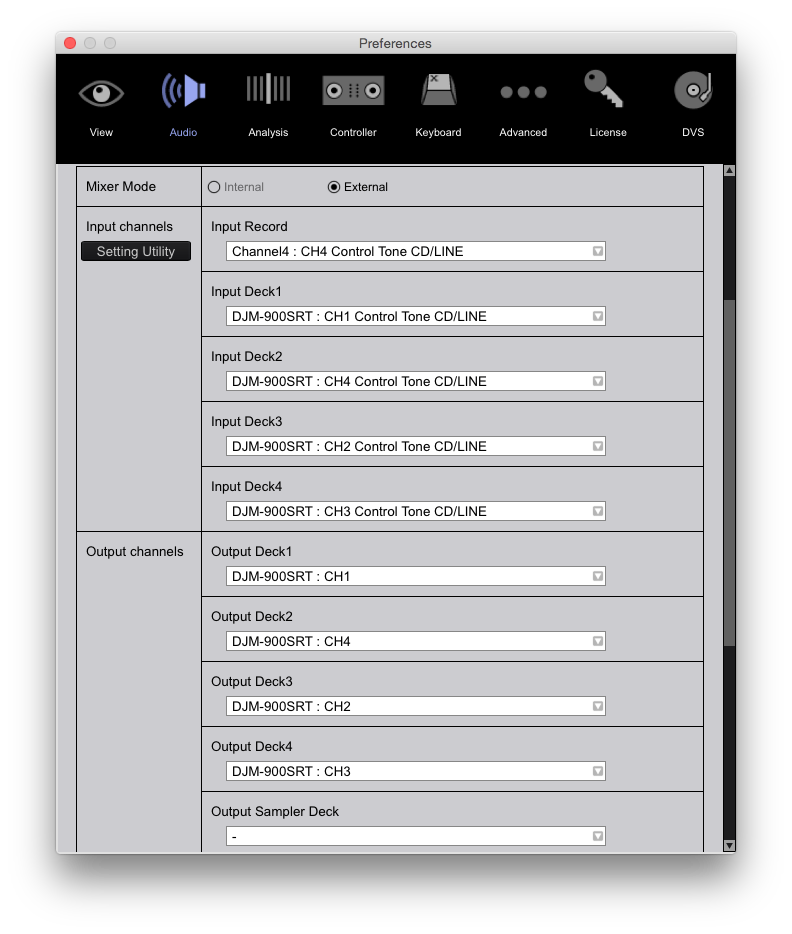 Ignore the INPUT RECORD setting, I didn't configure it here.
Note the wacky output configuration for the rekordbox decks to my mixer (due to the layout of the channels).
4) Finally, be sure you've connected the virtual cables correctly on the Preferences > DVS page:
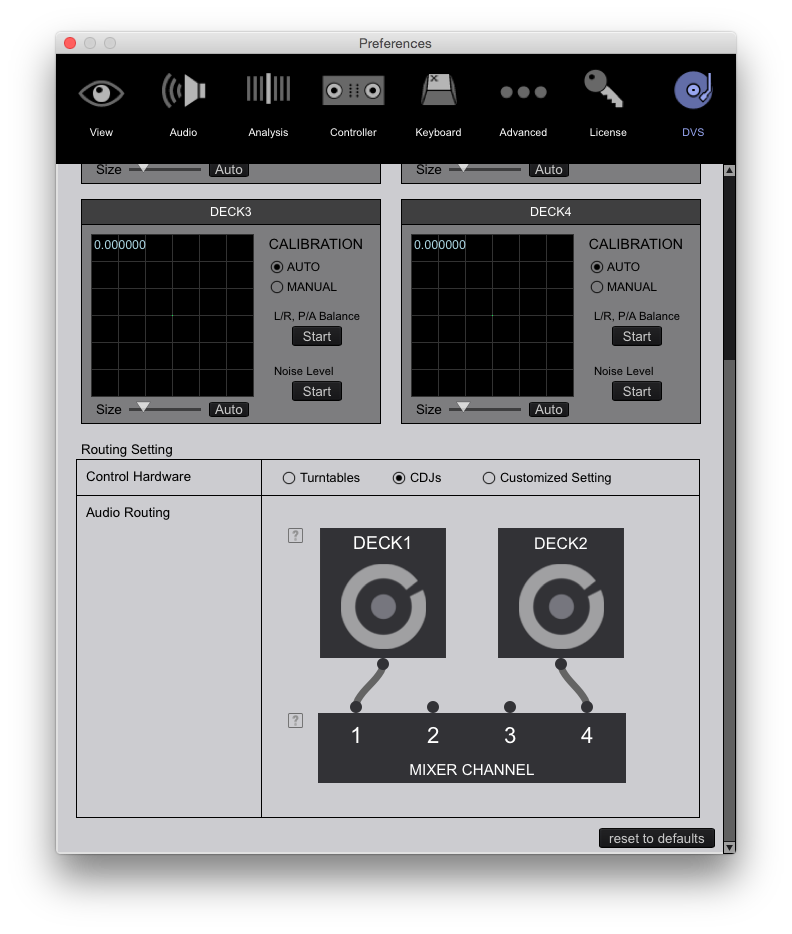 Again, note that I have customized where my connections go.
One last thing - be sure your L/R cables are connected properly or your signal will make the rekordbox decks go backwards.
Thanks for your help, your configuration works. I didn't expect such a quick response!
Awesome - glad it worked for you!

@pioneer DJ, how would this set up differ if it was cdj 1000mk2 using timecode cd
It wouldn't.

