Official comment

It means you haven't enabled the XML sharing in the iTunes Preferences > Advanced:


Comment actions

I recently reformatted my macbook pro and transferred the iTunes library I had from the laptop (preformatted) to an external drive and back to my laptop after wiping everything.
After reinstalling rekordbox I get this error
"The iTunes xml file specified is unable to be read properly"
In the advanced tab in iTunes I have checked "Share iTunes library XML with other applications".
Any help would be greatly appreciated.
Thanks
It means you haven't enabled the XML sharing in the iTunes Preferences > Advanced:
Post is closed for comments.

What version of ITunes are you using, wondering if the pathway has been changed along the way?
im using 12.3.3.17

Hi Guys....
Have you solved the problem??? i got the same problem.... recordbox show me the following message:
"The iTunes xml file specified is unable to be read properly"
I Have enableb the XML sharing in the iTunes Preferences > Advanced:
but still Recordbox doesn´t show my my Itunes List...
THANKS FOR THE SUPPORT
LUIS
My setup:
Macbook pro 2017, itunes 12.7.5, Recordbox 5.2.3, PIONNER DJM 850, 2 PIONNER XDJ 1000MK2

@Luis > What do you have set in your rekordbox preferences for the iTunes library?
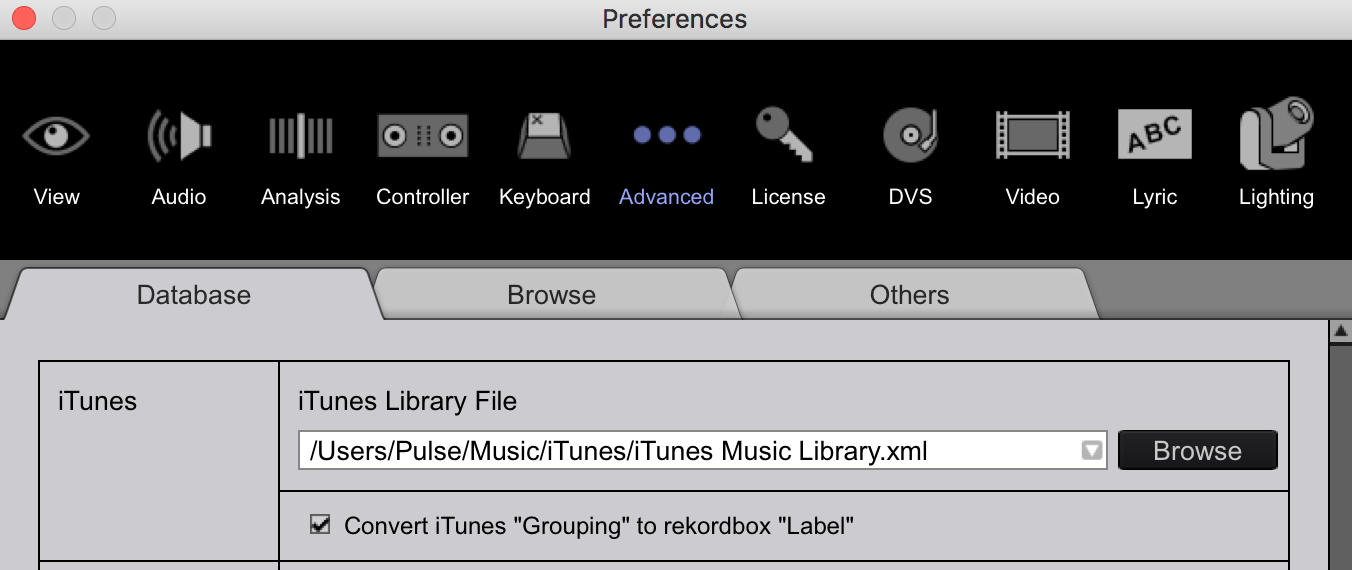
I Solved It... I browse and load again the xml library and finally recognize it....
Thanks!!!!


