Have a feature request or suggestion? Post your idea here!

Post

4 followers Follow
0
Avatar

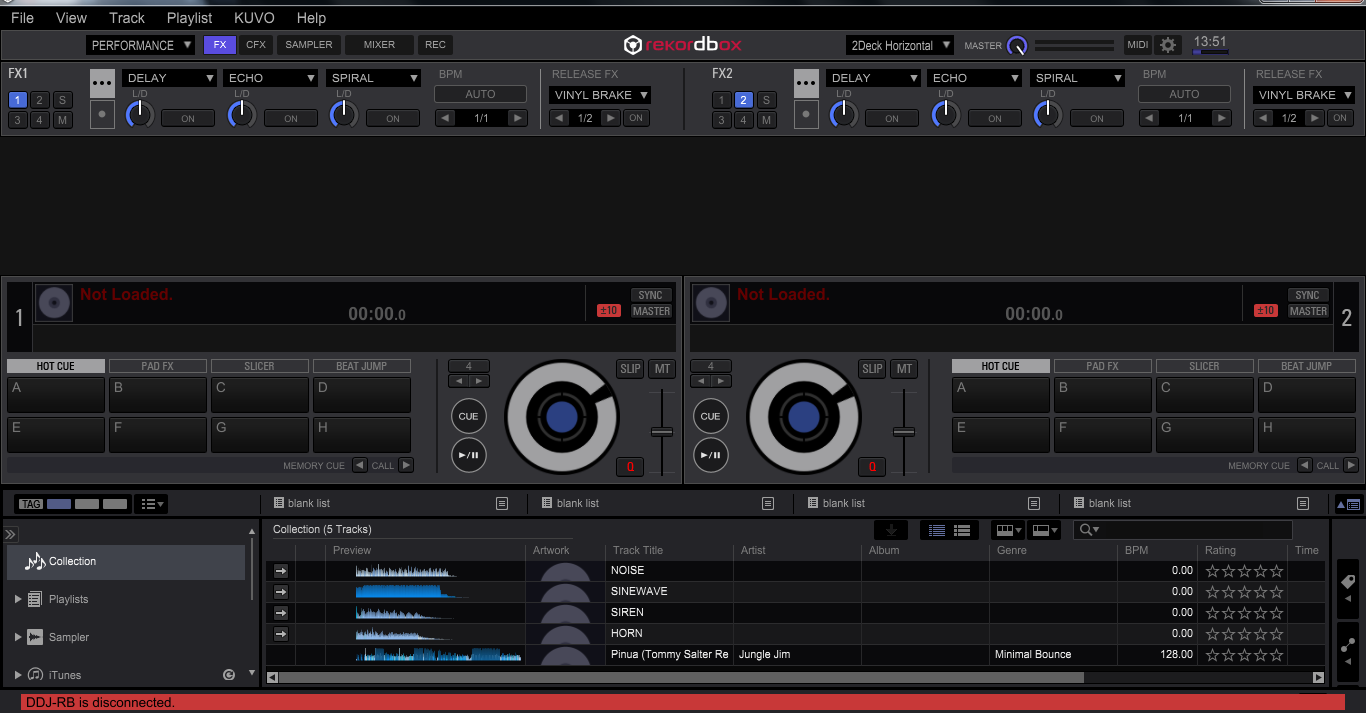
DDJ-RB is diconnected

Hi, today i received my DDJ-RB and after following the guide and installing all the necesary drivers i connected RB to laptop and when i open rekordbox in performance mode it sais that RB is disconnected... Can anyone help me with that, thanks in advance.


If it means anything I am running 64-bit Windows 7 Home Premium

CPU: AMD Phenom N830 Triple-Core 2.10 GHz

Memory (RAM): 6,00 GB


Filip Miletić Answered

Official comment

Avatar

Hello Filip,

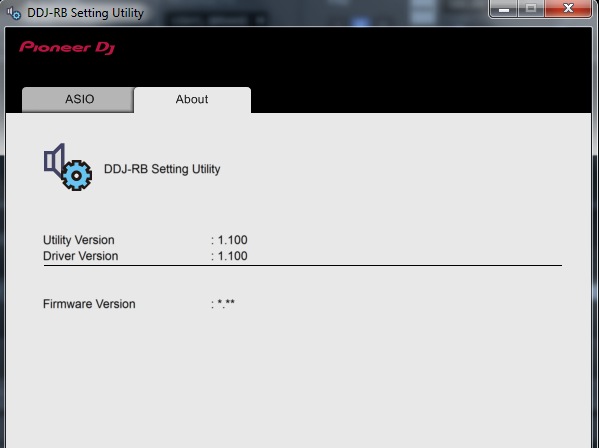
DDJ-RB engineers saw the screenshots you kindly attached and found that the DDJ-RB was not recognized by the computer.

The driver seems to be correctly installed. Please check if the DDJ-RB is properly connected to the computer using a USB cable. 

If you do not find any issues with the connection between the computer and DDJ-RB and still have problems, please reconnect your computer to the DDJ-RB using other USB ports of the computer.

If you still have any issues, please let us know.

Thank you very much for your kind cooperation.

Best regards,

CRM, Pioneer DJ


Keiko
Comment actions Permalink

Post is closed for comments.

8 comments

0
Avatar

Hi, Tom. Thank you for advice but I've done it and it didn't help at all... As you can see on second image I can't even see my current firmware version. Really don't know what to do I guess I need to wait for admin or someone from pioneer to answer. :/

Filip Miletić 0 votes
Comment actions Permalink
0
Avatar

Hi, I am just informing you that i solved the problem by reinstalling the windows but now there is no master output from RB to my laptop speakers, do you know what it may be ?


Filip Miletić 0 votes
Comment actions Permalink
0
Avatar

Unfortunatelly it didn't do anything really don't know what to do, and I can't control master volume at all...

Filip Miletić 0 votes
Comment actions Permalink