
Was it this video you watched?
And yes, the sample rates must match in order for it to work.
Comment actions

So I've been loving my DJM-2000 nexus (ver 3.20) for quite a while but now I ran into a huge issue. When I try to set up the audio interface as 6 output and 2 input, the input channels do not work at all. I'm using a Mac with El Capitan, and trying to get audio from the input channels of the mixer to Traktor (2.10.2 9) without any luck. This is awful as I can't record my sets on Traktor nor any other software that I've tried (Live, Rekordbox). Actually, I think I'm getting a very weird behaviour out of the mixer so I would like to do a sanity check here before taking it to a service center.
I've already done what Pulse says on the video that explains how to set up the mixer (turn on with utility button pressed, select input level and frequency). I've selected on the utility tool that I want the interface to work as 6 out and 2 in. I've created an aggregate device on the "Audio MIDI Setup" utility which includes both inputs and the 6 output channels. In Traktor I select the aggregate device and then when I set up my output routing (external) the 6 channels appear without a problem (0 to 5). I have even tested them and they work fine, they route audio to tracks 1, 2 and 3 of the mixer. But the input portion is the one that's not working correctly. When configuring Input Routing, two channels appear called "Front Left" and "Front Right" which is the first weird part. Then I try to plug in a CDJ just to test the audio on track 4 of the mixer but no audio is getting to Traktor (on the Input Routing the meters are just not moving). I tried connecting the CDJ to any of the other traks on the mixer but still no input on Traktor. I do make sure the input selector is on "CD/Digital" when I connect the CDJ as an input.
Another weird thing to point out is that there must be a mismatch between the mixer sample rate and the one configured on Traktor for it to work as the mixer is set to 48k when on traktor needs to be configured at 41.4k for it to be able route audio out to the mixer.
The whole thing just seems weird and I'm fearing that my mixer might be the problem here as I've worked with other mixers like the Allen & Heath Xone:DB2 and they were working just fine with input and output routing with the same software setup (El Capitan and Traktor 2.10). Can anyone validate for me if I'm missing something? Any workaround or should I just take it to a service center? Thanks in advance for your support!
Post is closed for comments.
Was it this video you watched?
And yes, the sample rates must match in order for it to work.

for me it's the same problem. No input in rekordbox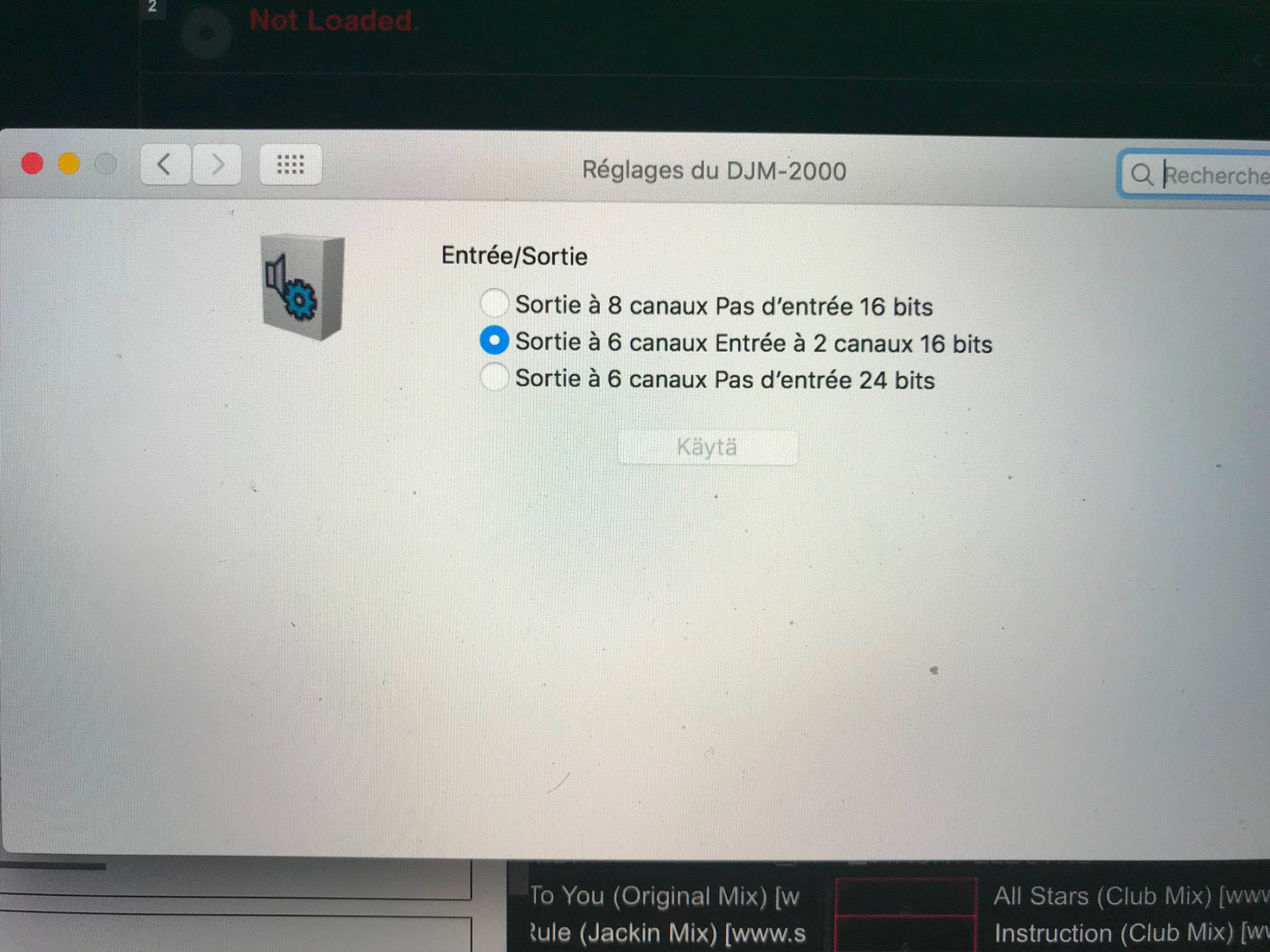

@Vincent > Ah, that's because you're using a DJM-2000, not a DJM-2000NXS; the NXS model uses the ins/outs as a single audio device, but the original model creates two different audio devices and rekordbox can only handle one at a time.
Create an aggregate of the two audio devices (in the Mac Audio MIDI Setup) and then you'll be able to assign the outputs for recording within rekordbox.
Hello
I do not understand what you me said. I have a djm 2000 nexus
I don't have a DJM-2000/NXS here, so you'll have to follow along...
The DJM-2000 makes two different audio instances within the device list. For this purpose, I'm going to use a DJM-900NXS2 (input) and a CDJ-2000NXS2 (output).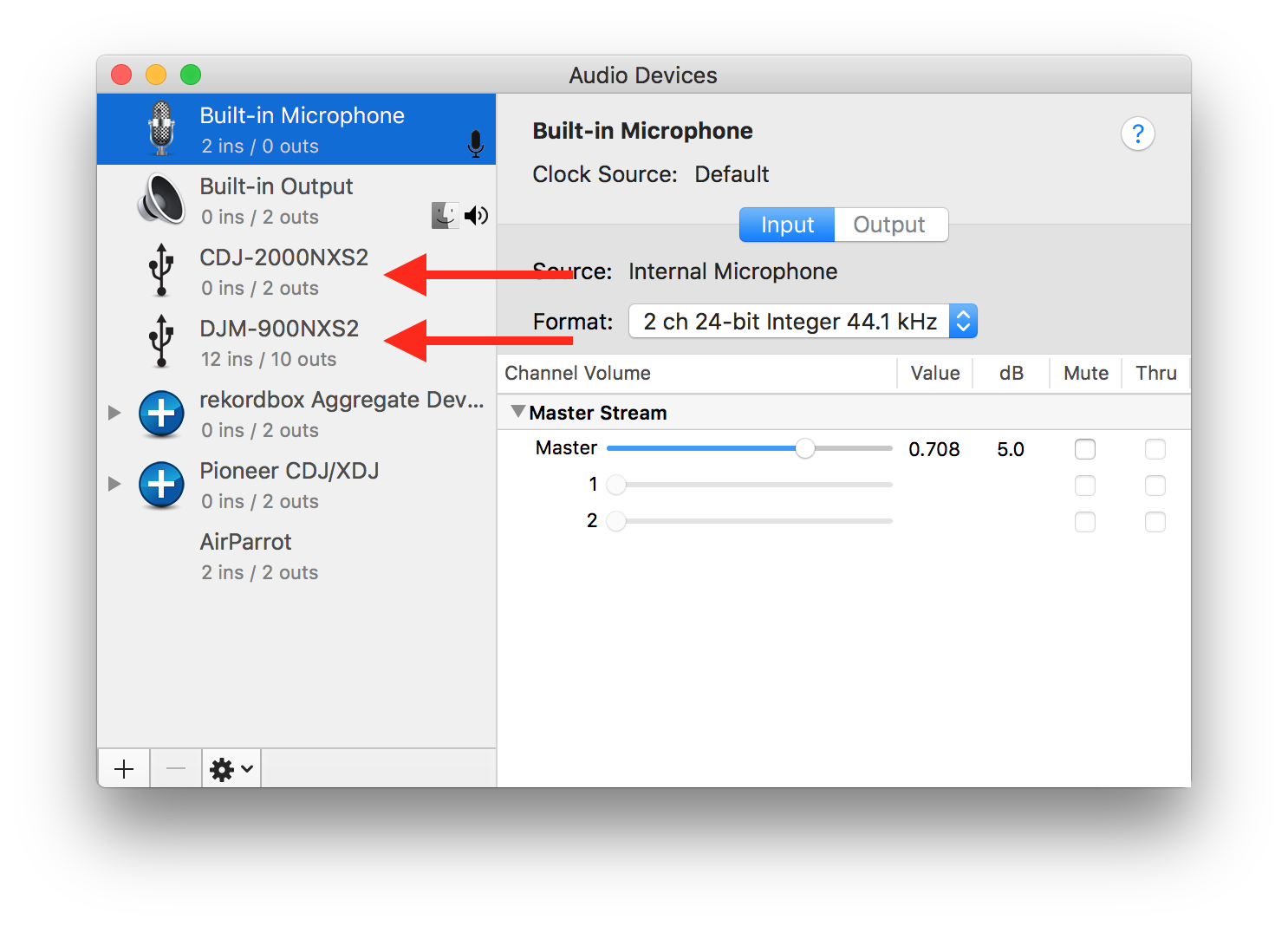
Open your Audio MIDI Setup application and open the Audio Devices window, you'll see that window above, but you should see two entries for the DJM-2000; one with 0 ins / 2 outs and the other with 6 ins / 0 outs.
Click the little + icon at the bottom and select Create Aggregate Device.
Check the box beside both DJM-2000 entries (in my case, the DJM-900NXS2 and the CDJ-2000NXS2):
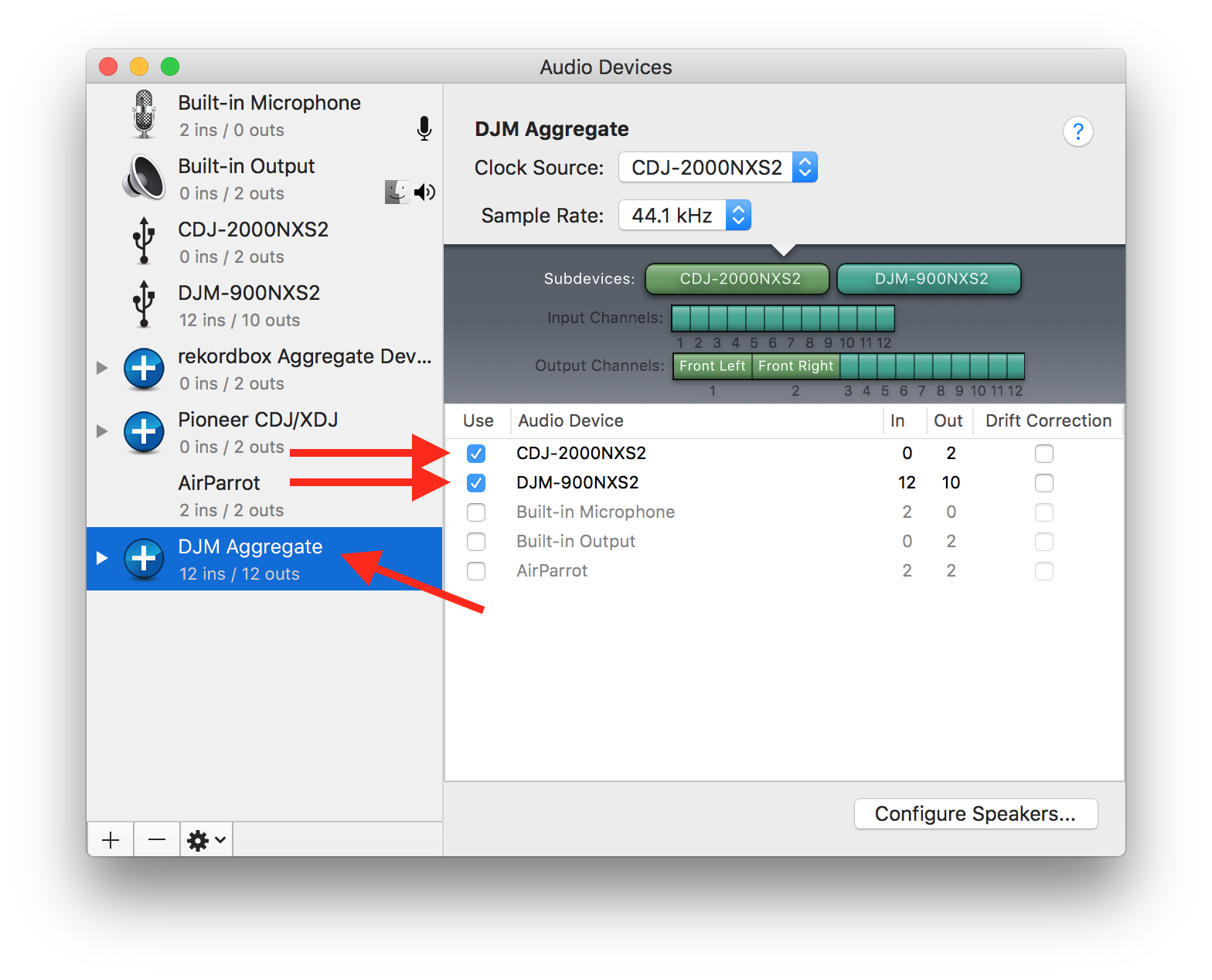
You can also rename this DJM Aggregate.
Next, open rekordbox and open the Preferences > Audio and select the DJM Aggregate as your audio device:
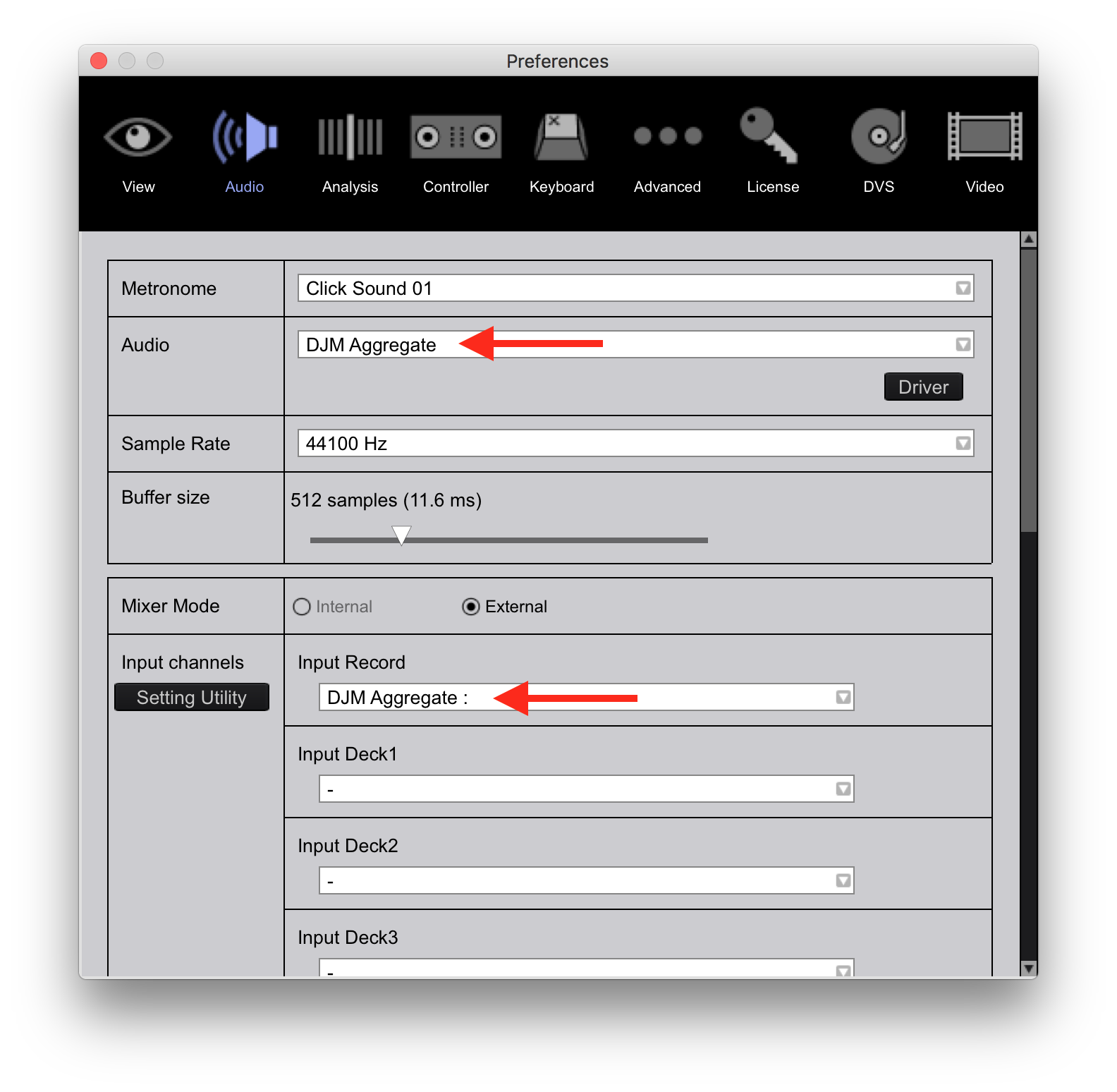 It may also default as the recording device, but if not, select it.
Test that out, it should work for you to now record the mix signal from the mixer.


