
Follow Print for a better understanding.


Comment actions
Good evening.
I'm new to Rekordbox and I'm having trouble with the information on each deck. Decks do not show the total time of each song. The seconds or minutes are missing depending on the display mode.
I'm using version 4.2.4 on MacbookPro with El Capitan
Post is closed for comments.
Follow Print for a better understanding.

your counter is counting from zero up. To change it to count down from the total time, just click on the counter to change
Hi. Thanks for the attention but you do not understand. See in the print that they are missing number in the time of the music. Thank you.

yes because they are starting at ZERO and counting up
or are you talking about your BPM reading inside the spinning circle ?
Hi. At the moment I just talked about the time of the song, only the minutes appear. BPM is also inside the whole state circle.
If I'm not mistaken, in the upper right side has the clock, only the hour and three dot appears.
its your font size in vertical mode go to preferences view font size
Hi. I already entered the preferences, I marked small and does not change anything inside the deck and inside the circle.
Placing horizontally also did not solve the defect.

How about screen resolution. Is it set at or below the minimum of 1280 x 768? Everything on your screen looks so much larger than normal.
Here is 1280x800.

Hello Jean,
Please check if the Arial font is installed and enabled on your Mac.
You can verify it on the Fontbook application. You can launch it from the Launchpad.
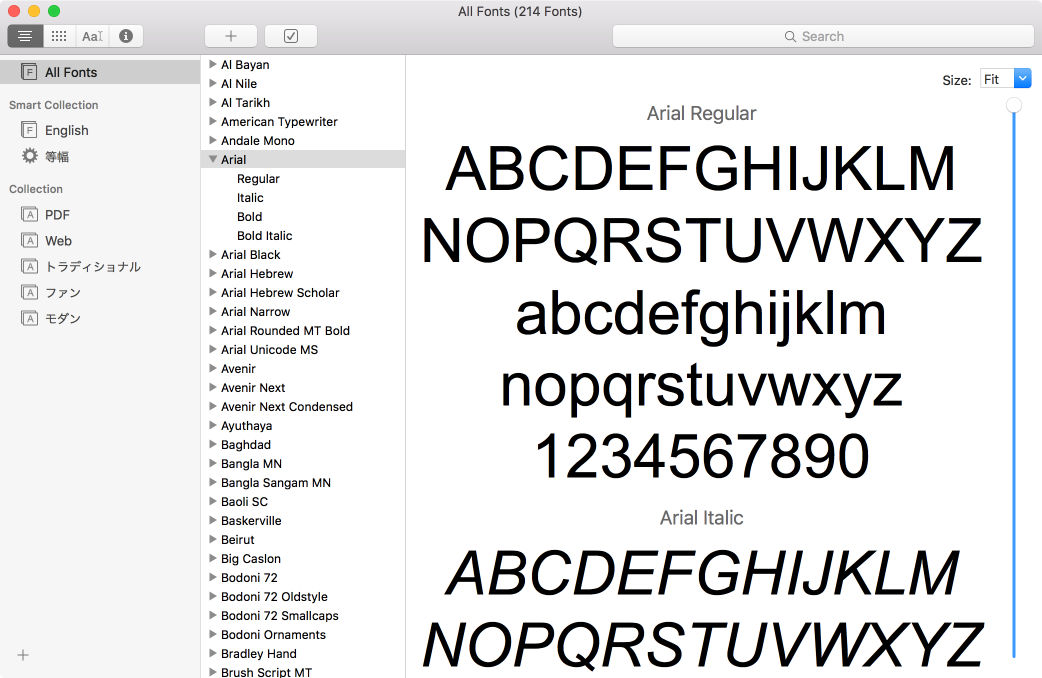
Thank God, it worked now. Many thanks Hiroyuki.

Problem solved.


