Official comment

No, those should work just fine - please follow the DVS setup instructions here, and if you need further help, just let us know.
Comment actions

I just bought the Interface 2 and have followed the manual to set it up but my reloop turntables are not talking to my computer. I was wondering weather it was my turntables.
Thanks
Patt rogerson
No, those should work just fine - please follow the DVS setup instructions here, and if you need further help, just let us know.
Post is closed for comments.
I forgot to mention they are belt driven does that matter, my problem is there not calibration nothing happens when I try to calibrate
The fact they're belt-driven is not the issue. Have you configured the audio inputs properly? Post a screenshot of the audio preferences page from rekordbox.
How do I go about configureing the audio Inputs?
Can you post a screenshot of your audio preferences page?
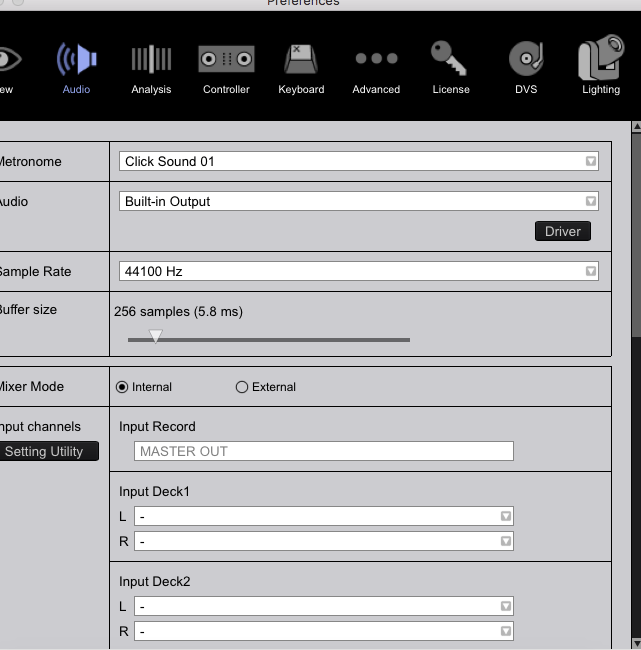
First of all, the AUDIO device (where it says "Built-In Output") should be the INTERFACE-2, and that should then change the mixer-mode to External, with the Input Decks being pre-configured to the IF-2 ins, and the outputs the IF-2 outs.
there is no option 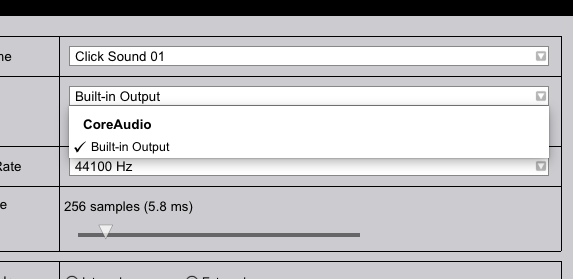
Do you know where I’m going wrong?
If you're using High Sierra, chances are you didn't deactivate the driver security, so the drivers weren't properly installed. Follow these steps:
- Run the IF-2 driver installation
- Disable the driver security right after the installation
- Run the IF-2 driver installation a second time
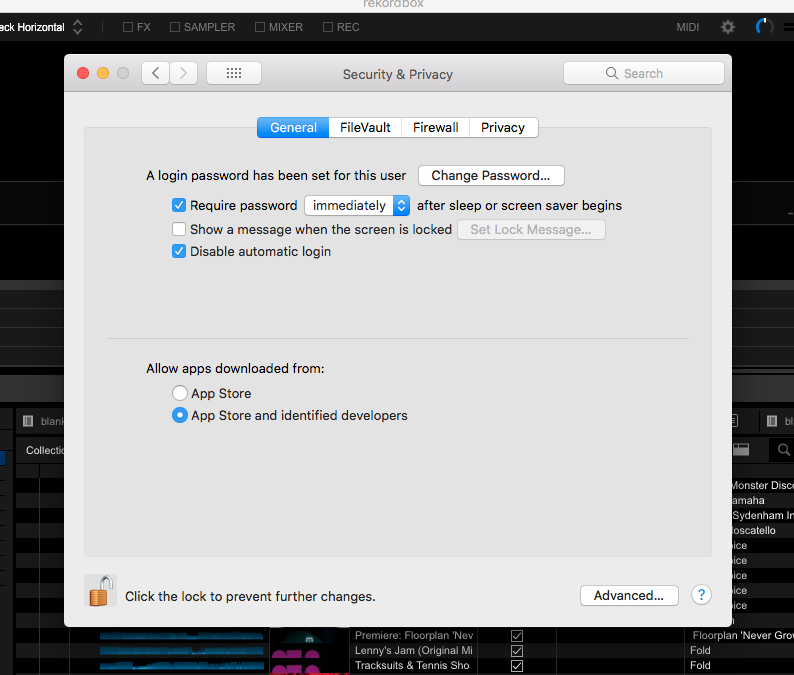
still nothing I've installed the driver like 3 times
Try uninstalling the drivers (uninstaller is in the driver package), then reboot the computer and try the install / security / install process again.


