
Official comment

My recommendation is to create the outro loops as "active memory loops," which means the loop is stored to memory, and when the playback reaches that point, it will automatically enter the loop. To do this, first set the loop, change the pad mode to MEMORY, then press the MEMORY button and a new line will appear with an orange loop icon. Click on the orange loop to change it to red - that's now an active memory loop.
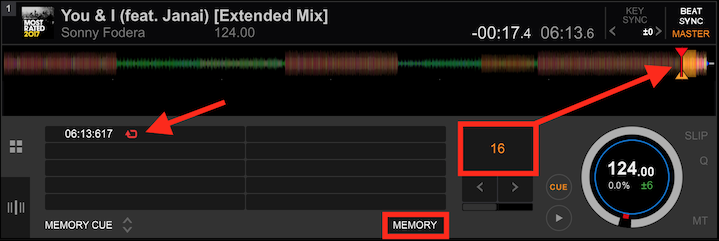
Next, for the intro, switch the pad mode back to HOT CUE, create a loop where you want it, then store it as a hot cue:
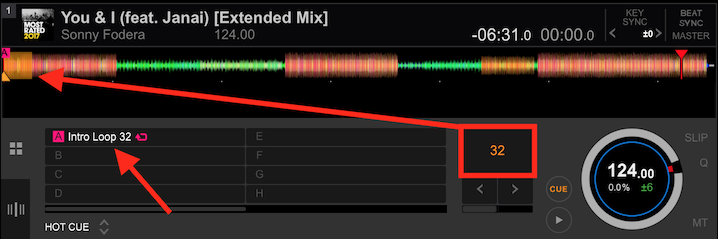
You can change the default colour or add a comment if you want.
When you load the track on the CDJ, the "A" hot cue will call the loop when you press it, and then the track will automatically loop the outro when it gets to the active memory loop.
Presto!

