

Hi, I'm also on Mac and XDJ-RX2. Both work great together here.
For me this sounds like an USB drive issue. Did you have the chance to try another USB device so far?
Two ideas:
1. Check your USB drive with F3X:
https://github.com/insidegui/F3X
Basically, this software checks if your device is pretending to store more data than it actually can (fraud) and checks integrity of its storage. Random data is written and verified afterwards, so you can get a reliable test result if your XDJ-RX2 will get the same data your Mac wrote initially.
2. Reset whole drive with MBR and FAT32
Apple's disk utility is OK in most cases, but to get a 100% compatible partition layout I'd suggest to reformat and recreate the partition in macOS' Terminal.
Reason: Apple's graphical disk utility creates another hidden partition when resetting the whole USB drive. Also, the GUID partition scheme is selected by default. The MBR (Master Boot Record) scheme is still the most compatible partition electronic devices out there.
How to do this:
+++ CAUTION: Save your data from your USB stick +++
+++ I'm not responsible for any data loss. +++
a) Connect USB device with Mac
b) Launch Terminal (you can look it up quickly using Spotlight)
c) Enter diskutil list
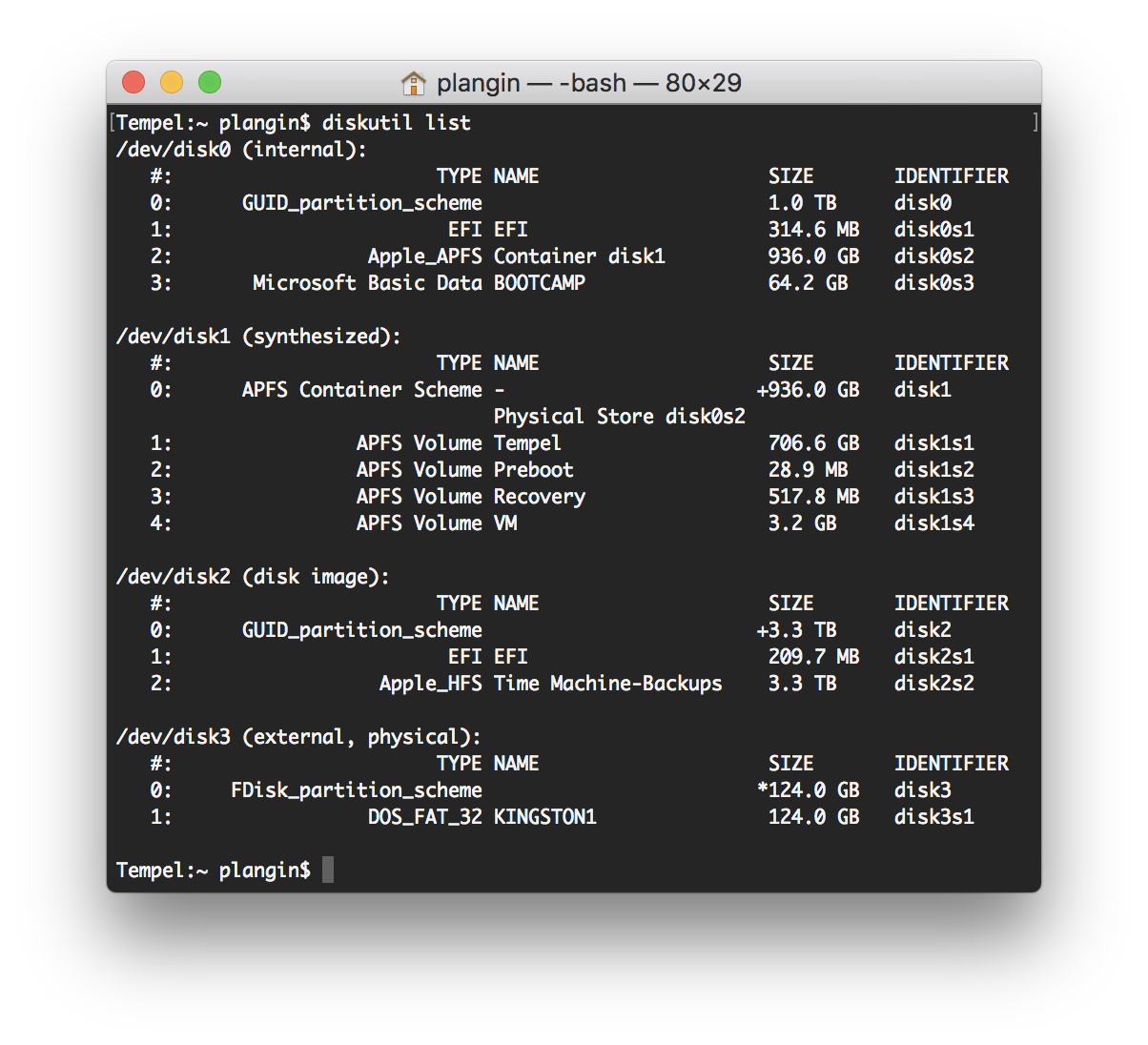 d) Look up your drive. In my case, it is disk3
e) Enter diskutil unmountDisk /dev/disk3 (change the number, if needed to your drive no.)
f) Enter diskutil eraseDisk FAT32 DESIRED_NAME MBRFormat /dev/disk3 (change to your desired name)
Let me know, if it worked!


