Official comment

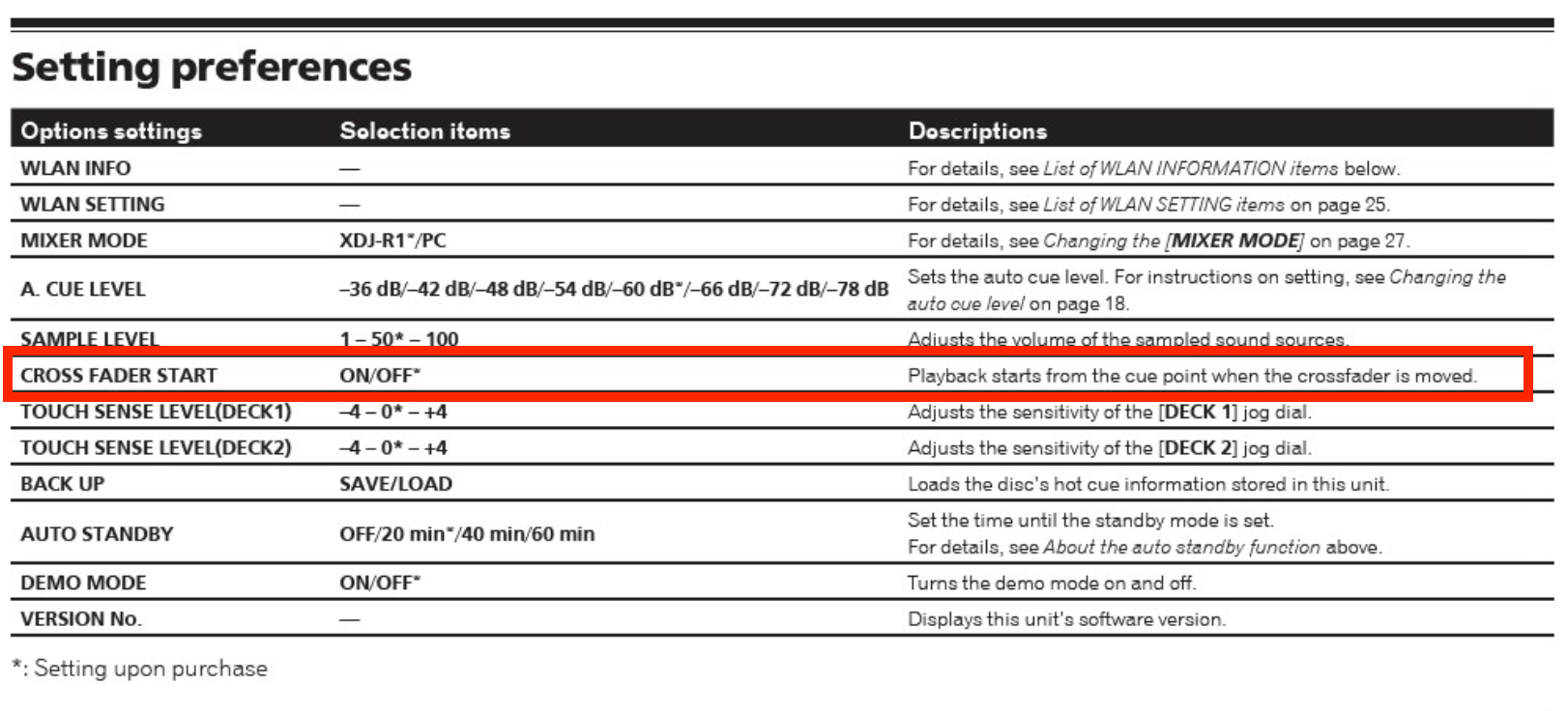
Press and hold the UTILITY button to enter the settings mode and change the CROSS FADER START to ON.


Comment actions

When I use the cross fade slider in position thru, when I slide to the left, I correctly get the sound from Channel 1 and when I slide to the right, I correctly get the sound from channel 2
However, I notice that although no sound is coming out, the cd is continually running in the opposite channel, therefore when I switch back, it doesn't start at the beginning.
Am I missing a trick somewhere ?
Press and hold the UTILITY button to enter the settings mode and change the CROSS FADER START to ON.
Post is closed for comments.
Am I correct in understanding you want it to "autostart" with the fader movement?
Yes, I think that is the issue. i.e. if using channel 1 then onto channel 2, if i went back to channel 1, I want the track to be at the start, not wherever it got upto whilst i was on channel 2. it works like that with my Pioneer DJM's
ok thanks, I am still missing a trick here as, the tracks do not go back to the start of the track when I use the cross fade
Between what's posted here and in this thread, you should have the necessary info to make it work. Please let us know if you still require assistance.