
Bump. I'm having the same issue when trying to pair tracks on a USB. Also, my USB doesn't sync my tag data. I think I will try reformating this USB and re-sync everything to see if that helps.
Comment actions

When I try to set two tracks as matching by clicking the little link icon

while in export or performance mode nothing happens. If I click the link icon while in performance mode I get this error message:
"Invalid operation: Matching can be set when tracks are loaded to Deck 1 and 2.
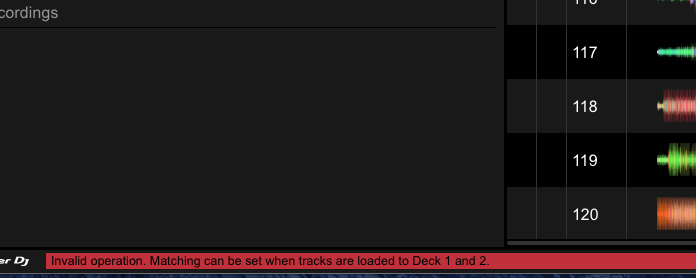
The tracks I want to match are loaded in decks 1 and 2, not sure what I'm doing wrong here.
While I'm here I should also mention there is a typo in the info overlay when hovering over the link icon:

Post is closed for comments.
Bump. I'm having the same issue when trying to pair tracks on a USB. Also, my USB doesn't sync my tag data. I think I will try reformating this USB and re-sync everything to see if that helps.

@Nicolai > The source of the tracks must be from your collection, not an export device.
@Pioneer, thanks, that's good to know. Do you know why my tags are not syncing from my collection to my USB?
When you connect the device to your collection, does it warn you about syncing the tags?
Yes on my 2nd computer (without collection) it does. I usually tick 'no' but today I ticked 'yes' so I can resync my tag from my 1st computer (with collection). I'll try resyncing tonight. If I don't have any luck I'll reformat my USB and sync it from scratch.
I reformatted my USB and resynced it but I am having the same issue. Here are 2 screenshots showing the related (matched) tracks of the same song. Track A is from my computers collection and Track B is the same track but from my USB. 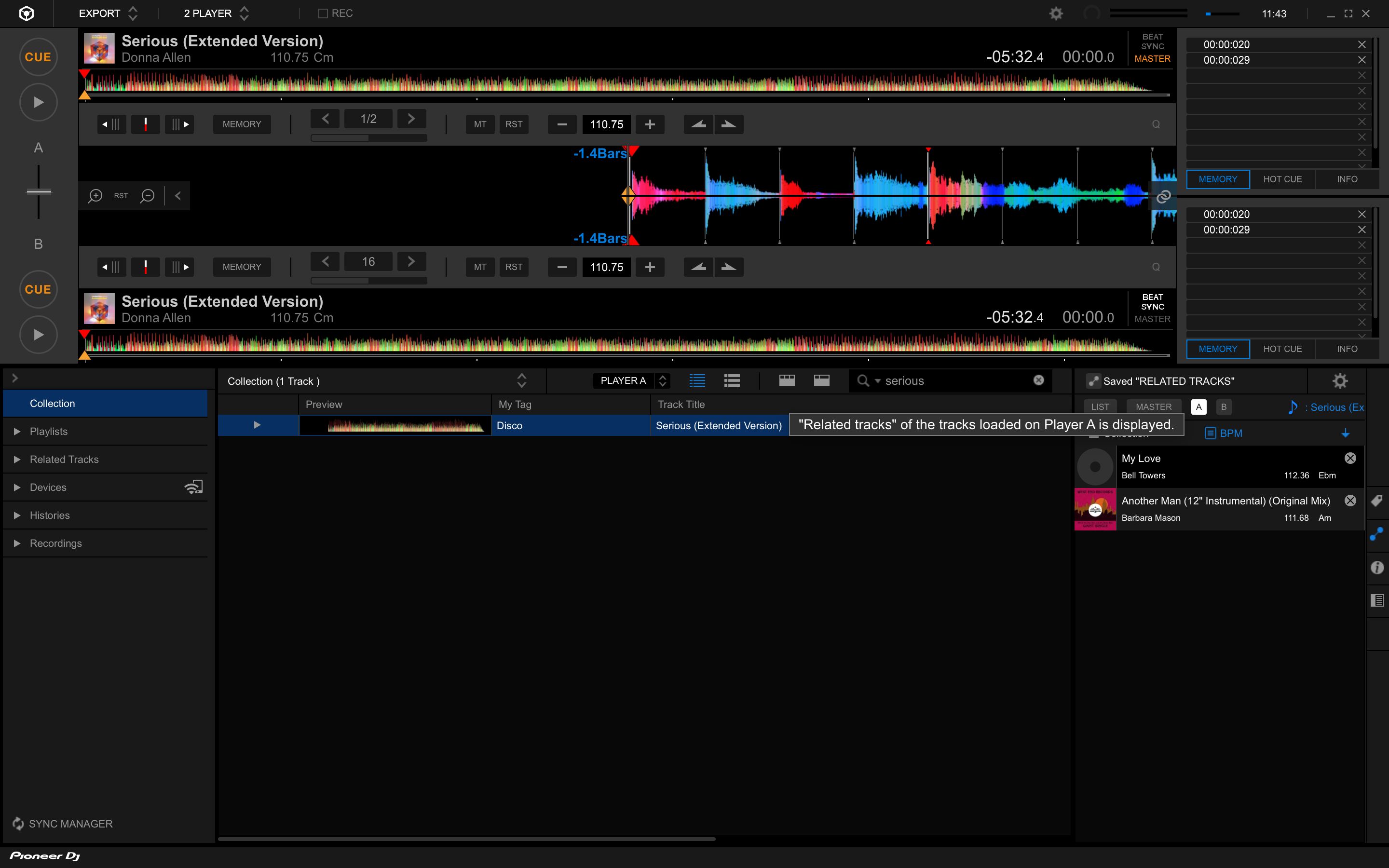
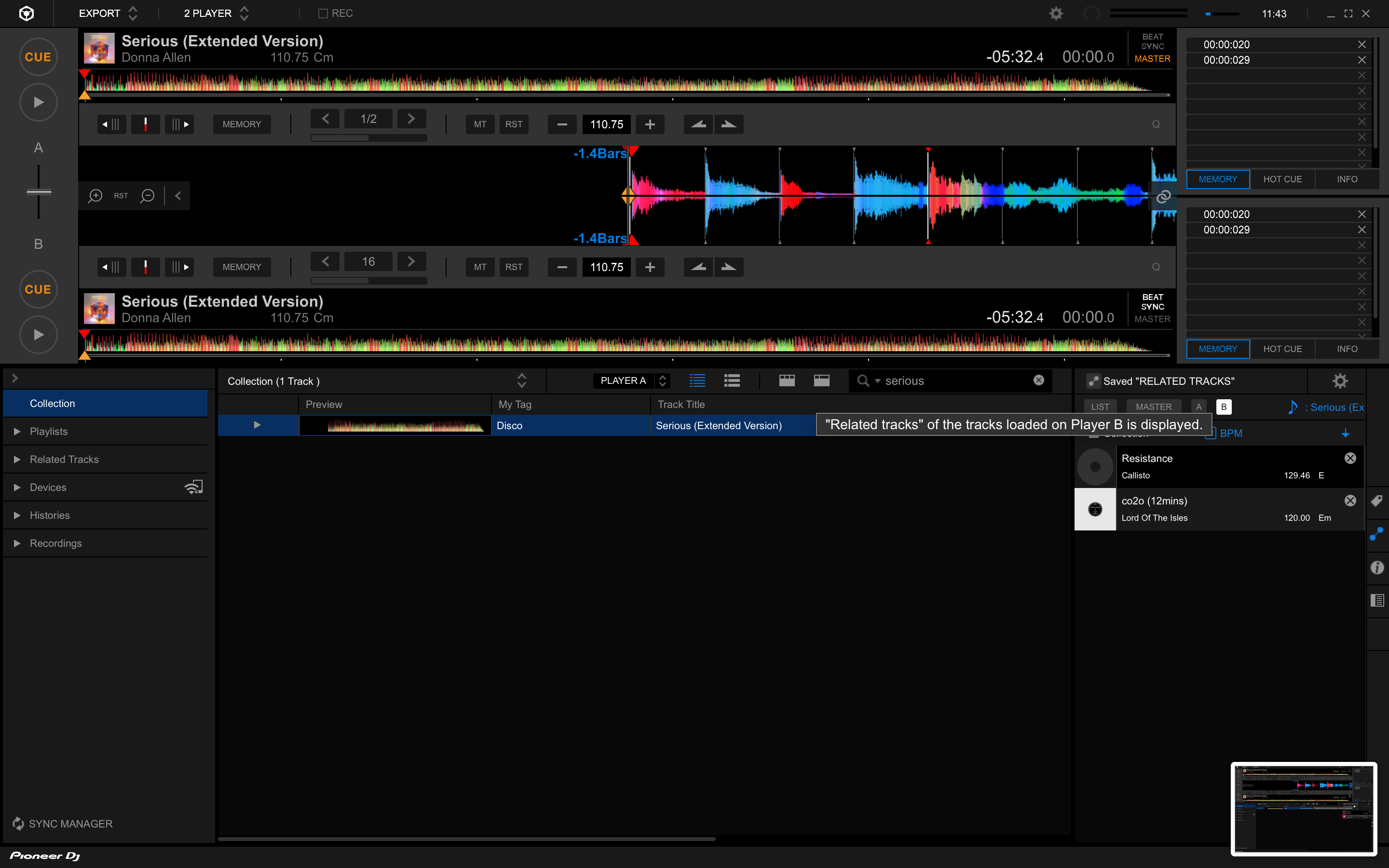
So ... the matching tracks are providing the match from the source they're originating from; the USB drive matches tracks on the drive, the collection matches tracks in the collection. That's normal.
But where is it getting the matched tracks form? They seem to be random. Now I've plugged my USB into my 2nd computer and am getting no matches. Check out the screenshot below. The 'related tracks' settings are set the same for each scenario and I'm getting 3x different results.
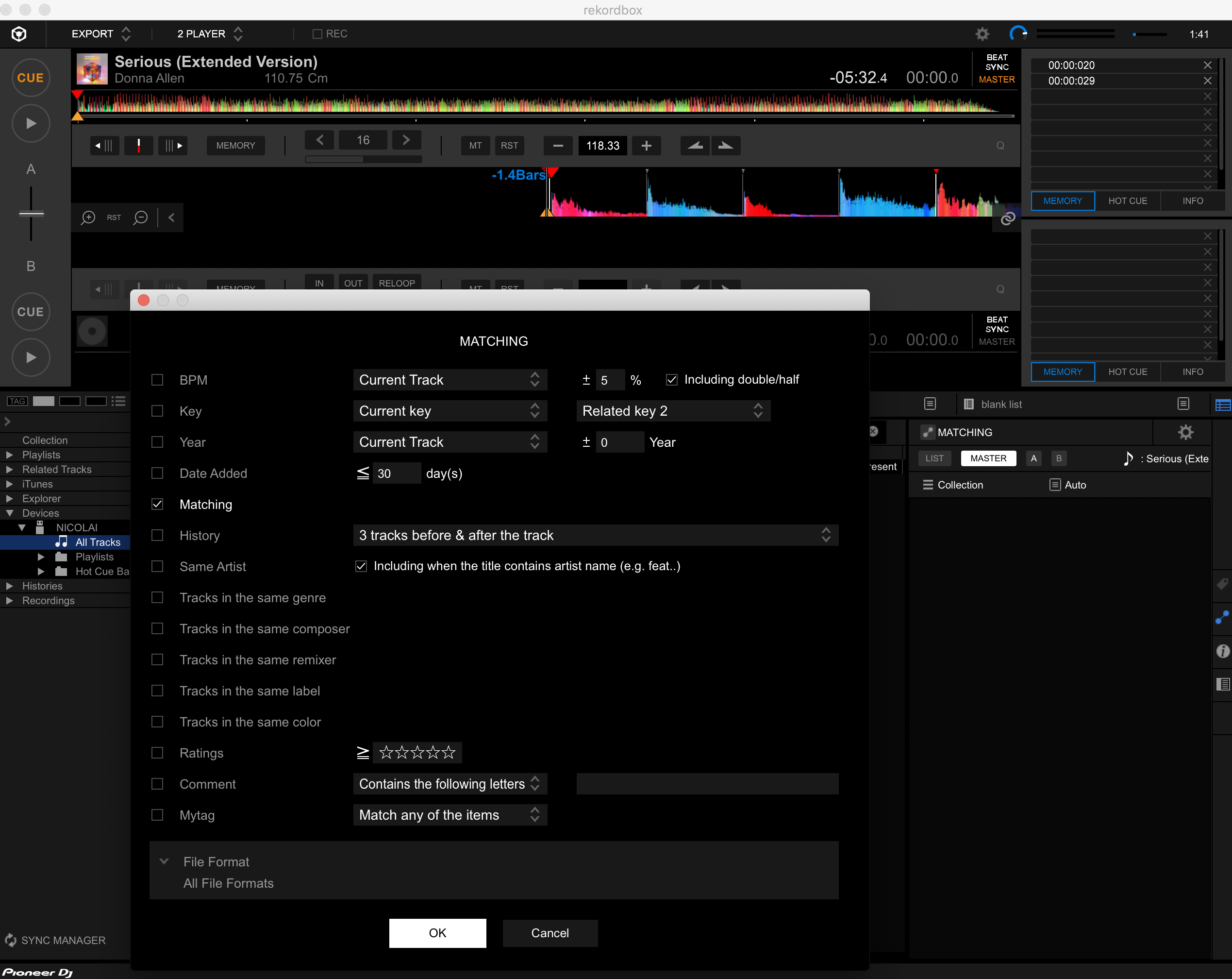
As I noted above; the matching occurs at the source of the file you're trying to match - if it's local, it matches from the collection. Songs on the export drive will match from that drive.
Yes but the USB is an exact export of my collection, so it has the same tracks available. This still seems like a bug because:
1. Why are there matching tracks that I haven't set (Screenshot 2).
2. Why are the matching tracks different on different computer but same USB (Screenshot 3)
3. If matching tracks don't export to USB. How does it get matching tracks since the 'match tracks link' is greyed out on USB?
If I have track A and track B matched in my collection and I export both these tracks to USB. I'd expect them to be matched on my USB as well. This isn't happening for me. Instead, Track A is matching Track X, Track Y, and Track Z. Or nothing at all on my second computer.


