You know you can customize those effects within rekordbox, right?
Comment actions

Had to downgrade from a full modern NXS - CDJ/DJM setup to a smaller controller and went for the DDJ 1000 Controller and I have to say sorry Pioneer but I'm disappointed.
Gone on the left of the mixer has my favourite effect "Sweep" and in place the button is now a "Pitch" effect on the DDJ 1000 (the most pointless effect ever)
So to the effects on the right of the controller I go .. and still no "Sweep" effect but what's this I see ... A second "pitch" effect !!!
So I have to ask why pioneer just why?
No Sweep effect ok :( but why a damn second pitch effect? what was the point?
Also no Time dial/knob? what's up with that?
Post is closed for comments.
You know you can customize those effects within rekordbox, right?
No is there a tutorial on how? and can I add a time dial too?
No time dial; all the effects are beat-linked, but you could map another MIDI control for a similar function (can't provide detailed instructions on that now; no MIDI controllers handy!)
To set the custom color fx in rekordbox, just change this:
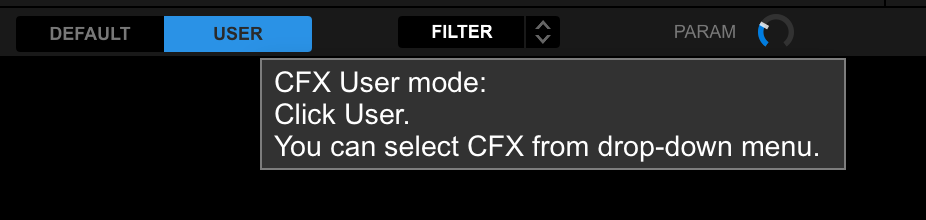
And then select the effect here:
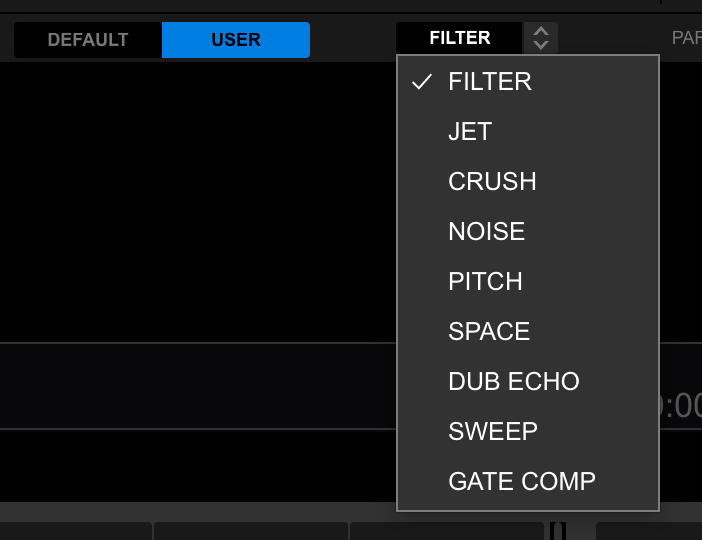
Thanks for the RB tip on changing the effect.
As for the time dial midi option, do you mean something external with a custom midi map or do you mean change a dial function with a custom map on the controller? ie one of the dial controls for the mic as it's not something I use.

for example I had changed the SAMPLER VOLUME knob to be the CROSSFADER CURVE ADJUST instead.
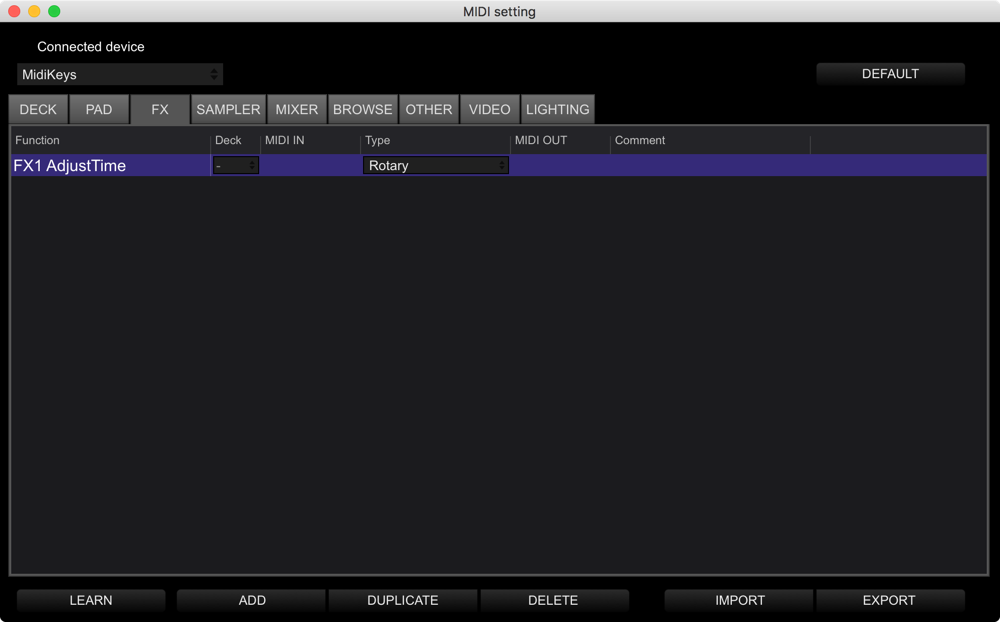
You can do the same within midi tab on top right corner of RB.
See if the Time Dial is available and assign it to any knob you dont use on your DDj1000
I don't see nothing for time :(
It's in the FX section...