Official comment

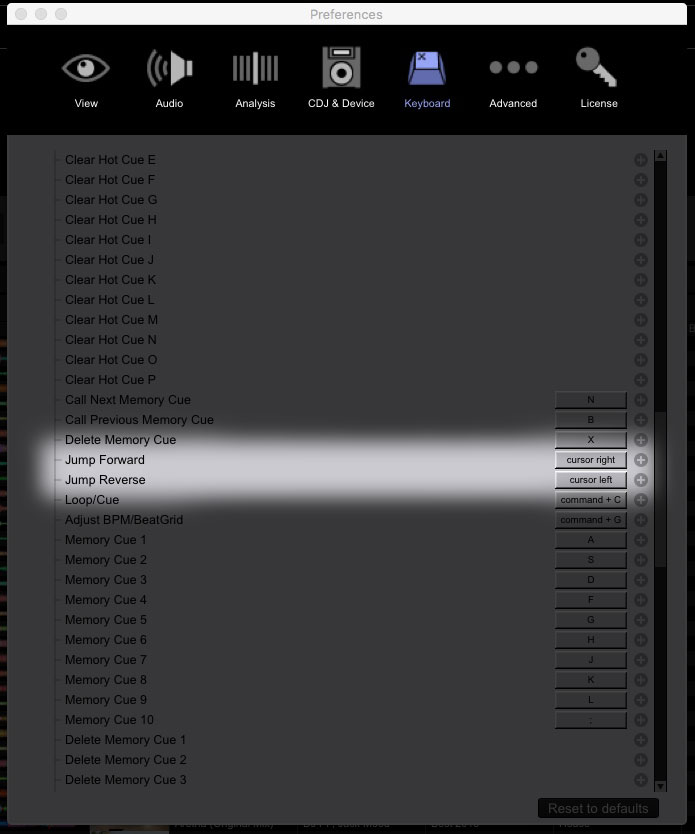
You can change any keyboard assignments within rekordbox preferences.
Comment actions

Hello, does anyone know left and right arrow keys keyboard how this works in navigation? I think currently it moes the cursor 8 bars but i would like to know if you can change this and how to check the setting.
Thanks!
Ronald
You can change any keyboard assignments within rekordbox preferences.
Post is closed for comments.
For what i can find the keyboard shortcut is "jump forward" This does not answer my question in HOW MUCH it will jump forward and if this setting can be changed.
Thanks

To the left of the player, above the Cue/Play buttons, is the jump length dropdown. You can set it to Fine, 4 Beats, 8 Beats, etc.
@Digilux > The "jump forward" amount should be 1 bar by default. If you want to use another beat jump amount, you'd have to map the specific jump functions for each deck:

I think we are talking about two different issues. I am not talking about CDJ's. I am talking about recordbox using a computer.
Ah, see - specifying that you were in EXPORT mode would help!
That is a default 1-bar jump and can't be adjusted.
Strange it seems to move 8 bars in my case, but i do not get constant results...
Thanks


