
Have you disabled the wifi, any firewalls, 3rd party security software, network sharing, or any other server applications / tasks / background services?
Comment actions

I simply can't connect my Macbook to my XDJ-RX, even though I have updated firmware, software and drivers. I've been looking through the forum to find the answer, but none of the possible solutions are working for me. The devices are connected through a Apple original thunderbolt cable.
I've seen alot of posts in here stating this problem, but again none working for me.
Post is closed for comments.
Have you disabled the wifi, any firewalls, 3rd party security software, network sharing, or any other server applications / tasks / background services?
Yes, wifi is disabled and firewall too... still no connection :-(
Can you post a screenshot of the network panel with that thunderbolt connection selected?
(Looks like this)

Sure, it looks like this. I hope it makes sense, even though it's in danish.
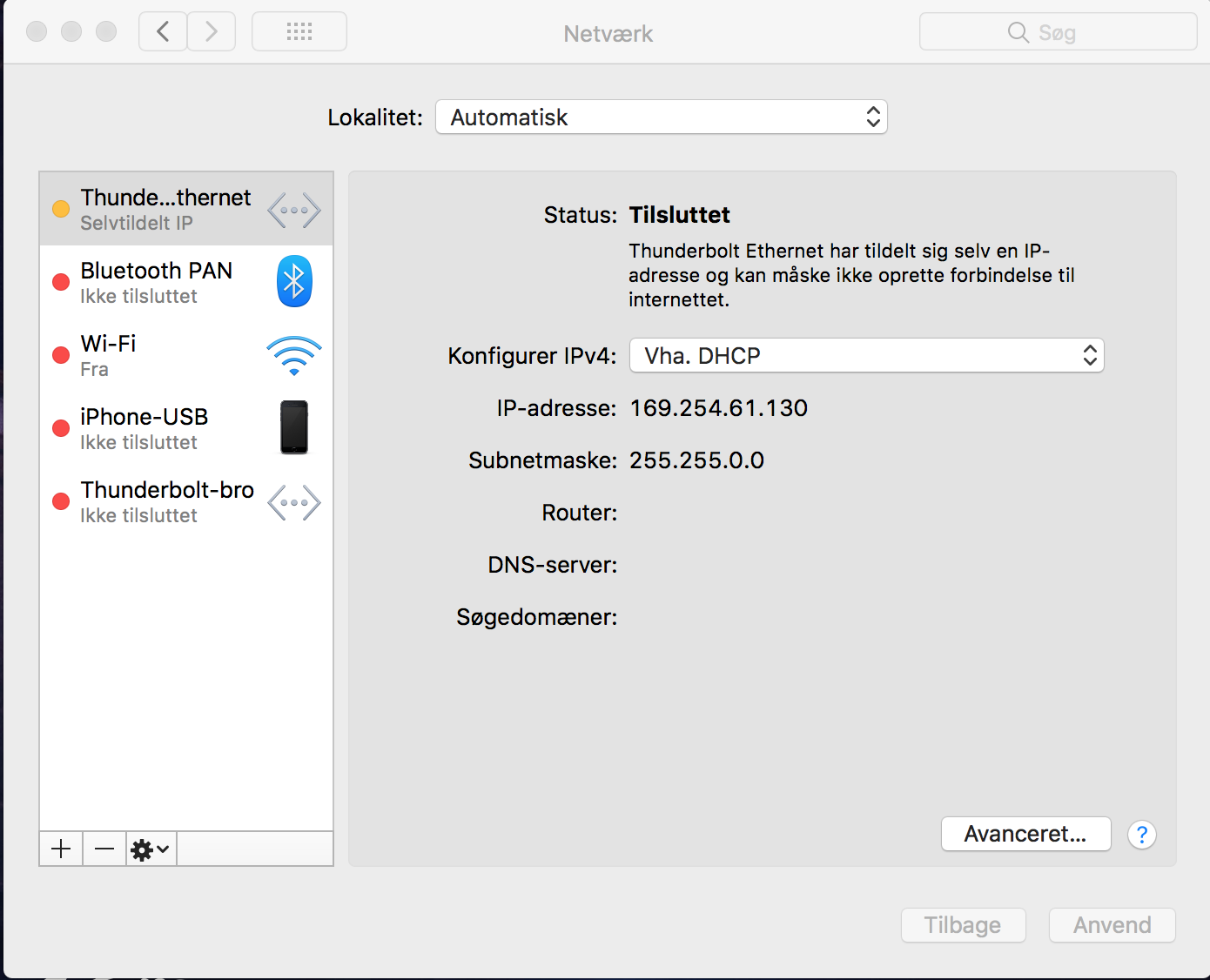
It says something about that it has made its own IP-adress and it might not connect to the internet.
It's showing the correct network info - meaning the hardware is being detected as connected to the network.
I see you have a thunderbolt bridge; can you try removing that device (click the "-" icon). It may not be the cause, but as you are connecting via the thunderbolt-ethernet connection, it may be worth trying.
And just to check, you're trying this with rekordbox in EXPORT mode, correct?
The thunderbolt bridge is now removed, but still no luck.
Rekordbox is in Export mode yes...


