
Are you sure you have the Java SDK installed to run the updater?
Comment actions

Hi there,
I think I've tried all possible solutions to instal the firmware and am still unable to do it neither on macbook air with high sierra, macbook pro with mojave nor even on windows.
All of them keep showing the "Cannot find the update file_14" thing.
I stuck to the pdf guide, checked the ethernet connection (flashes yellow but says the connection is maintained), tried different usb wires, dropped the file on the desktop, disabled wi-fi...
Does anyone have any idea how to get out this hassle?
Post is closed for comments.
Are you sure you have the Java SDK installed to run the updater?
If You mean the latest java update, then yes I'm sure. Today I used my son's macbook, which is a third machine in a row, to update my mixer's firmware, and I still get the "can't find the update file" message box. When I check the setting utility it says that the devices are not connected. The ethernet wire is good for sure. It's the first time ever I've had such an issue with updating the firmware.
Okay, the first step would be to verify that the mixer is, in fact, connecting to the hardware and operating system. On the Mac, can you please click the Apple icon (top left) > About This Mac > System Report, then on the System Information window, click the USB item from the tree at the left (if hardware isn't open, click that first). At the top right you'll see a listing of the USB bus and connected devices. Does the DJM-900SRT appear there?
Have you got the SRT in firmware update mode? (Press and hold the BEAT EFFECT CUE and FX ON/OFF button while powering-up the mixer to enter update mode.)
I can't see the mixer in the list under the usb item. Yes, the mixer is in the update mode.
If the mixer doesn't show up in either mode, and testing using a different USB cable / computer, then it's possible the issue is with the USB interface of the mixer itself, which would require servicing. You can contact Pioneer DJ technical support in your region to have the mixer inspected.
I've checked the ethernet status in the network settings, and the funny thing is that, unlike the manual shows, it says: connected, one can see the IP address and the subnet mask, but the light is yellow, not green!
Ah -- crap, sorry, that's my bad, I forgot that the SRT was updated via ethernet and not USB!
Have you disabled the WIFI and have only the SRT connected via ethernet to the computer?
Well, pardon my question, but what does the usb cable/connection possibly have to do with the issue here?
Yes, I shut the wifi down
USB > Unrelated (well, it should still appear as a device for the computer, but it's not necessary for the firmware update).
The indicator for the network status can still function when it's yellow -- if I recall, the yellow simply indicates an internally assigned address.
Do you get to this point of the installer?
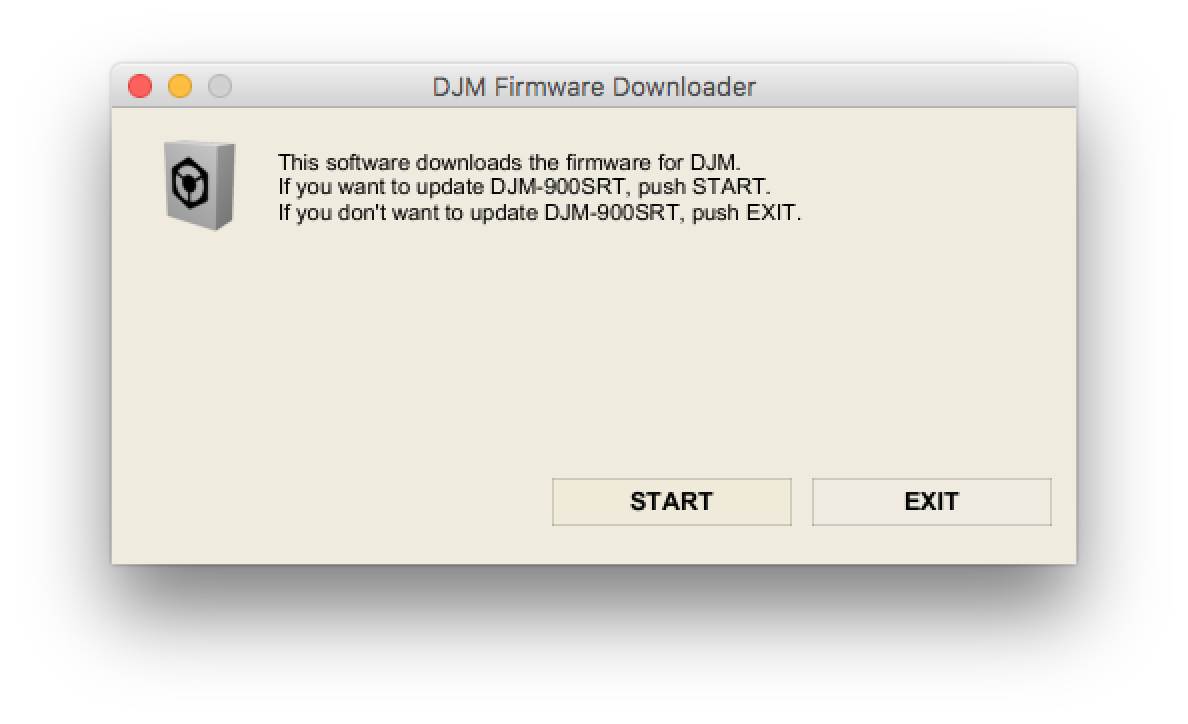
No, I don't. It dies after the 'choose the language" window
And you say that happens on both Windows and Mac OS's?
Yes, on Macs running under Mojave and High Sierra, and on Windows 7 virtually on my mac using Parallels desktop
Did you possibly download it using Safari? If so, please try using another browser.
I used both Safari and Chrome and neither worked
Can you please try using a proper PC running Windows (as opposed to Windows running in a VM) to try and update?
Well, I have no way to get one, Plus I don't understand why I should bother to do so. I quit windows a decade ago and I did it for a reason. Millions od DJs, musicians and producers use Mac OS and they do that for a reason too. If I couldn't update my mixer with three different macbooks and two different OSs, I don't think I'll manage it under any windows c... .
Anyway, are You guys sure the file with the update is not corrupted or something? Or, did anybody report an issue like this after upgrading to 10.14 or 10.13?
You're right, it seems to be isolated to High Sierra and Mojave, possibly due to changes in the OS security. Our engineers are looking into it.
@suaveque > Can you try placing the update app itself on the desktop and running it from there? For some reason there is something preventing it from running within the folder where it's unzipped, but if you move the app to your desktop and run it, the error message disappears and it can update the mixer.
@suaveque > Were you able to update the firmware?
No, I was not. Tried what You suggested long time ago, a couple of times.
@suaveque > Here's the last information I had from our engineers on this issue, which is the same as what's posted on the firmware download page:
Notice to users of Mac OS X 10.8 or later
Apple has tightened its security in OS X 10.8 (Mountain Lion) and later.
This is why you may see an alert dialogue when you install driver software or firmware downloaded from Pioneer DJ Support Website or run an uninstaller.
The alert dialogue says “[File name] can't be opened because the identity of the developer cannot be confirmed“.
Please follow the steps below to open the file and install or uninstall it.
The only other likely consideration is a communication issue between the mixer and the computer. You say you've tried several different computers running a variety of OS's, and that alone should rule out any issue with the OS itself, or networking configurations (such as a firewall or other services blocking the communication), so short of the ethernet cable or jack on the SRT having failed, it would seem to be a hardware problem, in which case I'd have to direct you to contact Pioneer DJ technical support in your region to have your mixer inspected and/or serviced.

