Official comment
USB devices not formatted to a filesystem recognizable by a player (either FAT32 or HFS+) won't appear as export drives within rekordbox, but they will show as source drives. Please format to FAT32 or HFS+.
Please help....
I had issues previous and thought it was my USB, so I brought a new one and formatted to exFAT on my windows pc but in export mode the 'export playlist' option is still greyed out....
....any advice would be fantastic!
USB devices not formatted to a filesystem recognizable by a player (either FAT32 or HFS+) won't appear as export drives within rekordbox, but they will show as source drives. Please format to FAT32 or HFS+.
Post is closed for comments.
Is the USB drive appearing in Rekordbox in the devices section (bottom left corner)?
No it dosent appear to
Hi...have You fix it?
I have almost the same issue - looking for a solution
@Nikonov > See the official answer above; it may be due to how the USB drive is formatted.
@pulse - I got two usb sticks: FAT32 and MacOS extended file systems.
Everything perfectly worked 2 weeks ago until I update to Mojave version - now I cannot export music to USB sticks even via latest 5.4.2...
Does the device appear on the EXPLORER portion of the tree?
Yes, I can see USB drives in Explorer section but not in device section - export option is greyed.
Okay, it may still be GUID which is part of the problem...
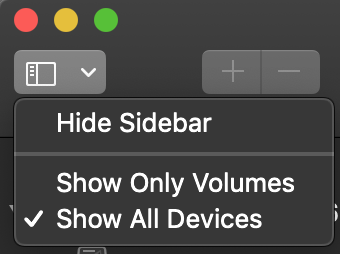
Open the Disk Utility, click the View drop-down at the top left of the window, and select Show All Devices:

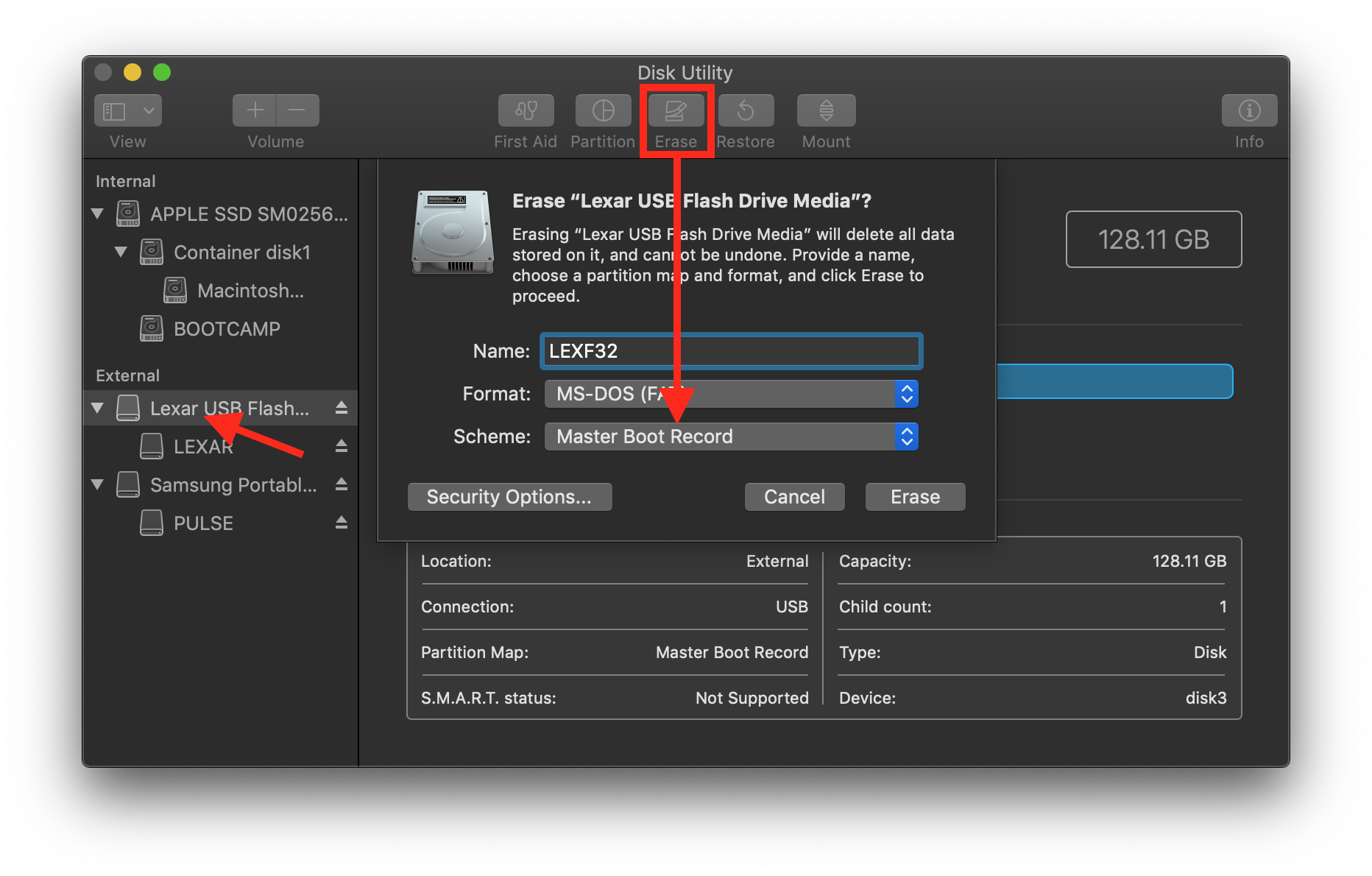
Click the upper entry for the device on the External listing at the left, then click Erase, and set it for MS-DOS (FAT) and Master Boot Record, then click Erase.