
First, delete the aggregate device - it's not necessary.
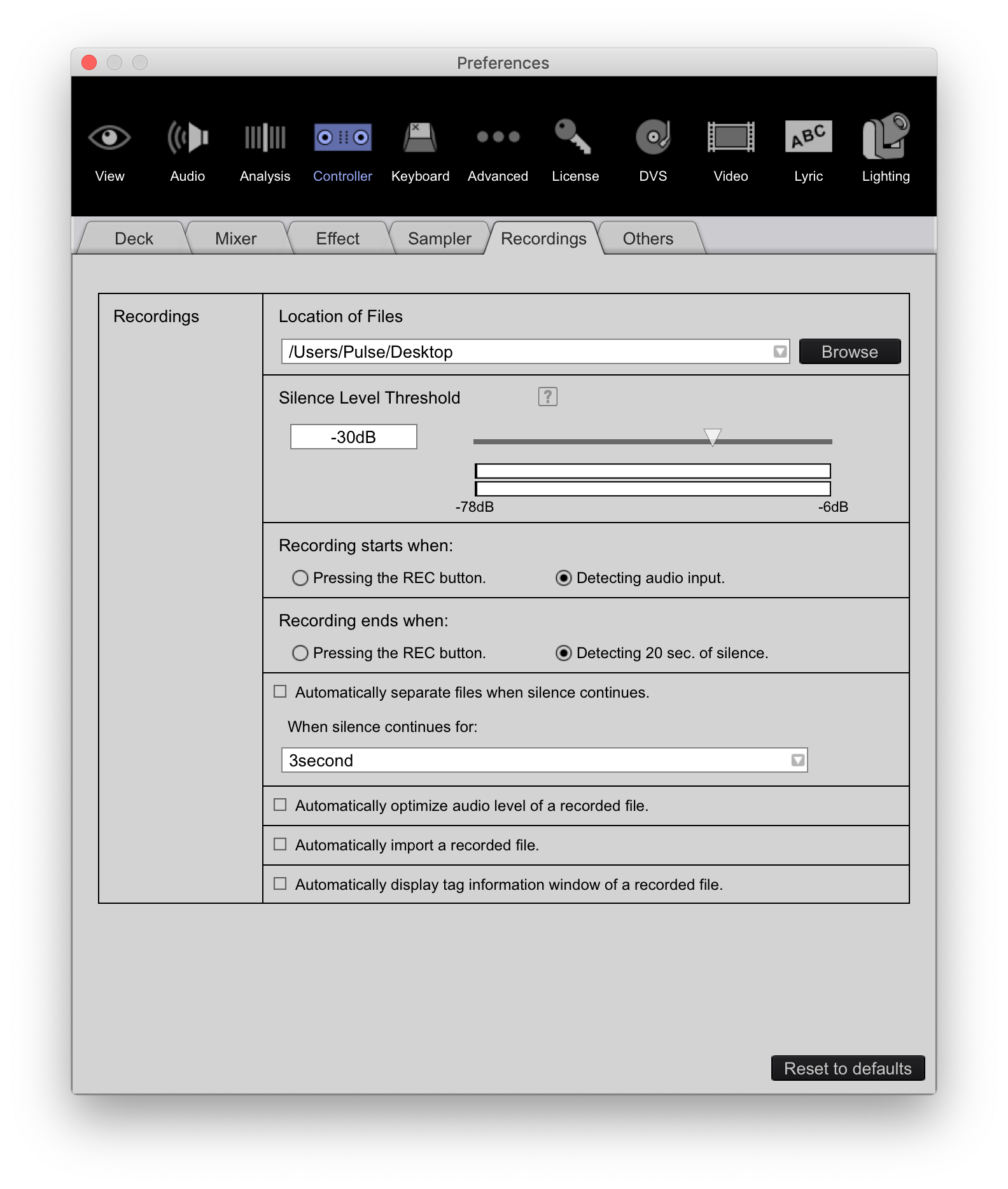
Next, grab a screenshot of your Controller > Recordings preference tab please:


Comment actions

Hello,
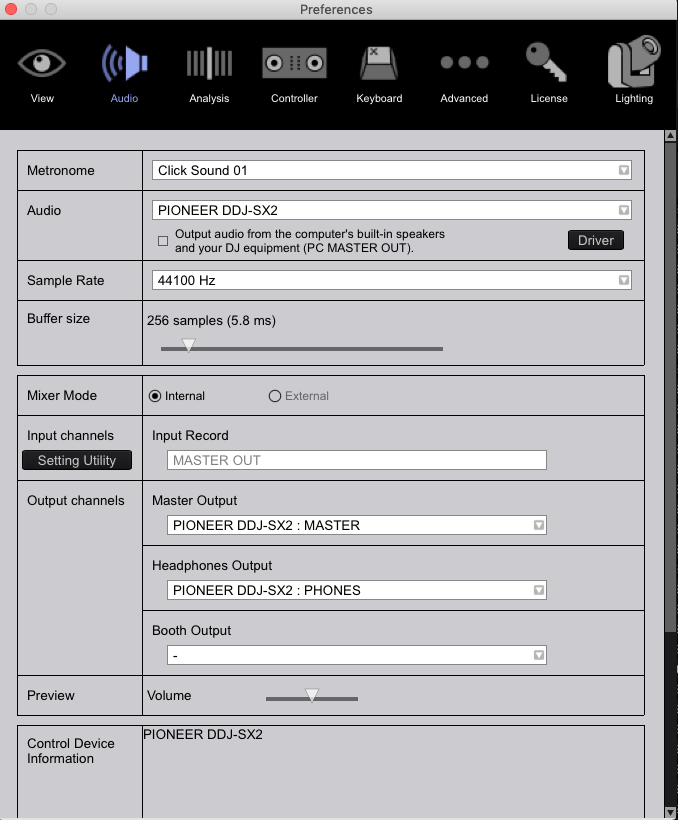
When my SX2 controller is not connected, I can record from rekordbox. However, when it is connected I get no sound from the recordings (recording never starts). I am running the SX2 master out into a mixer and is connected to the controller is connected to my computer through usb.

Oddly enough, this problem started after I activated my rekordbox license key. Please help!
Post is closed for comments.
First, delete the aggregate device - it's not necessary.
Next, grab a screenshot of your Controller > Recordings preference tab please:
Hello,
Thank you for the response. I've deleted the aggregate device.
Here is the controllers > recording menu.
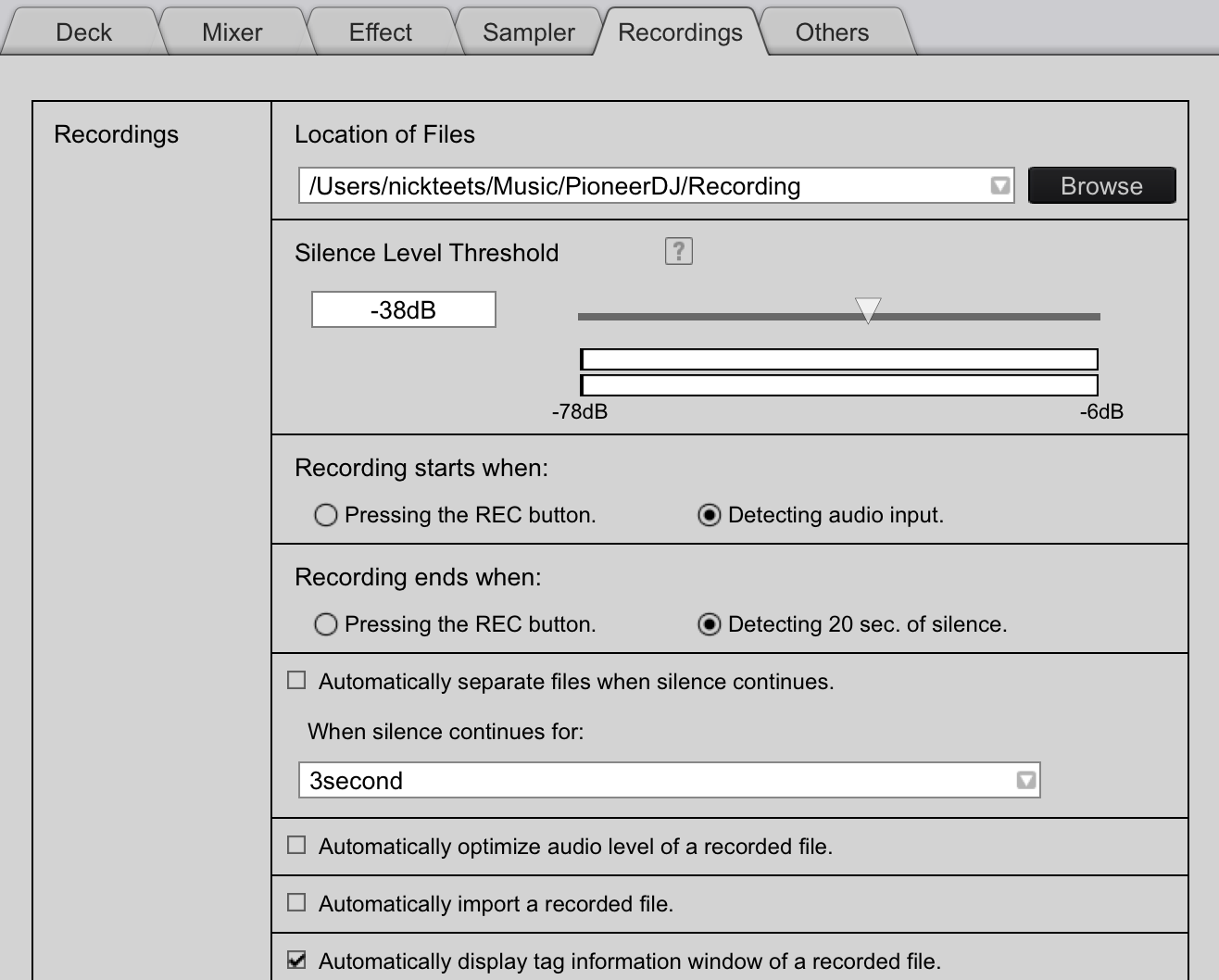
Does that destination folder exist, and do you have permission to write to it? If you're using Mojave, have you allowed the application to write to the hard drive / use the mic / etc.?
Hello,
Thanks again for taking the time to help. The folder does exist and I am able to record to it when the Audio setting under the Audio tab is set to Built-in Output. (When this setting is set to PIONEER DDJ-SX2 and the checkbox for output audio from computer speakers is checked, no sound comes through the master out on the recording widget even though I can see my master levels in the upper right of rekordbox)
When recording a set in Audacity, I am able to select the PIONEER DDJ-SX2 as the input device and everything works fine.
Hmmm... can you email me at forums@pioneerdj.com, I want you to try something specific, but I don't want to post it here in case other users do it and mess up. ;)

