Have a feature request or suggestion? Post your idea here!

Post

3 followers Follow
0
Avatar

Rekordbox DVS Interface 2 with turntables

Hi there,

it's that time of the year one spoils himself and I bought an Interface 2 the other day.

However, I do have trouble getting that thing working.

My setup is: 2 Technics SL-1210 MKII, Pioneer Interface 2, Macbook Pro, Rekordbox (latest version), DJM-700.

So all cables are hooked up and Rekordbox recognizes the Interface 2. DVS license is activated, but I cannot choose turntables as control hardware. Clicking on that option is not possible. Is that the problem?

What am I doing wrong? I replaced the mixer and the interface 2 with my DDJ-SX2 since it is DVS compatible and everything works like charm.

Your help is much appreciated, thank you! Happy Holidays!

Marc

Marc2405

Official comment

Avatar

@Marc > Sorry to hear that, let's get you sorted!

You want to match the inputs on the IF2 to the input signal source; PHONO should be selected for using a turntable. If you have it set to LINE, CDJ is what will appear on the DVS page.

Here you can see it with the input switch on the hardware set to PHONO:
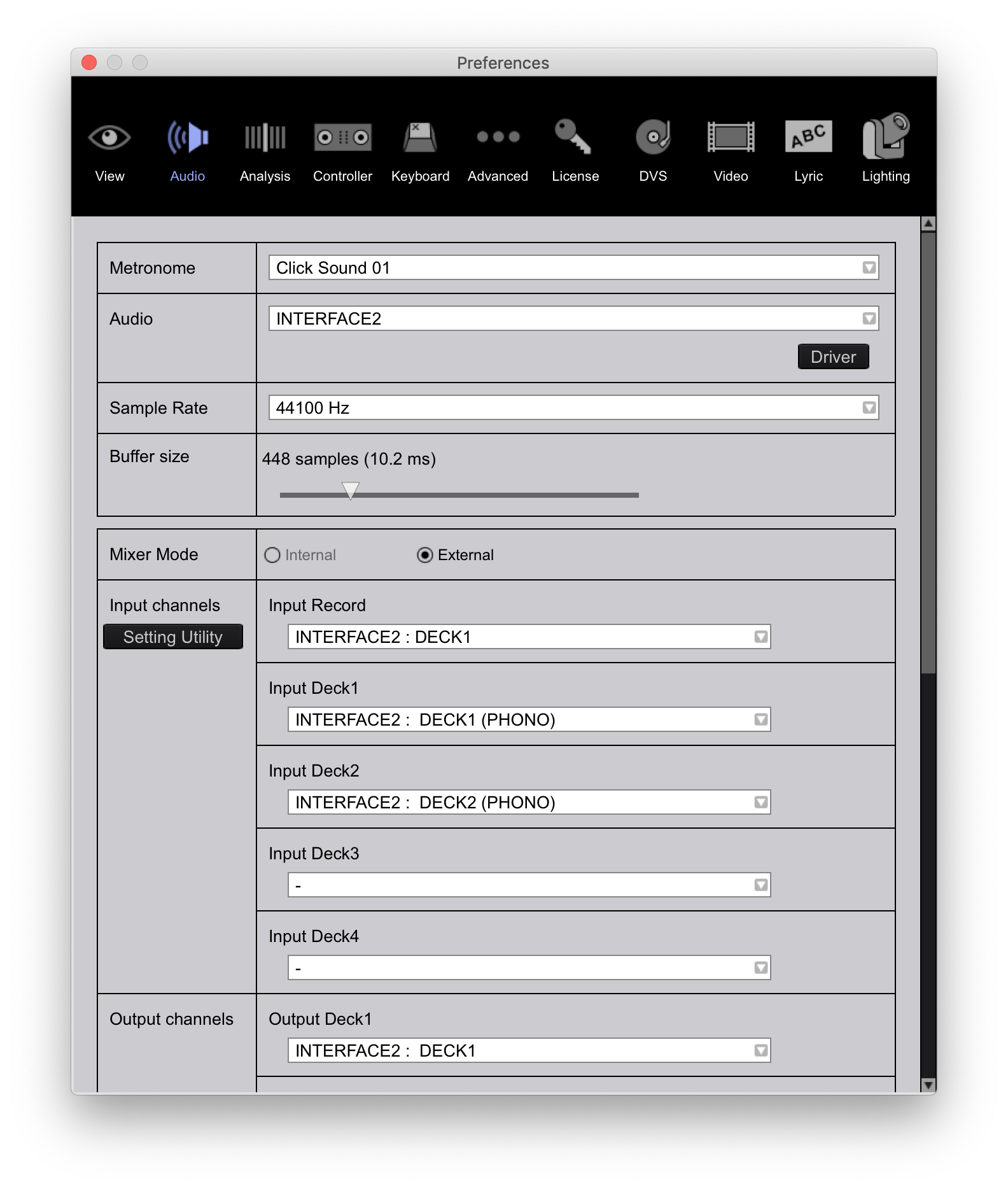
...versus set to LINE:

Pulse
Comment actions Permalink

Post is closed for comments.

3 comments

0
Avatar

Hi Pulse,

How have you been? Thank you so much for helping out!

Well, I do not know if it's normal or not, but apparently, the 1210s do have line a very low input signal. I got them to work, but the noise level had to be maximized.

Haven't managed to calibrate the turntables yet (yeah, it's that time of the year prior to Christmas), but I gonna get it done.

Thank you again, Merry Christmas and a Happy New Year!


Marc

Marc2405 0 votes
Comment actions Permalink
0
Avatar

Hi there - glad I came across this as I'm having a similar issue?

When I start up Rekordbox with the Interface connected it flashes "Interface connected" in the bottom left hand corner

And I can see the setting utility


So I believe the driver is properly installed?

But I don't see Interface 2 in the audio drop down like in the screenshot in the post above

What am I missing?

Thanks!
BA


Brian Anderson 0 votes
Comment actions Permalink