Official comment

If I recall, the instructions here would work for the XDJ-RX as well.
Comment actions

Hi.
I'm from poland and i have really important question.
How i can connect my dj controller XDJ RX and my computer with MacOS Macbook air to live transmission on facebook?
I've tried program OBS but in program i don't see my controler XDJ.
Maybe you have any suggestion how can i plug my controller and play live set's on facebook?
If I recall, the instructions here would work for the XDJ-RX as well.
Post is closed for comments.
So i don't need the music card USB? Only that i need is soundflower?
Did i must plug my Macbook Air and XDJ RX by USB? Or can i use only LINK?
Were you planning on using it via link? The instructions I provided are for using rekordbox in PERFORMANCE mode and yes, you'd need to install Soundflower.
I have a problem i've ready download Soundflower-2.0b2.dmg but there is a problem when i installed them.
At the end of instalation wrote" the instalation cannot be done"
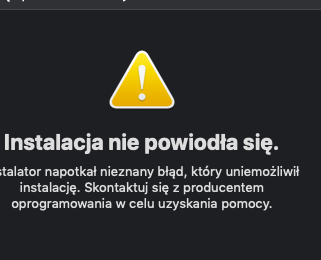
Ok i've already download and install soundflowe.
Also i do it the same in instruction: the instructions here
But the sound doesn't play in output:


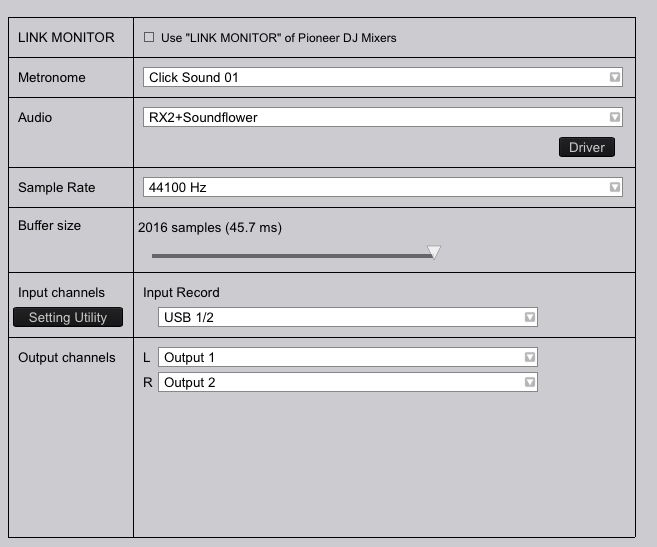
Please help!
That's because your XDJ-RX drivers are not properly installed. See how it shows it as being a 0-input / 0-output device?
Follow these instructions to reinstall your drivers and allow it through the OS security:
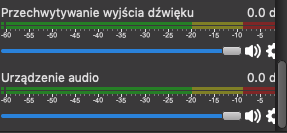
I do this what you write upper. But in in OBS also i don't have sound ( photo)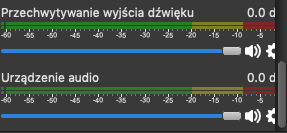
And i take screen from midi settings and rekordbox:

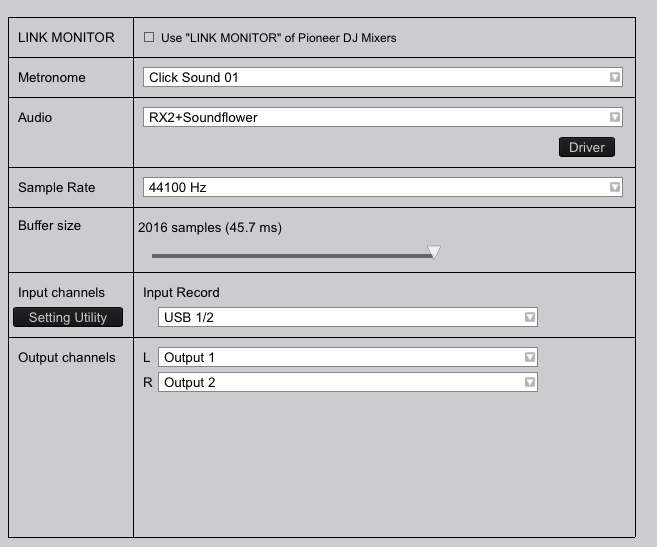

I seem to be having the same error as above with my XDJ-RX2. I downloaded the drivers, and followed the instructions above, but I still see 0 output / 2 input for my device. My end goal is to send the audio directly from my XDJ into OBS for streaming on Twitch. IE. I want to bypass Rekordbox. Any ideas? (Right now I'm running Mac OS Catalina.
Thank you! :)
@avanniekerk > The XDJ-RX2 does not feature an audio input; if you want to stream, you'll need another audio interface to act as a capture device.


