
@Keimo > If you select the computer icon, that needs you to send some signal to it from your computer in order for there to be any output audio.
Comment actions

Hi,
I recently purchased the djm 450, it's working really well, both channel OK, the aux is ok as long as it's connected with RCA, but when I'm putting the "computer USB" mode (little computer sign) it's not working, no sound going out from it.
When I'm switching on computer mode with the two main channels, it's all good, sound is coming, but from the AUX output, no sound :o
Is it hardware problem or ... ?
Thanks,
Keimo
Post is closed for comments.
@Keimo > If you select the computer icon, that needs you to send some signal to it from your computer in order for there to be any output audio.
Yes, no sound, as I said It's working on the two channels but not on the aux. So it's hardware then
I'm sending audio from my computer but no sound/signal when I select the computer sign on the aux, when I'm selecting it on the two other channels, there's audio and signal.
Right ... but what are you sending to that AUX channel?
Well I select the audio in my settings djm 450, and sending music from iTunes or internet, ableton, not working in either case
Sorry, but only Ableton would be able to use it - the others can only address the first pair of outputs, but the AUX is output 5/6.

Hi,
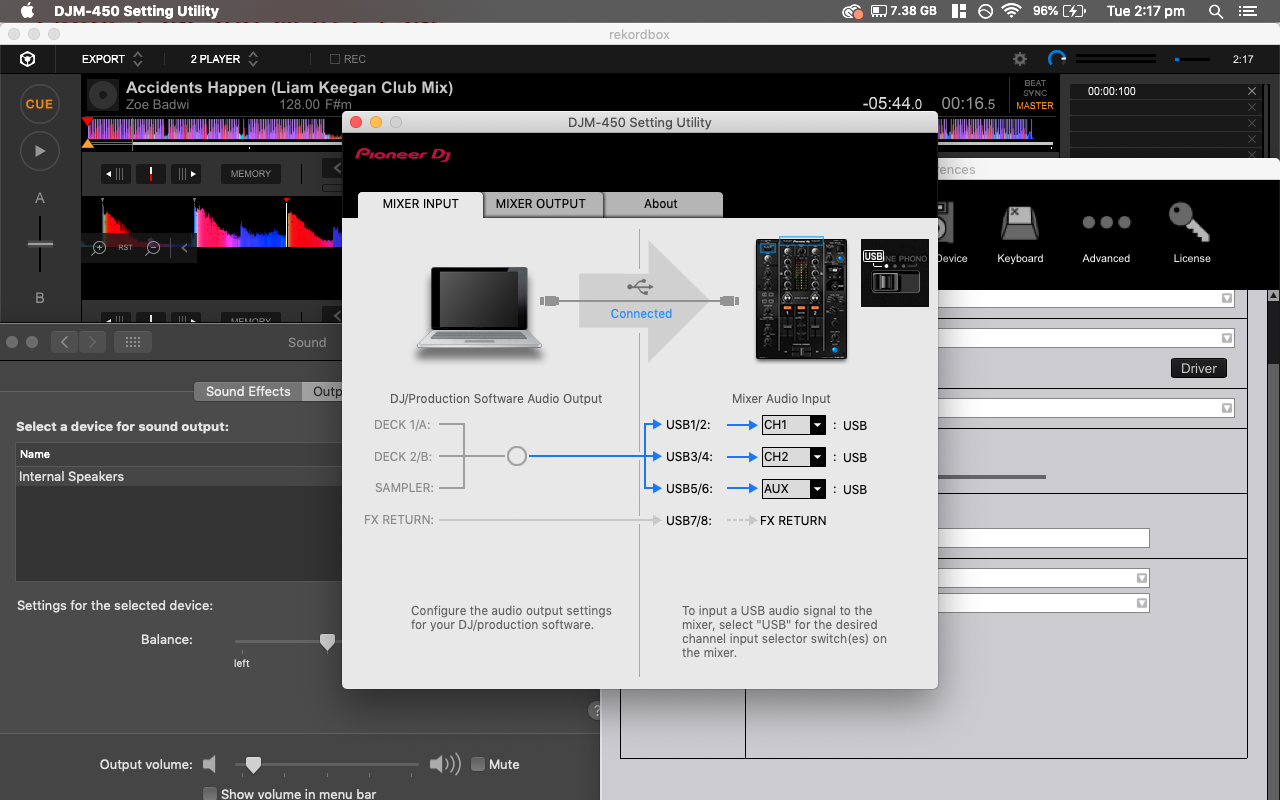
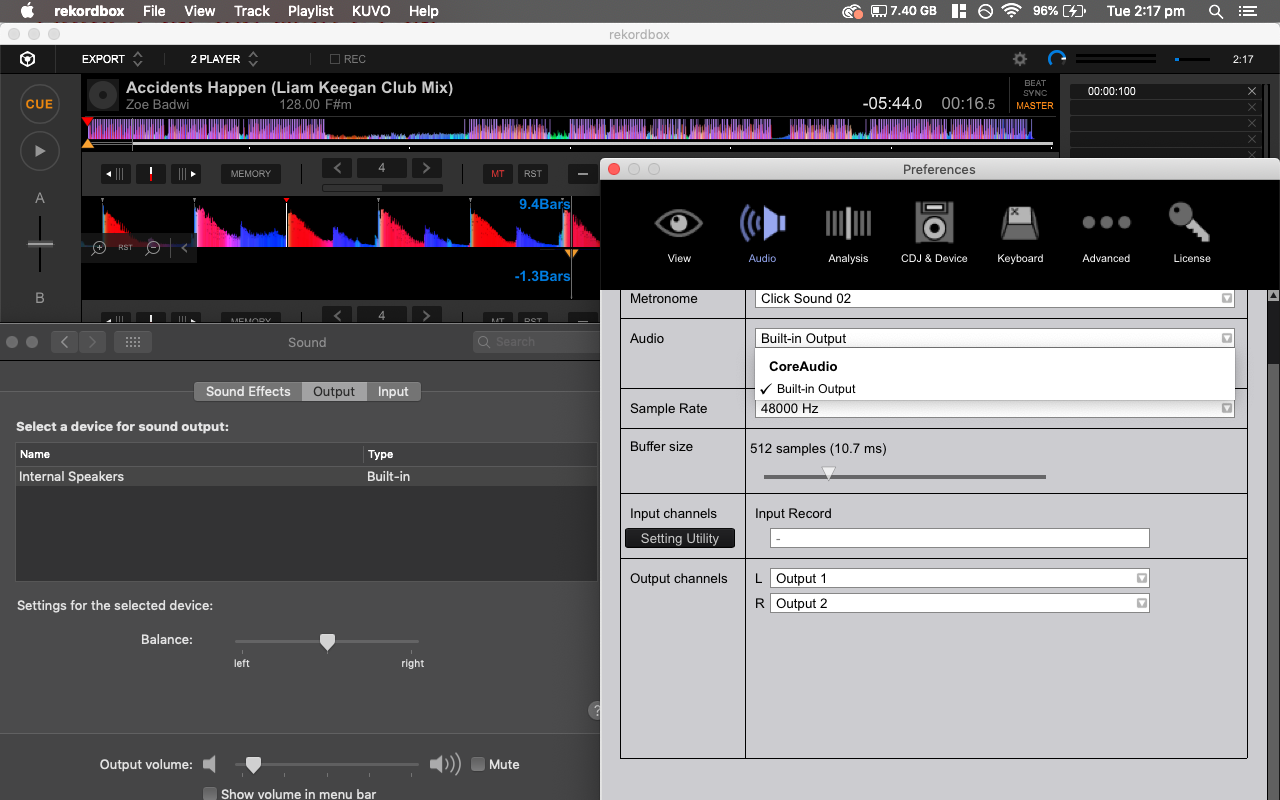
I am having a similar issue, however I am using Rekodbox. I have installed the correct drivers for the DJM 450 on my Macbook Pro, though in Rekordbox audio settings there is no option to select the DJM 450 as an output (ive seen in other forums a DJM 450 option), only the built in output option for the Mac speakers. There is also no option for internal or external mixer mode (not sure if related, again I've seen this on other forums). Additionally the DJM 450 is recognised as connected in the DJM setting utility.
Attached are some screenshots so you can see what I'm seeing
Thanks!
Joey
@Joey > You haven't properly installed the drivers past the OS driver security; please try uninstalling, then reinstalling and bypassing the security.

