Have a feature request or suggestion? Post your idea here!

Post

5 followers Follow
0
Avatar

XDJ-RX2 Recording levels

I'm trying to record my mix but the problem is that when I mix and two tracks are playing simultaneously on XDJ-RX2 I get a significant raise of master level. I'm using record to USB function.

But when I do the same in a studio with DJM-750 + couple of XDJ-1000MK2 and record master output to an external recorder I get a smooth mix.

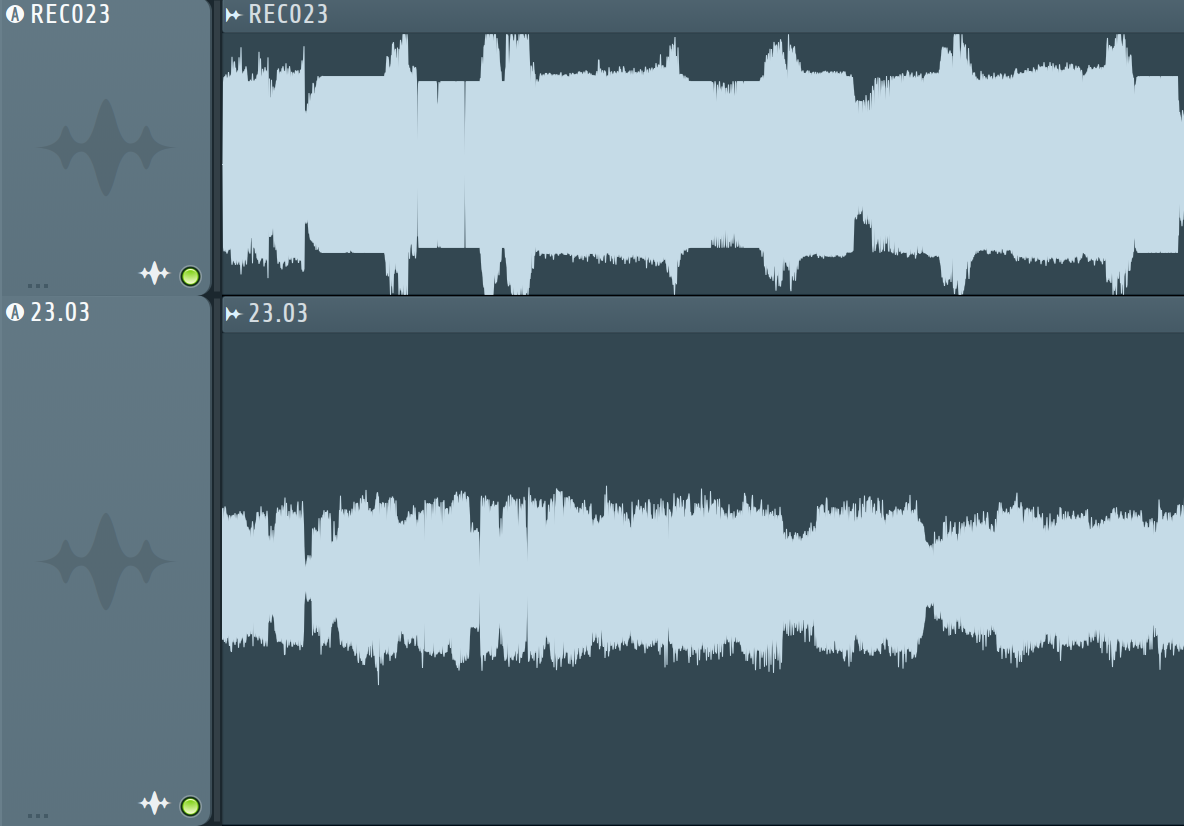
Here is how audio waves look like. On the top it's XDJ-RX2 and on the bottom DJM-750.

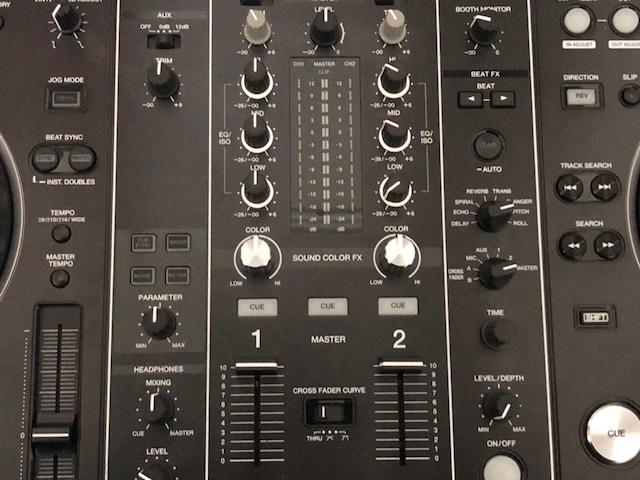
At the mix moments my knobs are set like this:


I'm new to DJing so please advise how to get a smooth mix on my XDJ-RX2?

Roman Answered

Official comment

Avatar

@Roman > As @Marcus says, the recording is more to do with the levels you see for the channels, not the master. Please ensure that as you're mixing, you're EQing and adjusting the channel levels to accommodate the fact two audio sources are playing, since audio will either sum or cancel out, depending on the phasing.

Pulse
Comment actions Permalink

Post is closed for comments.

7 comments

0
Avatar

What's going on with your AUX? You have that turned on and the Aux trim is set to 12 O'Clock. Is there anything coming in on that? Turn it off at the switch and see if that makes a difference.

I find that if you bring the level meter on each channel to approx "6" you tend to get a reasonable recording level. The master level doesn't affect the recording level. 

Marcus Mac Innes 0 votes
Comment actions Permalink
0
Avatar

Thanks for the replies, folks!

So I switched AUX off and it didn't make any difference, probably because there was nothing connected anyway.

As for levels, yeah, I understand what you are saying, but still don't get how to get smooth mix. Because if any amount of addition interfere and sum up then how can I play two tracks at the same time without changing the output level? At least not significantly changing.

And what is still a mystery for me is that why XDJ-RX2 behaves differently from DJM-750? I would be less suspicious if the records looked the same, but they don't.

Appreciate any advices!

Roman 0 votes
Comment actions Permalink
0
Avatar

Trust me - they're not that different, just in where they are getting the levels from.

Pulse 0 votes
Comment actions Permalink
1
Avatar

This is because the XDJ-RX2 has a fully digital audio signal path.
From the file you are playing to the recording file.
When one of the effects is not included, the waveform in the recording file accurately repeats the waveform on the original track
(the track that is playing),change only its amplitude and resampling.
This is clearly seen on tracks with high compression (narrow dynamic range).

When you used the DJM-750 and XDJ-1000mk2, you connected the players to the analog input and maybe you connected the recorder (or computer) to the analog mixer output.
That was the difference.
The analog outputs of the players after the DAC have a filter (LPF). And the inputs in the mixer, before the ADC also have filters.
These filters have a non-linear phase-frequency response.
When the audio signal passes through these filters, it is rebuilt it's shape. This has almost no effect on the sound, but changes the shape of the audio wave.
Different frequencies pass through filters with different delay. XDJ-RX2 most accurately conveyed the source material.
XDJ-RX2 transmitted the original material as accurately as possible, as if you recorded this mix in DAW-soft.
If you want to see your mixes the same as it was with the DJM-750, you have 3 ways:
1. Record your output mix via analog audio master output, using an external recorder or PC.
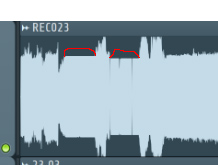
2. Turn on the master tempo. This is a difficult digital process that shifts the signal spectrum and introduces non-linearity into the phase-frequency response. Your tracks will not look flat, as I highlighted in red in the picture.
3. Do not do anything. Record your mixes as before. As Pulse wrote, there is no difference there. I am sure that your mixes sound balanced, despite the fact that on the computer you see a big difference in amplitudes.

I apologize if somewhere I wrote it is not clear. I used google translate.

Greeb-mail 1 vote
Comment actions Permalink
0
Avatar

Ya for some silly reason when you record to usb there is 6 db of headroom....no idea why. I've compared/tested vs. recording the old school way in audition or whatever and it only does it when recording to USB....which is lame because if you then have to go normalize it afterward in some program like audition, you'll also increase the noise-floor 6 db.....and 6 db of unwanted noise is A LOT. FIX THIS PLEASE because we cant be recording to audition when playing out live. We must record to USB. 

Travis MacDonald 0 votes
Comment actions Permalink