Have a feature request or suggestion? Post your idea here!

Post

8 followers Follow
1
Avatar

Rekordbox Headphone Audio Output to secondary soundcard.

Sir / Madam,

I have recently purchased the DDJ-200 DJ Controller, which has opened up my eyes & ears to the world of DJing - thank you!

My main desire was to use the controller with Rekordbox, and this has been a feature-rich experience.  However, I was hoping to avoid using the Headphones Output split cable on my Mac by using an outboard USB PnP Sound Device I have additionally installed.  The Pioneer split cable means mono output for ALL applications running on the Mac, which is not desirable.

Please can an audio setup option be added to Rekordbox to allow Headphones Output to be directed to another Sound Device, seperate from the Master Output?

Thanks again,

Neal. 


Neal Coe Answered

Official comment

Avatar

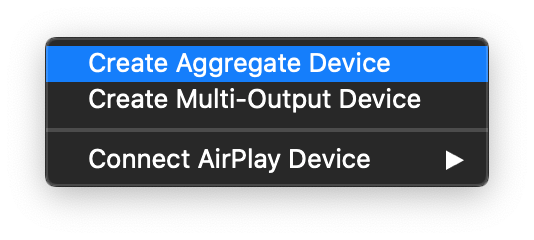
macOS allows you to combine audio interfaces into an aggregate device; you could use that aggregate as the audio device within rekordbox and direct the headphones to one set of outputs (one of the devices) and the master to another set of outputs (the other device).

Pulse
Comment actions Permalink

Post is closed for comments.

14 comments

0
Avatar

I am missing this very same feature.

Please add it. It is very important!

Mixxx already has it.

Frank B 0 votes
Comment actions Permalink
0
Avatar

Joining in this a bit late but I worked out how to do this on Windows 10.

First you need an extra soundcard (I have a cheap USB external soundcard from Amazon ) which you mention above as a USB PnP Audio device..

Next you need to aggregate devices as Pulse mentions above. To do this on W10 you need to install ASIO4ALL on your windows machine.

Restart rekordbox. You'll get the ASIO4ALL icon in the system tray. You may need to select in the Preferences->Audio Tab->Audio ASIO4ALL under ASIO. You may need to restart rekordbox. At that point click on the ASIO4ALL icon in the system tray enable both the normal soundcard and USB soundcard outputs. 

At that point you can select in the Preferences->Audio Tab->Output Channels the Audio Ouput for the Master and Headphones Output and then use Cue etc normally.

It's a bit fiddly but working for me until I get my DDJ-400 controller for Xmas!

freester 0 votes
Comment actions Permalink
0
Avatar

@freester That's a great solution. It also works for me. Thank you very much!

And for a Christmas present have a look at the new DDJ-FLX6. ;)

Frank B 0 votes
Comment actions Permalink
0
Avatar

Hi friend

I have some problems with ddj200

I try to use bluetooth speaker as master output and internal soundcard of pc as booth monitor (without split cable), but i can't select pc soundcard in booth menu. Recordbox show me double option soundcard only in output menu

how can do?

giovanni caccioppoli 0 votes
Comment actions Permalink
0
Avatar

On OSX you can "fix" this my creating an Aggregate Device within "Audio/Midi" setup. You press the tiny + icon in "Audio/Midi Setup.app", select "Aggregate Device" ("Hauptgerät erstellen" in german) and select e.g. your internal soundcard and your USB-Interface (and in my case dante virtual Soundcard).

Now you have a new virtual Sound-Device and you can Label it's outputs as you like

Hubi Schulze 0 votes
Comment actions Permalink
0
Avatar

Hi - @freester  - i know this is a long time ago but I wonder if you have any screen grabs of how you go this to work? I just cannot seem to. Thanks!

Emma Sutton 0 votes
Comment actions Permalink
0
Avatar

@Emma > All you're doing is creating an aggregate device which has both your audio output devices in one list item, then when you select that aggregate item in rekordbox, you assign the outputs accordingly.

Pulse 0 votes
Comment actions Permalink
0
Avatar

@pulse I was asked if I have screenshots when I got the aggregated device stuff working on W10. Which I don't 🙂

freester 0 votes
Comment actions Permalink
0
Avatar

Hi, I'm running in to another problem, I created an aggregated device on OSX but in rekordbox i don't see all the options for outputs. I only get 2 channels: aggregated device : MASTER, and aggregated device : PHONES. I don't know why I'm not getting all of the outputs as what they are called in the audio midi setup from my mac. Can someone help me any further?

bas pleijers 0 votes
Comment actions Permalink