Official comment

Change the audio device to the DDJ-400, then click the PC MASTER OUT button so the audio will come out of your computer's speakers as well:



Comment actions

Hello everyone
I have DDJ 400 connected at home with the USB cable only(no speakers with direct AUX) so i must select my speakers as output in the rekordbox. Now the problem is,when i plug in headphones into the controller,i can't set them up (no such option)
Does anyone have any idea how to fix this ?
Change the audio device to the DDJ-400, then click the PC MASTER OUT button so the audio will come out of your computer's speakers as well:
Post is closed for comments.
This is the current setup,still no sound..Guess there is no fix for this issue..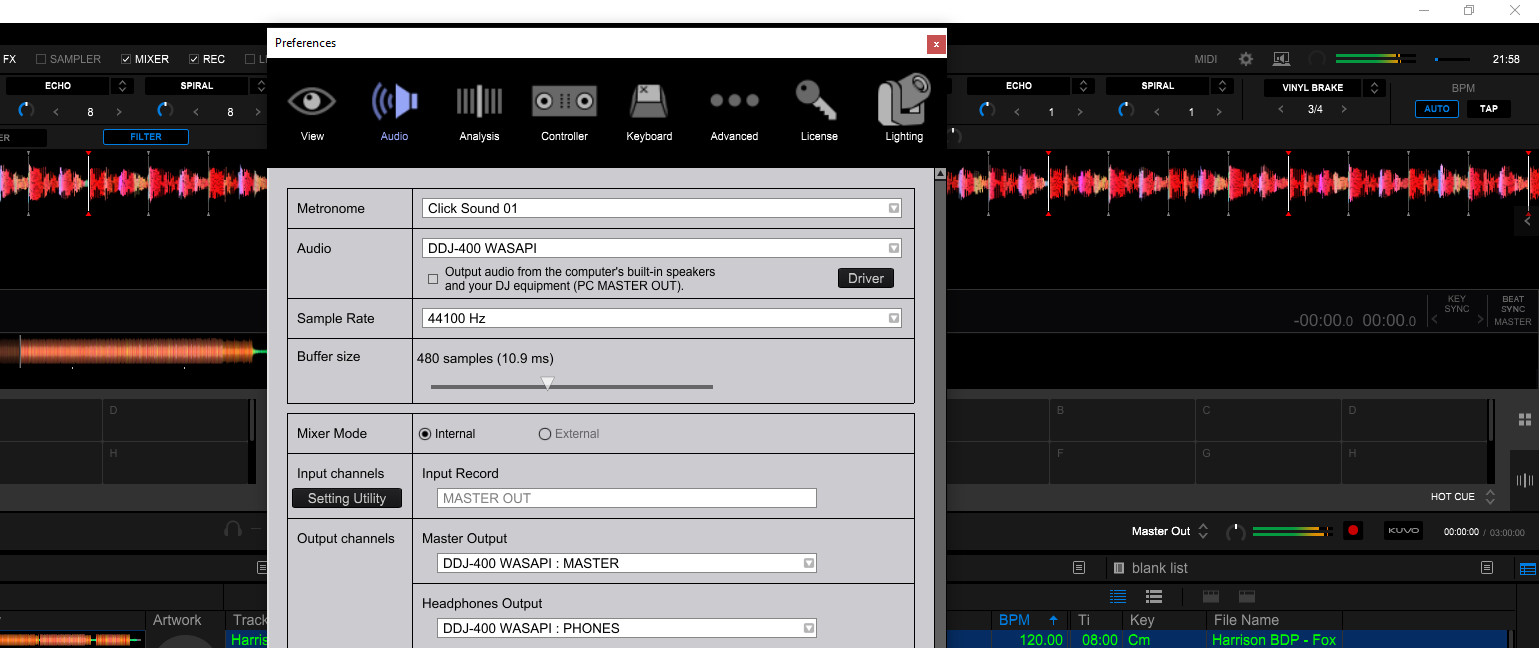
With this setup i have sound but no headphones 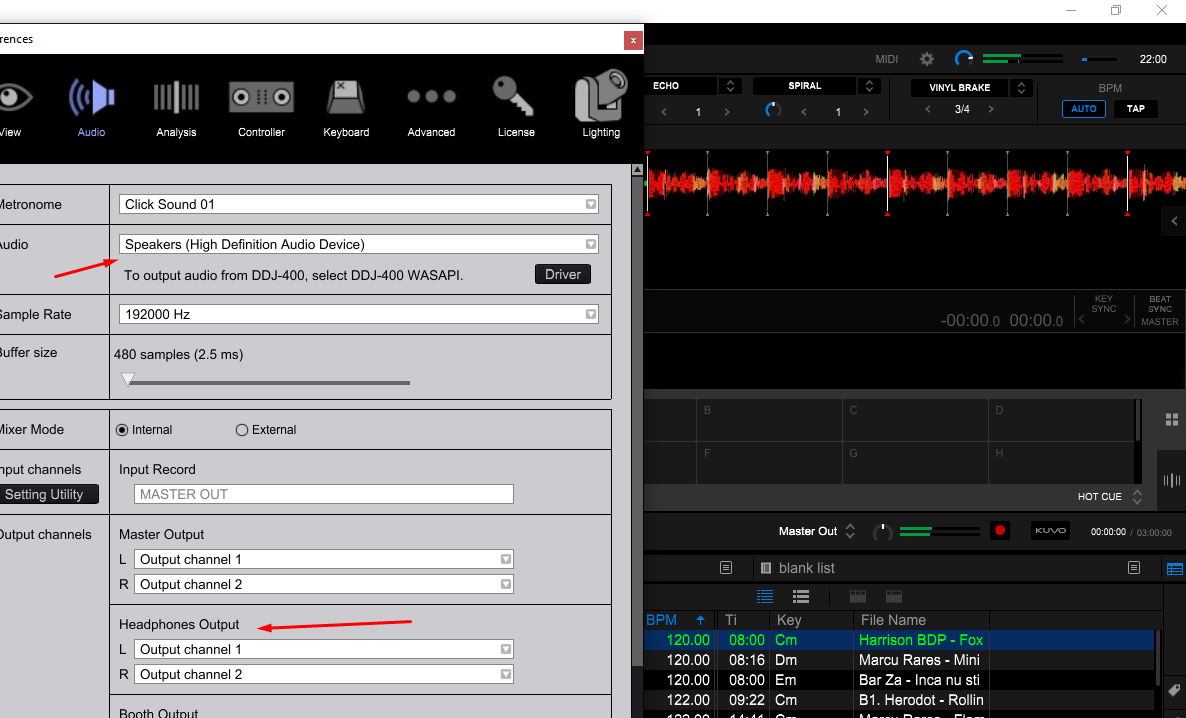
No - look at your own screenshot (the first one); select the DDJ-400 then exit and click the PC MASTER OUT button at the top right.
Ok so let me try to explain. No matter what choice i make with the PC MASTER OUT,i still don't get proper sound,there is sound,but lagging. As soon as i switch back to Speakers sound,it all goes well. Could it be some problem with the DDJ soundcard or something ? I really can't figure it out.
Here is a video of all i tried.
So i need to solve the problem with the lagging sounds when i play from DDJ400 driver either with PC Master ON or OFF, one way i have no sound,other way i have laggy sounds
Fixed the issue with the laggy sound,found the solution on youtube from some ranndom guy.
For anyone having issues with LAGGING SOUND DO THIS
Please check Sampling Rate at Control Panel + Sound + Speakers + Advanced. If it is set to a value beyond 48000Hz, change to 48000Hz.
This was also told by some other customer support member :)
Cheers


