
Not sure abut making it default but another way is to:
Launch Rekordbox 5, the app icon will appear in the dock
Right click on the dock icon and select Options, Keep in dock.
Comment actions

I've installed rekordbox 6 but now this becomes the default rekordbox app in my Applications folder.
I still want rekordbox 5 to be the default rekordbox app and for it to show when I open the Applications screen from my Mac keyboard (F4 button).
Any way to do this?
By the way, first impressions with RB6 = garbage!
Mac mini (late 2012)
2.6Ghz Intel Core i7
4GB RAM
Post is closed for comments.
Not sure abut making it default but another way is to:
Launch Rekordbox 5, the app icon will appear in the dock
Right click on the dock icon and select Options, Keep in dock.

rekordbox 6 is in the rekordbox 6 folder. If you were launching it from the dock, it could be the old version.
Your computer is 8 years old... are you complaining about the software or the computer?
I want RB5 to be in the Applications screen when I launch it as below;
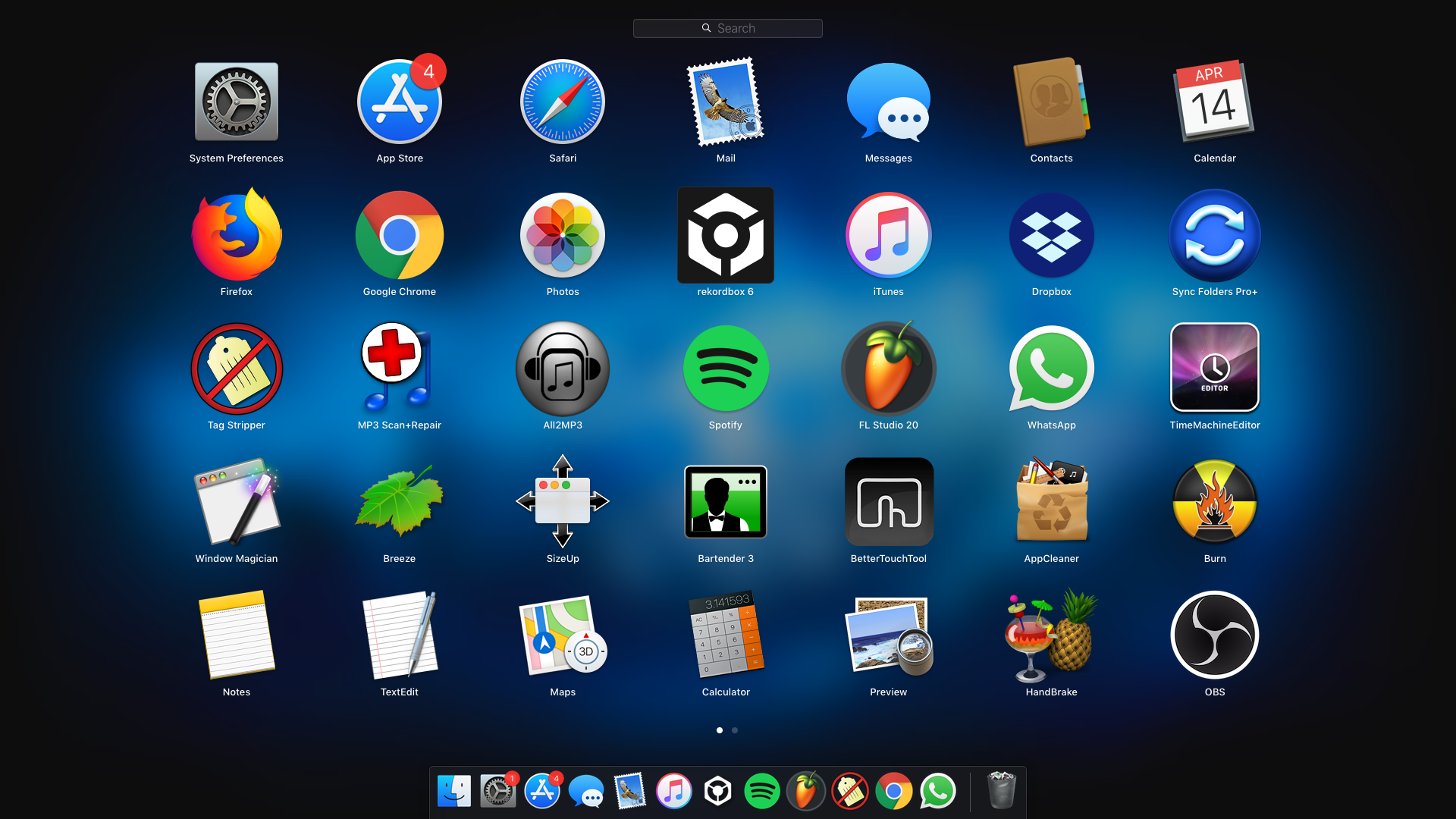
Right now it is the RB6 app and I don't know how to get RB5 there.
I know how to get it in the Dock, just not the app screen.
And I'm complaining about the software.
My Mac specs are adequate to cater for RB6.

