Official comment

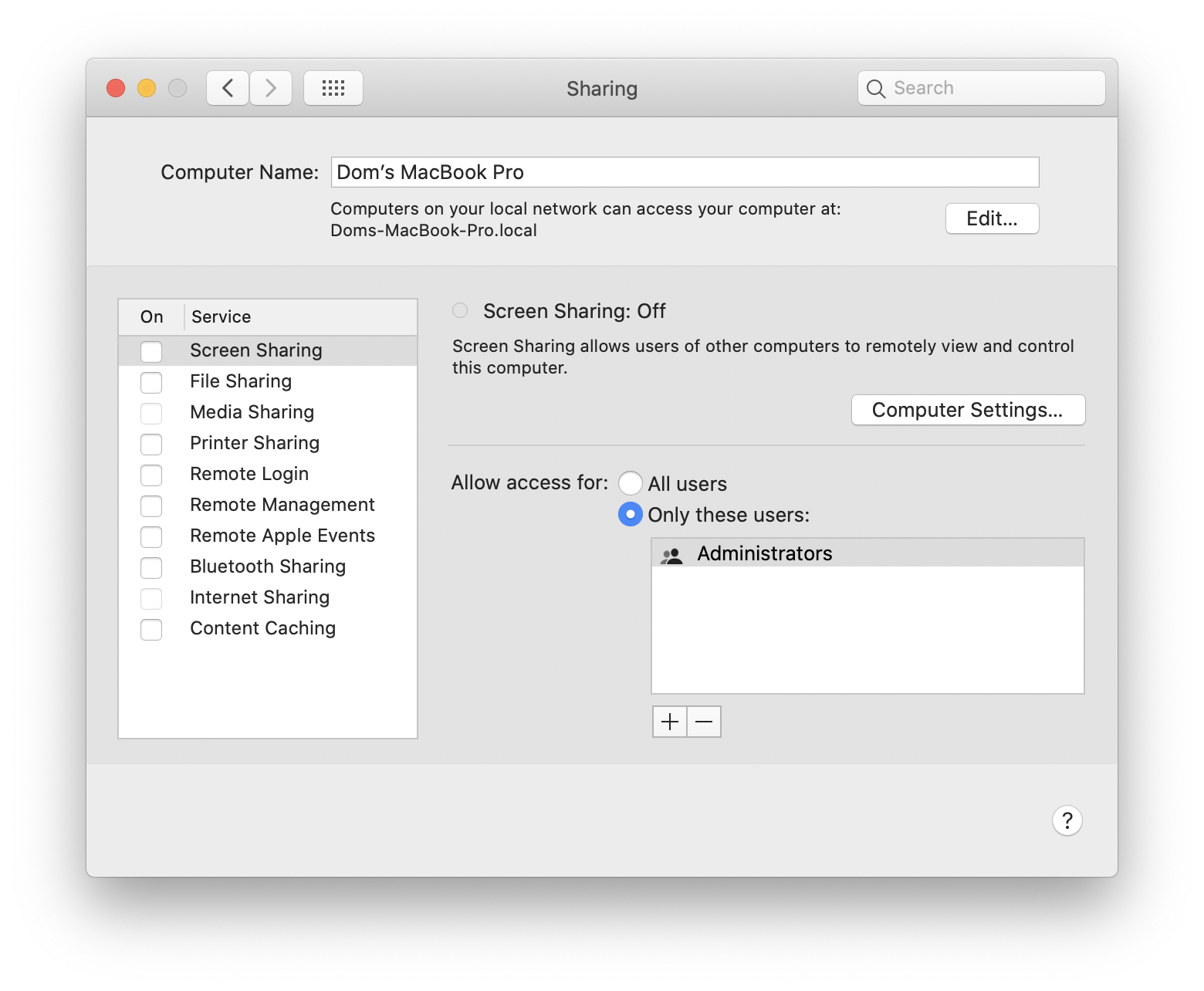
@Dom > Have you got all other sharing disabled in the System Preferences > Sharing?
Comment actions

Hi there,
I'm having issues connecting my XDJ-RX to my 15" Macbook Pro 2019, running OS X Catalina 10.15.4. I'm using an ethernet cable from the back of the XDJ-RX to an ethernet > USB C adapter, connected to my Macbook.
I'm not getting any Link button showing up when connecting the XDJ (no reaction from Rekordbox or the XDJ it seems), and have run through all the steps in this article (firewall off, wifi off, updated firmware on XDJ, redownloaded XDJ drivers on Mac, restarting both Mac and XDJ, tried on a 2013 mac with different adapter etc etc.)
I'd really love to get Export mode working on this - would love any help! Has anyone with the same kit managed to get this to work? Maybe I have a dodgy unit?
@Dom > Have you got all other sharing disabled in the System Preferences > Sharing?
Post is closed for comments.
I do, yes (see attached). I can't think of anything else it could be - do you think my unit has a dodgy ethernet port? I have never been able to get it to work with Rekordbox via Link.
Do you know if other people with the same setup have had success? Ie. XDJ RX + 2016 onward MacBook?
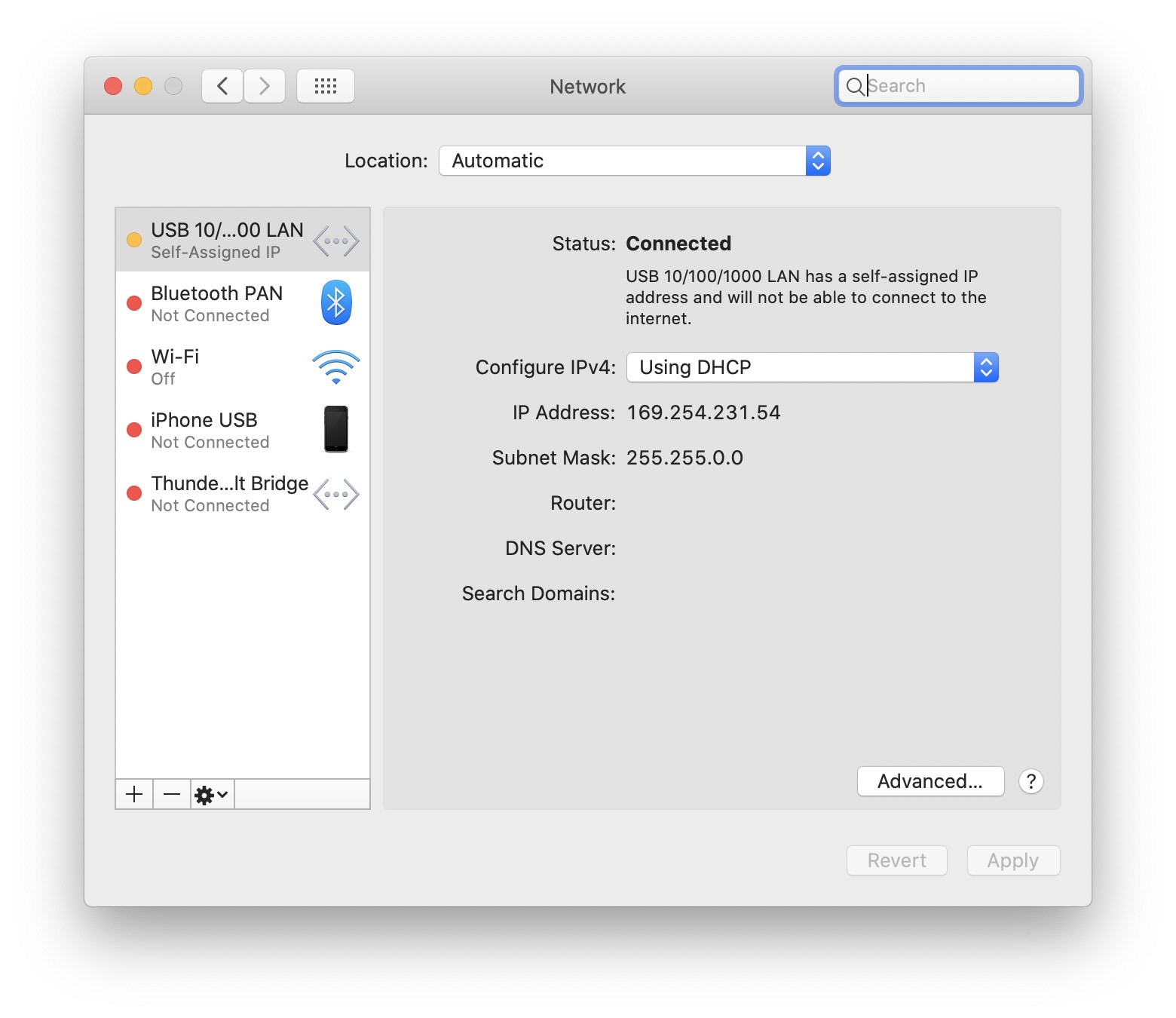
When you have the ethernet adapter connected do you ever get a yellow or green connection status indicator in the Network Preferences window?
You can show the IP address; it's likely internally assigned anyhow if it's connected from the deck to the computer. ;)
Ok - see attached
Hi @pulse - any ideas?

@dom hart did you solved your problem? i have the same
@Eraldo - sadly not :( I've tried so many times, but have given up at this point!


