Official comment

They're found within the application folder itself:
C:\Program Files\Pioneer\rekordbox\OSC_SAMPLER.zip
Comment actions

Hi There, So i've just reformatted my laptop which is i5 running windows 64 bit. Installed RB 6.1 and the QSC controls have gone? So these are the controls where you can different sounds fired from 4 buttons.
Now do I have to pre load these? if you do how on earth do you do it as I've been over the instructions about 4 times, and im lead to believe that they come per loaded with the sounds of the Horn etc
I'm always grateful for any help
Cheers
Glen
They're found within the application folder itself:
C:\Program Files\Pioneer\rekordbox\OSC_SAMPLER.zip
Post is closed for comments.
Thanks pulse, but would you have any idea how you load them? I’ve checked the manual but I can’t work out how to load the samples
Cheers
Glen
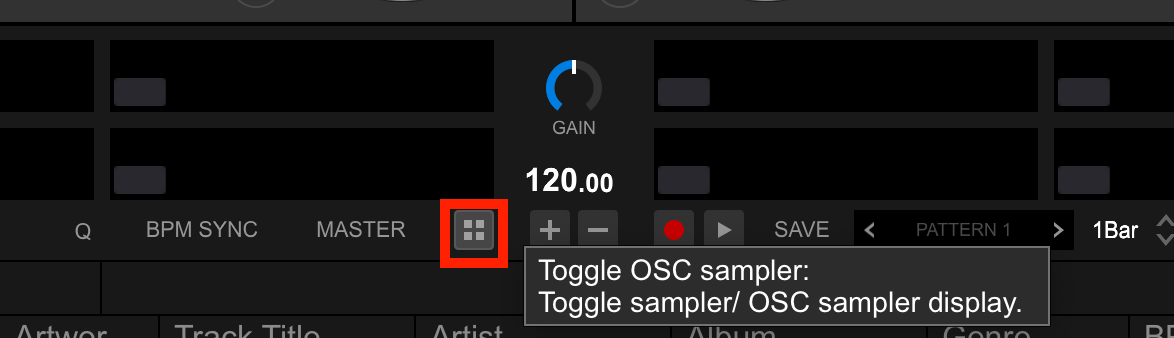
Open the sampler panel, click this:
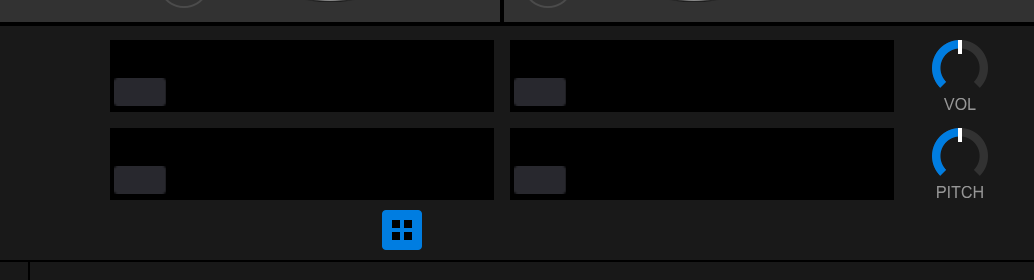
Drag and drop your samples to any of the 4 slots:
Thanks Pulse Really appreciate that :) I have loaded the Player but they wont fire off for some reason but Ill leave until I hook up the DDJ-RZ later as It may spring into life :)
Thanks Pulse Once again, The Files were actually missing but Ive relocated them and it works fine, so I can relocate the Files I had to it
You're a STAR :) :)


