Have a feature request or suggestion? Post your idea here!

Post

5 followers Follow
0
Avatar

XDJ-XZ Link export

Hi there. I have recently purchased a XDJ-XZ and I want to know exactly how to use the unit together with Rekordbox Link Export mode.
I get it all to work in Performance mode with an USB cable. But I get no joy running Export mode.
I get it there are two ways to use export mode. 
1. Prepare USB sticks offline and create Rekordbox lib to use standalone on CDJ/XDJ players.
2. Use Rekordbox simply as storage, pushing tracks from Rekordbox to XDJ.

I also tried connecting a LAN cable between extension connector on XDJ directly to my PC with no help. Must I have a LAN switch in-between?

Anyone able to describe the exact steps to take to make it work?

Jackson

Post is closed for comments.

20 comments

0
Avatar

Hi Jackson,

When using Rekordbox with ProLink make sure the USB cable used for performance mode is NOT connected. It should work directly from your PC/Laptop but using a lanhub/switch is also fine.

I've got mine setup with a switch in between. Just make sure your USB cable is disconnected and your RB is in Export mode. A "LINK" button should pop up at the lower left corner in RB. Press rekordbox on your XZ and you're good to go! 

Hope this helps you out

Jorick Kock 0 votes
Comment actions Permalink
0
Avatar

Thanks for your kind support.
I got it all to work suddenly after installing RB v6 and reverting back to RB v5 it was still working so first I thought a needed driver was installed when I did install RB v6, but it could be that coincidence that I unplugged the USB cable and it all went to work.

Jackson 0 votes
Comment actions Permalink
0
Avatar

Hi, were you able to fix it? I recently bought XDJ-XZ. I have connected my LAN Cable to my macbook. When I open the rekordbox software and change it to export mode I see the link button in the bottom left. After I click the link button it says linked but I don’t see anything on my XDJ-XZ Screen.

Also, after I press the link button it only shows mixer in the bottom. It’s not showing my decks. Can you please help me with this

Chinmay Handa 0 votes
Comment actions Permalink
0
Avatar

Hello Chinmay,

When you have linked your macbook and xz by pressing link in rekordbox. What happens when you press the "rekordbox" button next to the screen of your xz? Its the button on the top left.

Jorick Kock 0 votes
Comment actions Permalink
0
Avatar

Hi Jorick, after I press it. Nothing happens

If it’s possible can you share your email, instagram with me so I can share you the video? I have been trying to fix this for last 48 hours. And I have only purchased it 3 days ago :(

Chinmay Handa 0 votes
Comment actions Permalink
0
Avatar

Alright. Can you tell me how you have connected it to your macbook exactly? Do you also have the USB cable connected from the XZ to your laptop?

I wont share any of my personal info here but I will do my best to help you here. 

Is your XZ running the latest firmware version?

Jorick Kock 0 votes
Comment actions Permalink
0
Avatar

Thank you for that sir. I am really grateful!

My XZ is running on latest firmware sir

I have connected my XDJ-XZ to my macbook via CAT 6/CAT 5 (I have tried both) lan cable. On my xdj I have inserted the cable in extension socket.

After plugging in my ethernet cable, once I open rekordbox and chand it to export mode. I can see the link button in bottom left on my MacBook screen. After clicking on the link button it says linked but on XDJ-Xz nothing is visible.

Also after it says linked it only shows my mixer on bottom on my MacBook (rekordbox screen) my decks are not visible.

Chinmay Handa 0 votes
Comment actions Permalink
0
Avatar

I see what you mean. I have never encountered what you have exactly. But it seems like the connection between your laptop and XZ is working. But rekordbox thinks you have connected a mixer and not a xdj. I cannot check rekordbox settings myself right now but maybe you can have a look and see if there is a setting inside your rekordbox where you can select the type of device you are trying to connect?

It has also been a while since I installed everything for the XZ. But have you installed drivers for the XZ on your macbook?

Jorick Kock 0 votes
Comment actions Permalink
0
Avatar

Sir, I tried checking the settings but couldn’t find anything.

For some reason rekordbox is reading my XDJ as a mixer. I tried to use a different laptop also and encountered the same problem

Chinmay Handa 0 votes
Comment actions Permalink
0
Avatar

Yes that seems to be the issue. When I have the time I will try and go and look into my settings. Maybe I find something that helps. But for now I think if you try to find out why it thinks your XZ is a mixer it could lead to a solution.

On my setup i only see player 1 & 2 on the place where it says mixer on your side. So it has to be something like a setting i guess.

Jorick Kock 0 votes
Comment actions Permalink
0
Avatar

Thank you sir. I’ll try to check, hopefully I find something.

Incase you have any update please share with me

Chinmay Handa 0 votes
Comment actions Permalink
0
Avatar

So when I open my rekordbox and go into my settings. When I look at a tab called "dJ System" and my settings i can see my remote settings via PRO LINK. Here I see my XZ and NXS2. Can you see what you see on this page? Maybe there is a setting here that is wrong on your system.

Jorick Kock 0 votes
Comment actions Permalink
0
Avatar

Jorick Kock
I have exactly the same problem as the guy above. and currently the Link icon in rekordbox is not showing at all. xdj xz as console works with rekordbox but in export mode it doesn't show link option

Dawid Habel 0 votes
Comment actions Permalink
0
Avatar

Hello Dawid,

could you provide me with some more details on how you have set up your XZ? Is your computer/laptop connected to the XZ with a USB or Ethernet cable? 

Jorick Kock 0 votes
Comment actions Permalink
0
Avatar

Jorick Kock

Yes, my xdj xz is connected via usb cable. I installed drivers for xdj xz and drivers for usb link.
At the moment, I have installed rekodbox on another computer with windows and on this other computer there is already a link option, I click connects to xdj xz but after a while decks 1-2 disappear, I can't use rekodbox as PEN DRIVE (send a song to xdj xz and have fun with her)

Dawid Habel 0 votes
Comment actions Permalink
0
Avatar

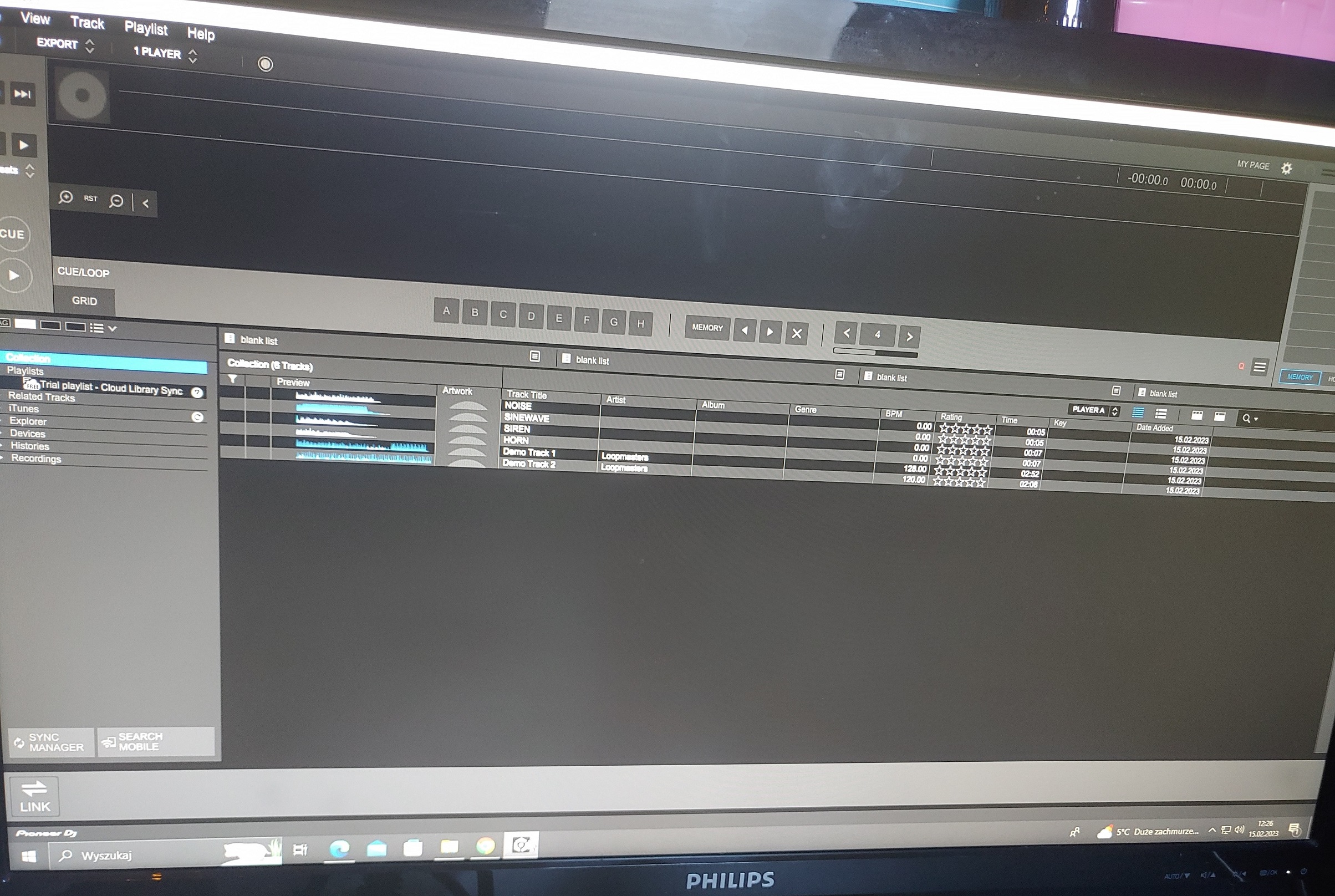
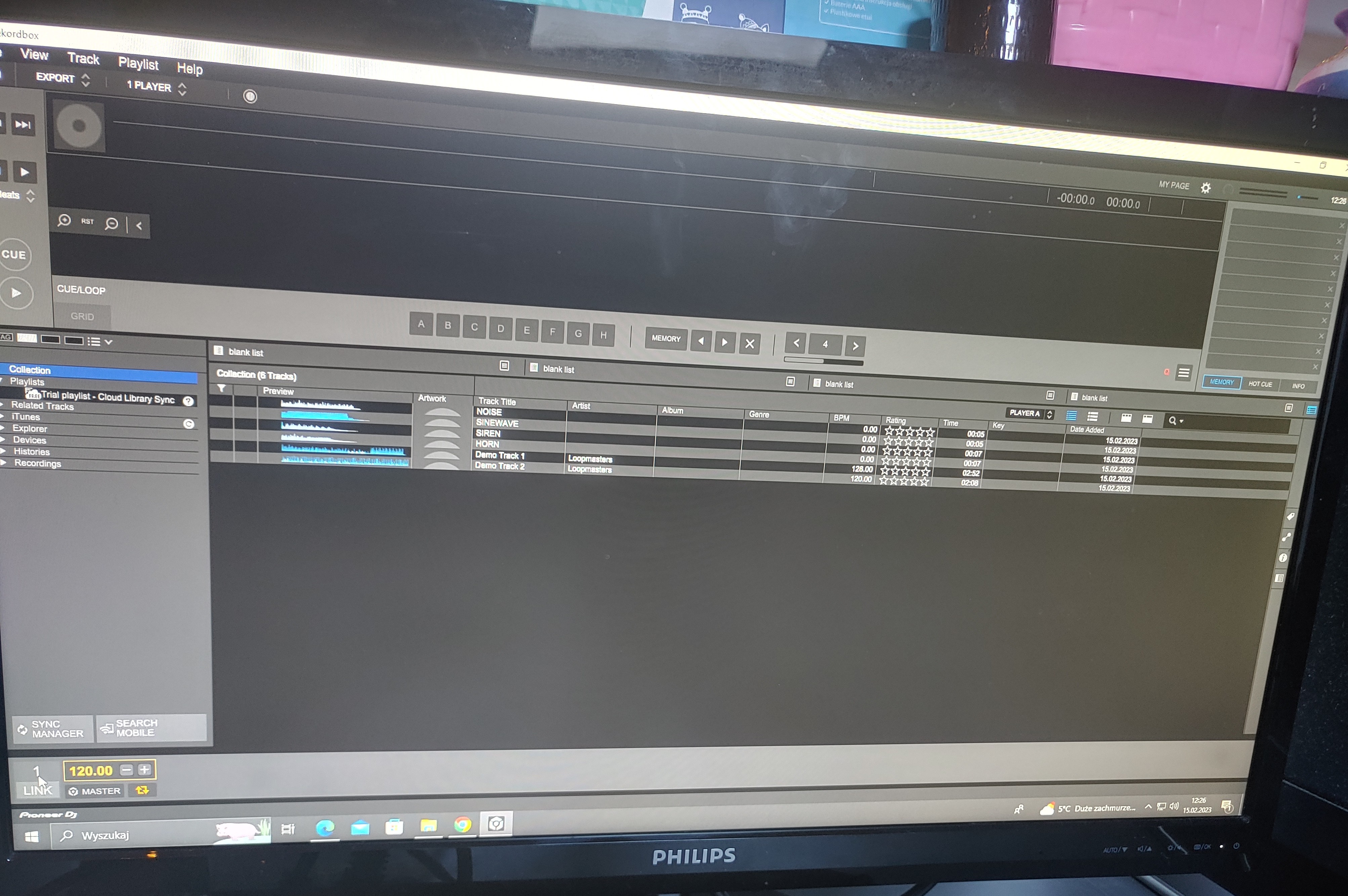
After turning on rekordbox, LINK appears
as in the picture.

Later when I click LINK it connects to the console and shows deck 1 and 2,

After 5-8 seconds, decks 1 and 2 disappear, leaving only what's left of the LINK master

Just like in the pictures

And I can't upload files to xdj xz anymore


IMAGE 2


IMAGE 1


IMAGE 3

Dawid Habel 0 votes
Comment actions Permalink
0
Avatar

and on my windows laptop there is no way to click the LINK button at all, as if rekordbox doesn't see xdj xz as a flash drive . in performance mode it works flawlessly.

Dawid Habel 0 votes
Comment actions Permalink
0
Avatar

Hello Dawid,

I know on my setup I can only run my XZ on LINK when it is only connected to my PC or laptop by Ethernet cable. As soon as I plug in the USB which is used for performance mode, using LINK in export will not work.

Could you try unplugging the USB and only connecting your PC/laptop with an Ethernet cable. See what happens when you try it like this.

hopefully this will help

Jorick Kock 0 votes
Comment actions Permalink
0
Avatar

Hello I have the same problem as you, the link button appears and when I click on it I just "mixer" I don't have deck 1 and 2, have you found a solution?

Loic FRANCOIS 0 votes
Comment actions Permalink