
Have you activated the app on the iPhone?
Comment actions

Hello together,
I used the Mobile Library Sync with my iPhone since Rekordbox 6 is out. It always worked. Now I got a new iPhone and wanted to sync my library to it but after the sync the app is still empty.
Rekordbox finds the phone with "SEARCH MOBILE" and the connections is established. There is a progress bar at the bottom of Rekordbox during the sync. No error is thrown. But after the sync there is not an only song in the iOS app.
Already reinstalled the iOS app, restarted the Mac. No change.
- Mac Mini M1 2020
- MacOS 11.5.2
- Rekordbox 6.5.3
- Subscription: free plan
- iPhone 12
- iOS 14.8
- Rekordbox iOS 3.2.0.21
Did anybody face a similar problem in the past?
Thank you guys!
Marius
Update: I did a test. Reinstalled the Rekordbox app on the old phone and did a sync. Same issue there. Not an only song in the app after the sync. Seems to be a general problem...
Post is closed for comments.
Have you activated the app on the iPhone?
You mean if I logged in with my RB account? Of course I did. This is the first step after installing the iOS app.
Reinstalled RB on my Mac and did a test with a fresh library. The songs and playlists are synced then and are located in my iPhone.
But as soon as I restore my own library with all the songs / playlists / cuepoints / ... the sync doesn't work anymore.
This seems to be a software bug. Somewhere in my library is an information that prevents it from syncing to my phone.
Have you selected Mobile Library Sync as an option in Preferences > View on rekordbox?
There is no option "Mobile Library Sync" in the RB Preferences > View on Mac. I found something under Preferences > Advanced > Library Sync but it's only the "Location of Files"
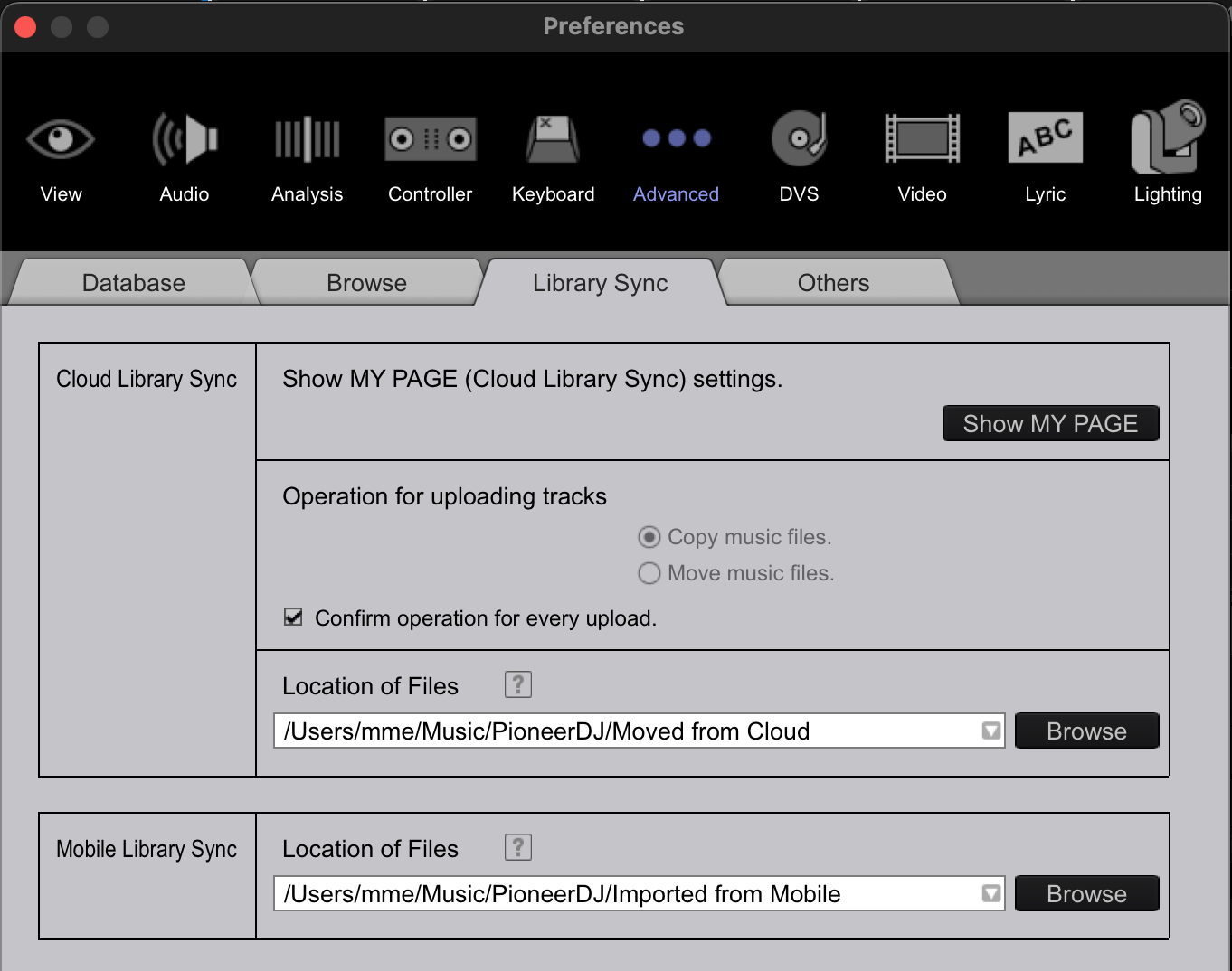
On the View page:
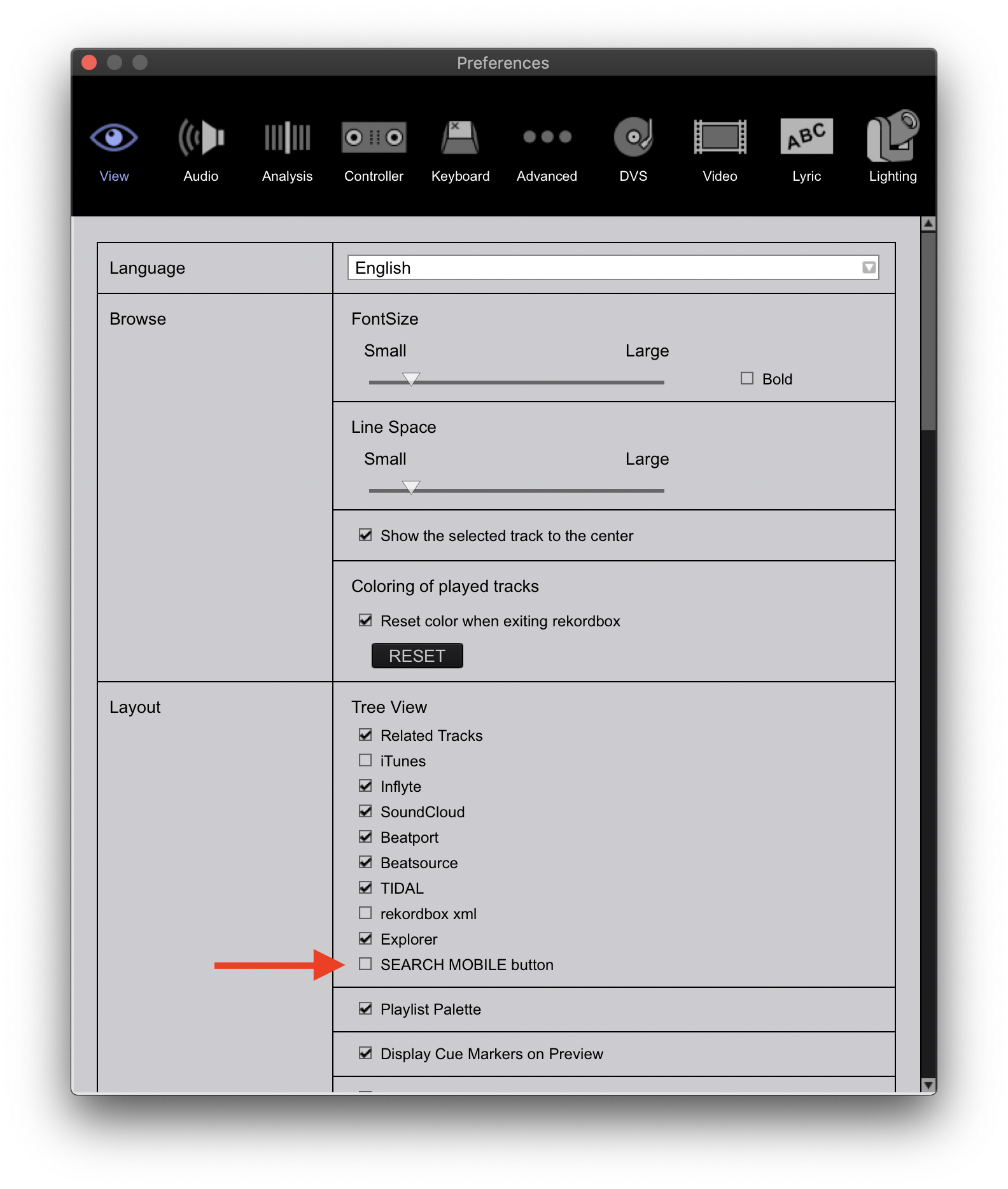

If only I knew that someone else would need this information... I had the same problem, but I didn't spend a second trying to solve it myself. I then had two problems, a crack in the screen and a synchronization error, and my friend organized the changement d'ecran iphone paris very quickly. He had a master's number, and they gave me a good discount even for a service that wasn't included in the price list. I didn't even think to ask how he did it. Although he definitely told about it, but I just forgot. Within this thread I could at least once in my life be useful to someone, haha. But it is too late and I still don't know the solution.


