The display in RB is highly customizable. You can change the columns by adding or removing the ones you wish to view. You can move them left/right by dragging with the mouse. You can resize of hide the playlist view on the left. There are playlist pallete banks that you can put the most common playlist used above the track display for quick access. You can assign 8 keyboard sequences that will take you directly to defined playlists. You can change the waveforms to be horizontal or vertical. When in performance mode, hitting the spacebar minimizes the player controls to allow larger view of the library listings. Hitting spacebar again brings back the controls, all while playing tracks. I removed the Artwork column because it is not relevant when mixing. Take a look in preferences and the manual for many options.
Post
Follow
Playlist panel takes up too much space in horizontal view
Hi
In Rekordbox performance mode, are there any plans to make the horizontal view more customisable so it can be better sized?
I currently find the waveforms far too thin / compressed and the pad / platter view too crushed - this is because the playlist pane takes up far too much space.
I also prefer the horizontal waveforms in Export mode - these feel sized more correctly in proportion to the rest of the application.
Any input on this would be much appreciated.
Many thanks
Post is closed for comments.
3 comments
Thanks Joel
Does any of what you suggested enlarge the waveforms or enlarge the pad / platter view though?
I haven't seen anything in RB that allows you to do this, including your tips above.
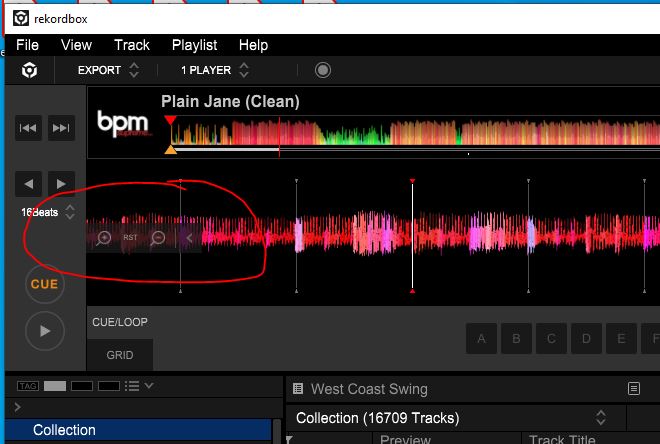
On the left side of the player, there are controls to zoom in and out on the waveform. This also shows on the Performance mode on left or right side for the corresponding player. The pad size seems to be dependent on the screen size. If you change the display resolution you may be able to modify the layout.

Is this what you need?