Have a feature request or suggestion? Post your idea here!

Post

2 followers Follow
0
Avatar

Rekordbox Installation

Hi There,

I was wondering if you could help.
i purchased a DJM250MK2, PLX 500 and Pioneer Control Vinyl.
On Saturday i downloaded from rekordbox.com the latest version, connected my PLX to my Mixer and my mixer to my laptop.
I was able to play tracks from my laptop using the control vinyl but had to manually drag the track from explorer into rekordbox.
When i click on track everything is greyed out and i am unable to import tracks from my laptop into rekordbox.
Also i keep getting errors saying this feature is not available with your plan.

Now what i cannot find it were i input the serial code for rekordbox i received with my mixer or am i doing something wrong as i know my DJM comes with a full license?

Peter Williams

Post is closed for comments.

5 comments

0
Avatar

Hello,

With Rekordbox 6 a license key is not used anymore. You only have to register for a Pioneer DJ account and make sure the DJM250MK2 is connected to the computer when you switch to Performance mode. 

I would also suggest importing the music into Rekordbox rather than using the explorer/itunes option. 


Ves 0 votes
Comment actions Permalink
0
Avatar

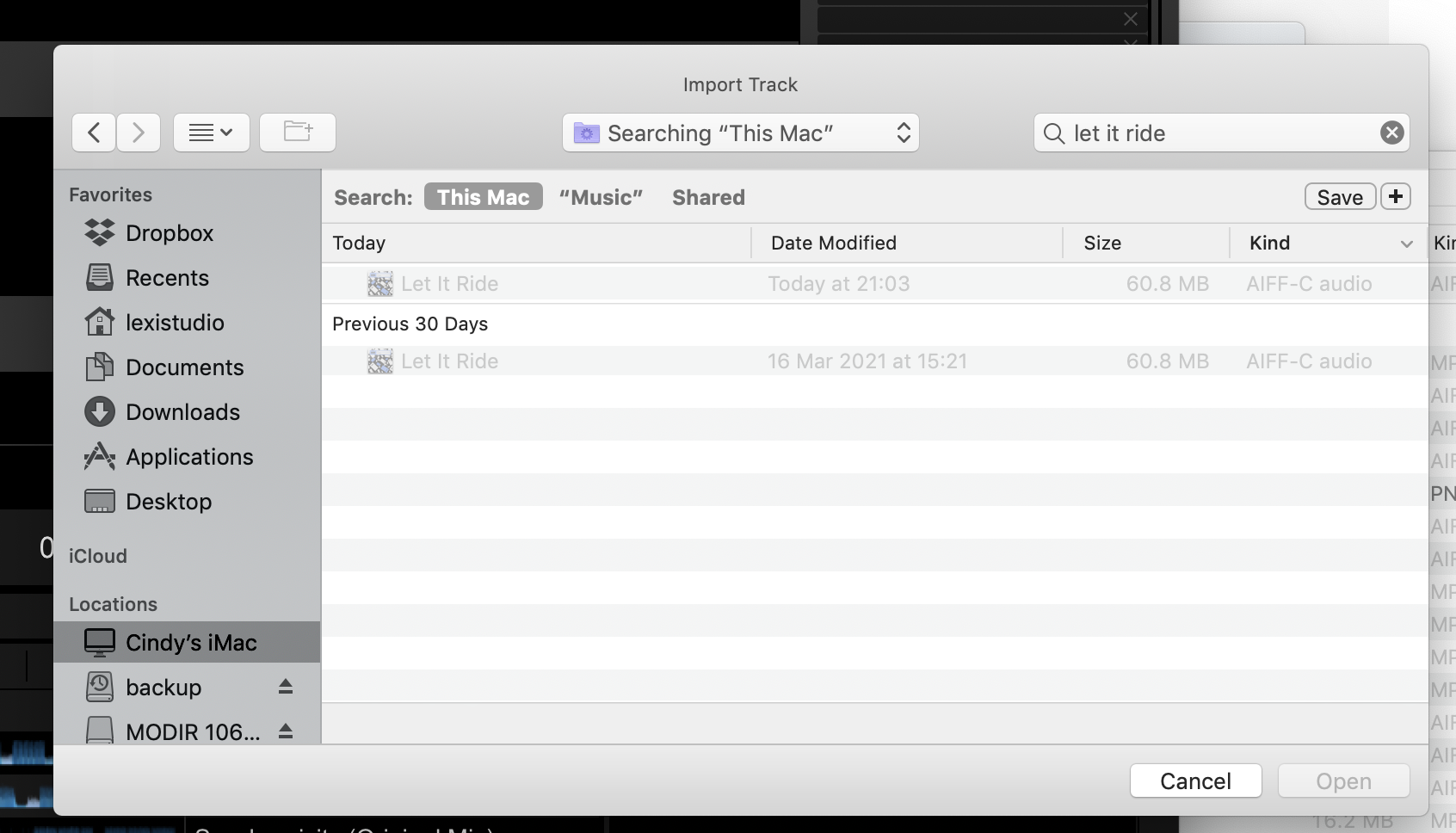
I am having this problem i have tried re downloading and importing to rekord box directly and it is still greyed out?


The track plays fine in iTunes or on my mac?

MODIR 0 votes
Comment actions Permalink
0
Avatar

@MODIR > Well, for starters, it doesn't look like it's found the track you're searching for, so there's nothing to import.

Pulse 0 votes
Comment actions Permalink
0
Avatar

replied to your email not a very helpful reply? for starters???

MODIR 0 votes
Comment actions Permalink
0
Avatar

@MODIR > I'm sorry, you replied to someone else's topic about rekordbox installation, but your issue is with importing to rekordbox, so you didn't do yourself or the original poster any favours by replying here.

Have you tried clicking on the song in the search result - even if it's greyed-out? Or maybe just drag-and-drop from the Finder window instead of using the Import Track window? Or even the explorer tree from the left side of rekordbox?

Pulse 0 votes
Comment actions Permalink