
Official comment

Hey Russell,
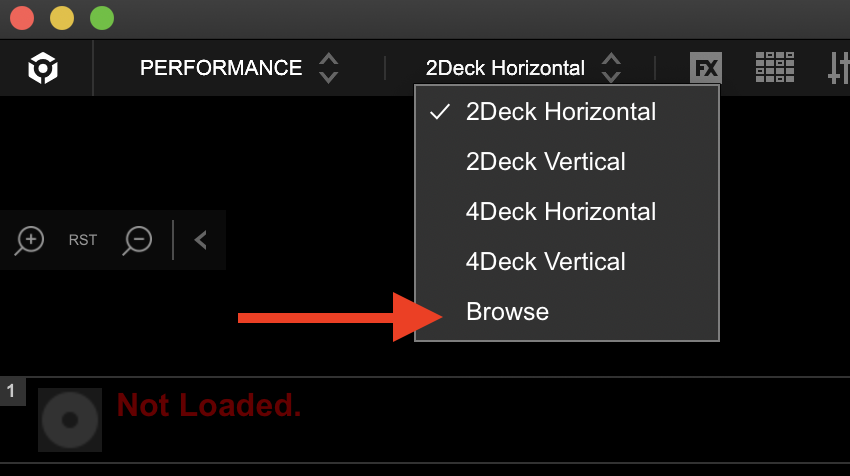
1) The default is the spacebar; give that a shot. Otherwise you can change the view from the 2/4 deck options to the "Browse" expanded library view from the dropdown at the top left.
2) One-shot samples don't sync, sorry.
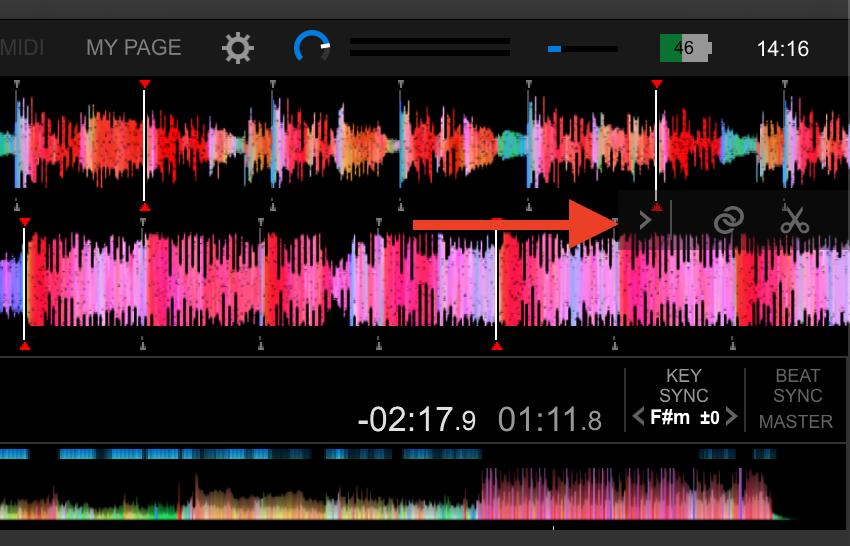
3) Capture samples by creating a loop on a track, open the side panel to the right of the waveforms (between them if in horizontal view) and click the scissor icon. The loop will change from orange to blue - grab that and drag it to a sampler slot. The other way (using hardware) is to create a loop and press the CAPTURE button. Presto.
4) There's two ways of this being shown, first being the "traffic light" system - activate this by clicking this button (or choose another source if you want to match to a track which is not the master):
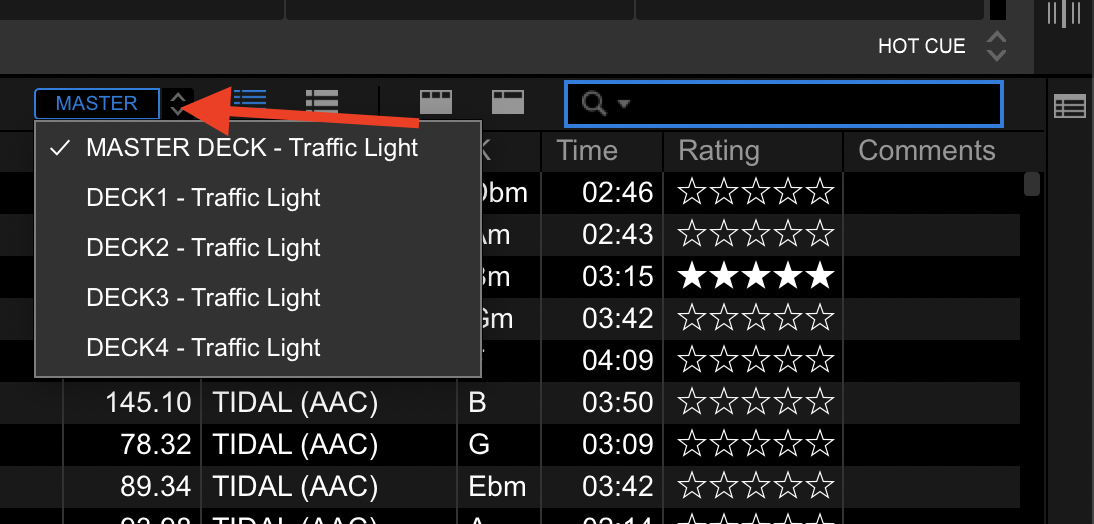
The other way is to use the RELATED tracks function, which has a lot more matching criteria available than just the key, and you can even customize them well beyond that.

