
Hi Johannes,
rekordbox 6 certainly does support FLAC files with embedded album art. Can you confirm that the art is actually in the file metadata and not just in the folder with the audio files?
Comment actions

Hi,
I have FLAC files in a directory with album art included. They show up with normal media players but don't show up when I import Folder from the menu in RekordBox 6.5.1.
How do I get my album art trom the FLAC files into RekordBox?
Post is closed for comments.
Hi Johannes,
rekordbox 6 certainly does support FLAC files with embedded album art. Can you confirm that the art is actually in the file metadata and not just in the folder with the audio files?
Yes I can confirm the art is in the FLAC file. In Windows File Explorer when I view as icons, it shows the art, when I use other music players, they all show the art, except RekordBox.

Johannes.
I had similar issues when start using FLAC files. It turned out that it was about the software I was using to manage the tags of the files. I am on Windows platform and was using MP3TAG before, which worked with MP3 without any issue but got me trouble when using it for FLAC files. I switched to TagScanner and don't have any trouble any more.
Maybe it helps.
I installed TagScanner and it can see all album art without issues. I really think it is a RekordBox bug.
TagScanner will see the AlbumArt for sure.
Try to resave the tag with TagSanner and reload the tag in rekordbox. This is how it solved my issue.
yes I tried the same and once saved by TagScanner, RekordBox will see it. Weird that all other tools see it except RekordBox, now I had to save hundreds of files and all new files coming in too.
I hope they will fix RekordBox.
you can bulk saving. Just pull all files into TagScanner. Mark them all and just save without changing fields. Afterwards reload the tags in rekordbox.
@Johannes > Could you please email me one of the files? Send it to forums@pioneerdj.com and put 900003237143 as the subject line.
Thanks.
Found the issue:
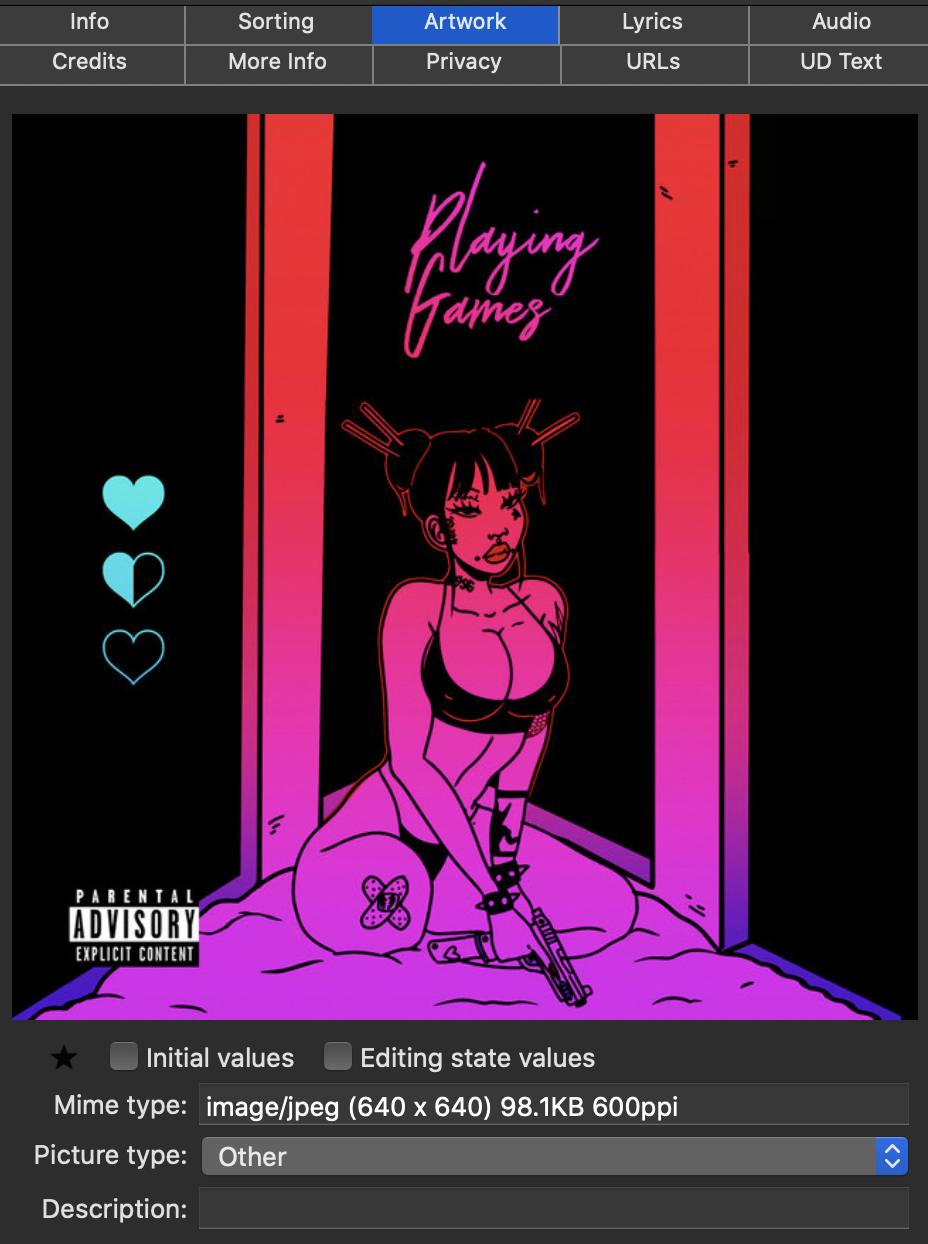
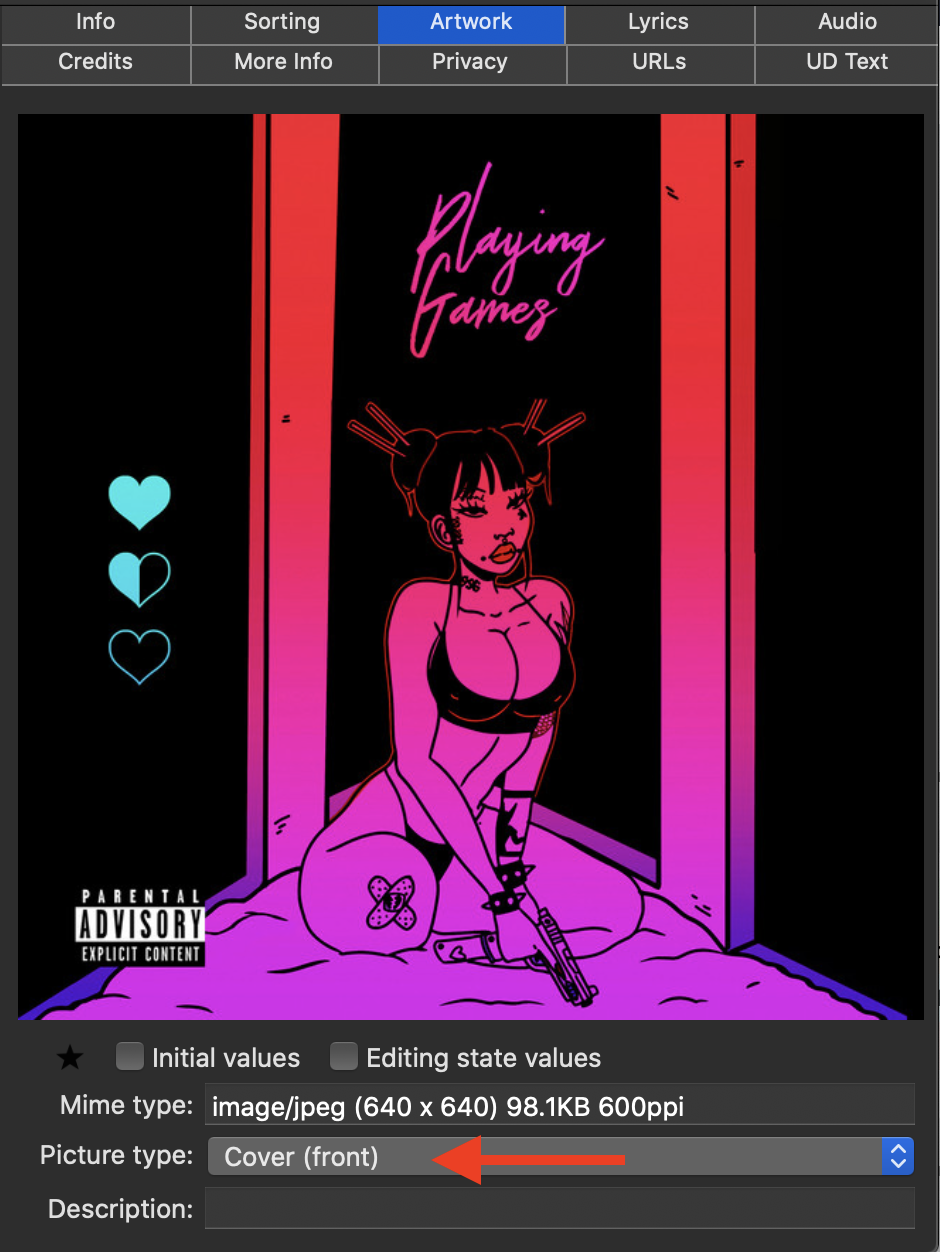
The artwork is stored in with the "Other" art field tag; it has to be stored as "Cover" or "Cover (front)":
And now it appears in rekordbox:
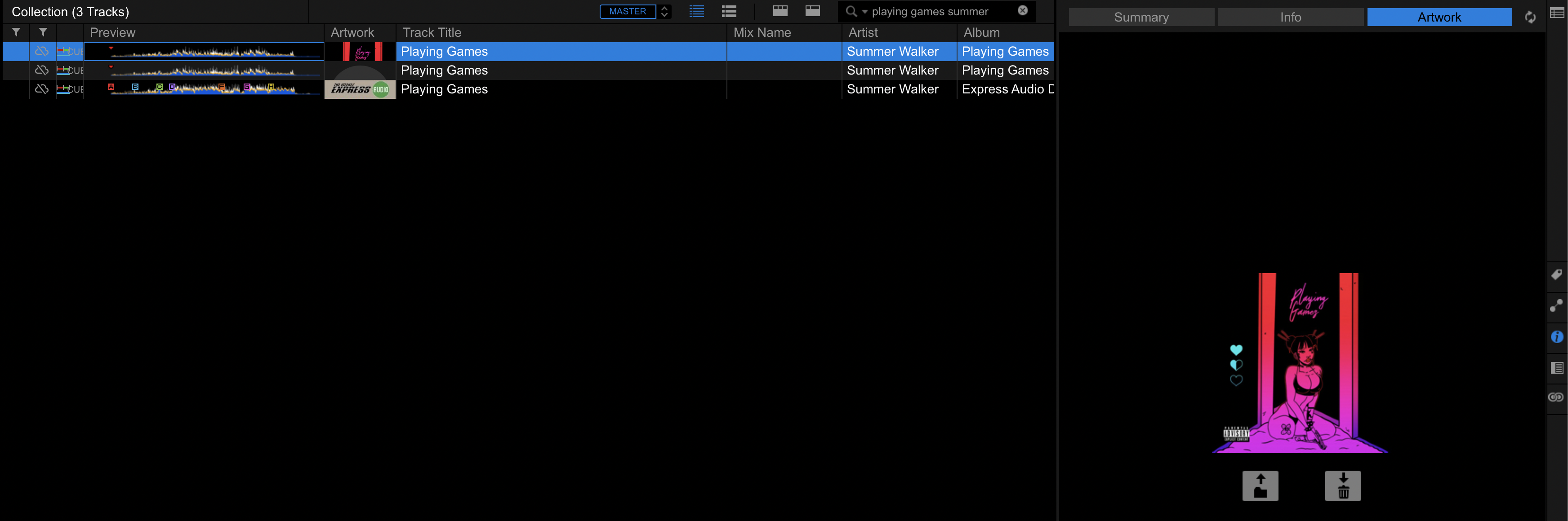
The 2nd song shown above is the original file you sent, the first is the one I modified using Yate.


