@Ben > Have you gone through this article to try the troubleshooting steps within?
Acciones de comentarios

Hi,
I'm aware that there are other threads for the same issue and information elsewhere, but I've attempted the solutions offered to no avail.
I've just purchased one XDJ-1000 and attempted to link it to RB via an Ethernet cable, however the link option isn't appearing in RB.
I only have one so have plugged it into my PC directly rather than through a switch.
I have the newest driver, software and version of RB.
Things I've tried:
- Ensuring the 4 files identified in support are trusted by my firewall
- Turning my firewall off
- Turning the Wifi off so that it's the only connection
- Running Rekordbox in admin mode
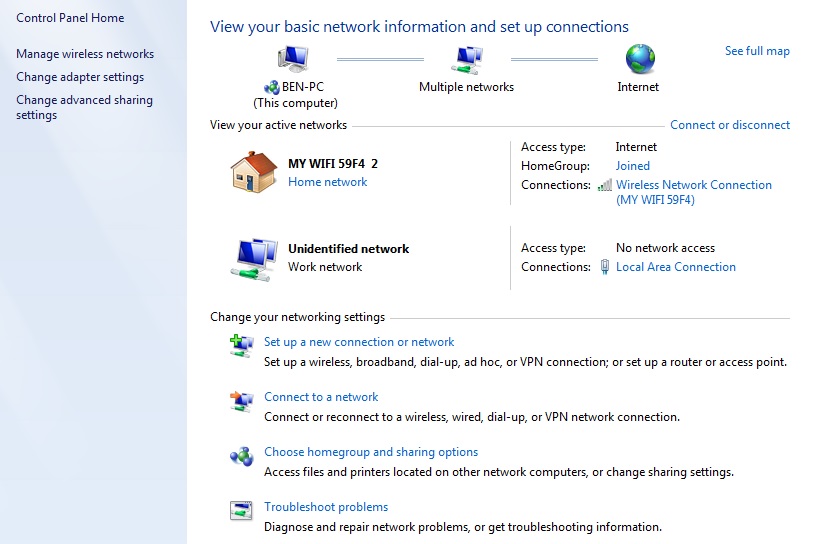
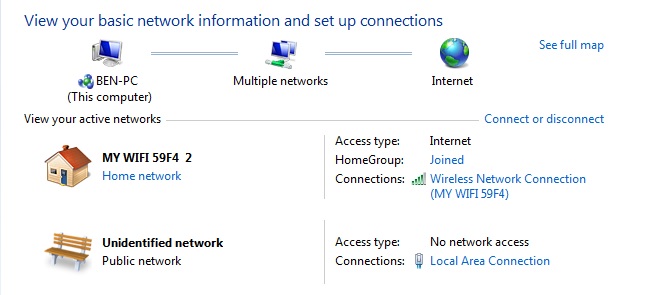
- When I connect the XDJ-1000 my computer attempts to identify the the network connection and then eventually just says: 'No network access' and 'unidentified network'.
Windows 7 64bit op system.
Any suggestions?
Thanks.
La publicación no admite más comentarios.
@Ben > Have you gone through this article to try the troubleshooting steps within?
I have, yes. No joy.
Have you configured the network type to be "Private" (home or work) instead of "Public"?
It's set as Public but I can't figure how to change it. It doesn't appear to let me anywhere. Am I being stupid?

Don't you have a static ip set on the ethernet device? If so, switch it to DHCP.
I guess there always will be some kind of a network error as windows tires to access some network address to verify the internet connection and if this is not successful, they insist the network is not ok....
So I've been researching this a fair bit and it seems to be a Windows 7 issue. There isn't an easy fix but numerous suggestions out there, but I'm yet to find one which works.
Interestingly I installed Windows 10 the other day and it began to work completely fine. However, I then discovered that my sound card isn't compatible with Win10 so I'm going to have to revert back.
Not looking promising this one!
So I've somehow managed to change it to a 'Work network', but that still hasn't solved it. Still doesn't work. Any ideas how I can fix this?