Comentario oficial

@Carmelo > That's because your streaming software doesn't know how to handle an ASIO driver (which the DJM uses). Read my guide here on how to stream.
Acciones de comentarios

I want to use the usb output to make a livestream via youtube.
Other than my old 750 (mk1), the mk2 has no RCA rec out, so i have to use the usb routing for the signal (master2 and booth has a too much noise at the analog output).
Recording in ableton is no problem, i can select and config the i/o's oft the mixer, but my streaming software (open broadcast software) and other software doesn't recognize the mixer inputs like PC's line-in / mic. there are only a mic input and a line (don't remeber if in- or output) jack.
Software, drivers are up to date
@Carmelo > That's because your streaming software doesn't know how to handle an ASIO driver (which the DJM uses). Read my guide here on how to stream.
La publicación no admite más comentarios.
hey there, i read your guide, but i can't make
thi step: "Click the A2 output assignment, and select WDM: CABLE Input (VB-Audio Virtual Cable)."
This input is missing, i can't select it.
And: i am using an other PC to stream, not using the mac (running Serato DJ), so i guess i don't have to make the settings in rekordbox, and no other settings because i'm using cdjs for playback.
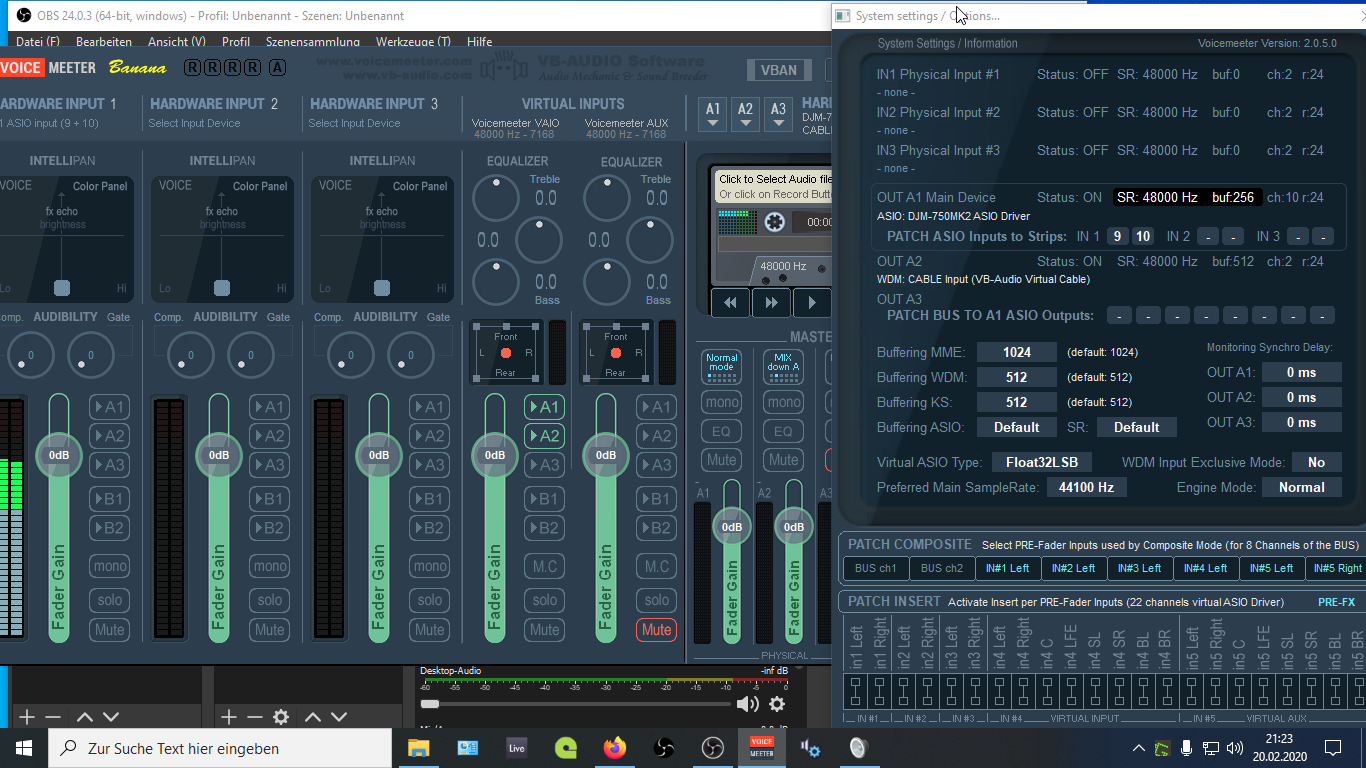
i got signal on hw input (9+10) on the left section in voicemeter, but no signal on mastersection (a1, a2) and no signal at the virtual input section. aslo the playbackrate is not adjustable, always at 48khz. just take a look.


Hmm... it could be I already had VirtualCable installed, but I thought it was part of the Voicemeeter package. Try grabbing it here to see if that helps.
The settings in rekordbox won't matter for your configuration, and you don't really need to use the ASIO4ALL setup; you can simply take the DJM's 9/10 into the VirtualCable output (Step 4) and then it should work.
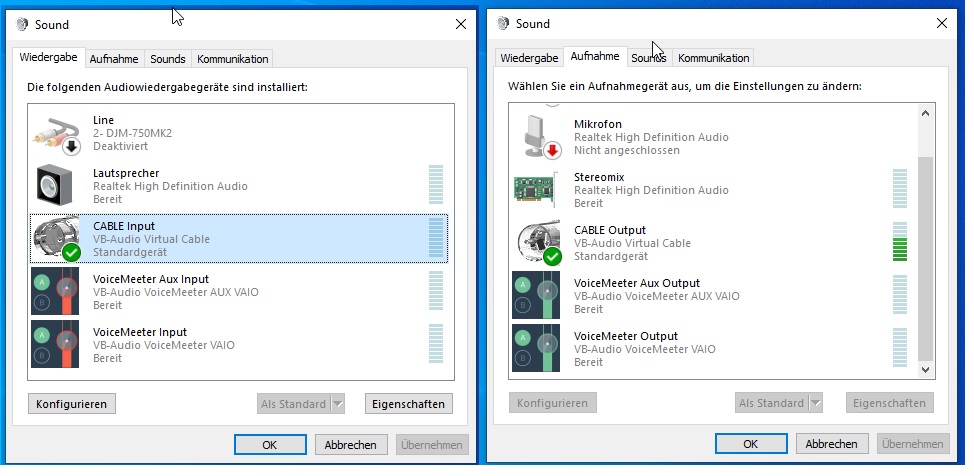
yes, i got stereomix installes as virtual input. do i have to make config in windows (soundconfig)? i added a screenshot in my previous post.
You need to have an output which is NOT ASIO as that's the problem for streaming software not being able to access an ASIO device.
virtualCable wasn'tr installed with voicemeeter. installed it, made some config.
if i do the same config like you (activate a1, a2 only on virtual inputs, nothing happens.)
but if i activate a1 and a2 ond the hw section left, i get a signal at the master section right. the vu meter there shows only 1 channel, but i get a 2ch signal in OBS.
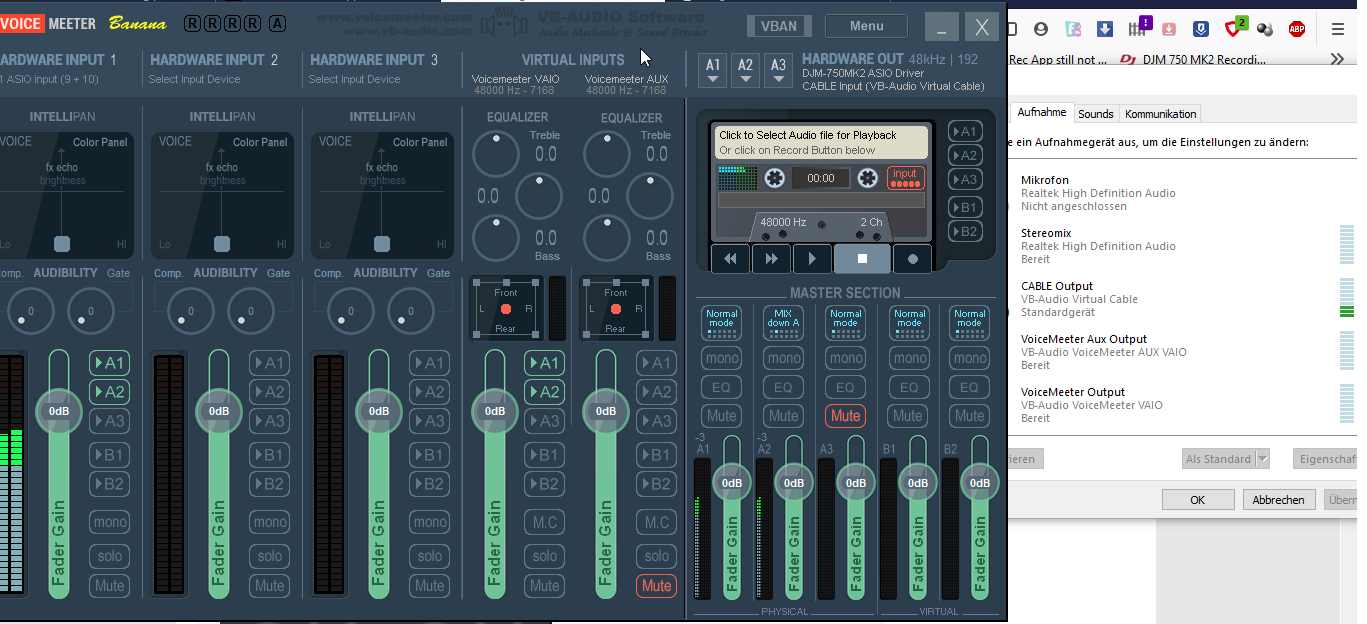
...because i'm using a webcam to stream (and not record/stream my "monitor" and "basic audio"), i would use the cableOutput as main audiosource in OBS settings with the webcam as videodevice. No playback of the audio during streaming needed.

Hi there,
I was able to use the DJM-750MK2 in OBS without any issue, using the standard Windows audio driver - no ASIO or third party app setup required.
The trick for me (after installing the driver) was to change the default routing using the Windows DJM-750MK2 Setting Utility, so that MIX(REC OUT) was being routed to USB1/2, rather than the default which was USB9/10.
I think the standard Windows audio driver can only see USB1/2, so that's why you need to assign the MIX(REC OUT) to that particular USB output.
At least, that's what worked for me, and in fact the same approach worked for me with the DJM-900NXS2 as well.
Thanks :)
hey there,
how simple is that! it worked for me too... tried many options, but not this.everything worked so far, only streaming via OBS don't!
thank you a lot!!!
regards

im thinking of buying a djm 750mk question i have is, if routing the record out to usb1/2 does that mean i cant use that channel for a CDJ? im using DVS vinyl - channels 2&3 and cdj900 in 1&4?
thanks
thomas
Thomas,
If you are using all four channels as inputs for DVS, then you wouldn't be able to use that for recording, but if the CDJ-900 is being used in HID mode, then that channel is available for recording as only channels 2 and 3 are in use for DVS input.


