
Per the MIDI guide, the output for LED to PAD1 on the left deck is on channel 8, NOTE 0 (C1), with 00 being "off" and 7F being "on."
Sounds like you were on the wrong channel. ;)
Actions pour les commentaires

Hi anyone know what midi note and channel is needed to control the "Pad Mode" LEDs. I have tried every note from 00 to 7F on channel 1 and nothing makes that light come on.
In the documentation the hot cue button is supposed to be on channel 1-4 with note 1E. But this does not seem to work.
The pads themselves work fine when using the documented midi note. But the pad mode won't respond.
Please help.
Cette publication n’accepte pas de commentaire.
Per the MIDI guide, the output for LED to PAD1 on the left deck is on channel 8, NOTE 0 (C1), with 00 being "off" and 7F being "on."
Sounds like you were on the wrong channel. ;)
I used a midi analyser and found that the midi maps in the documentation is only half of the messages that really go on.
You can only see the real picture when Serato is runninng.
I wish Pioneer would just keep it simple or at least give the complete midi mapping instructions.

I too have the same problem , imposible to assign LEDs of PadMode for change color (
e ( HotCue, Roll, Slicer, Sampler )

What was the name of the MIDI Analyzing software you used? Did it work well? I just re-mapped Loop-1 enable to a Hot-Cue. It's working great, but there's no light at all.

Hello, I use Traktor, I successfully assigned the mixer entirely but impossible to find the assignment of the leds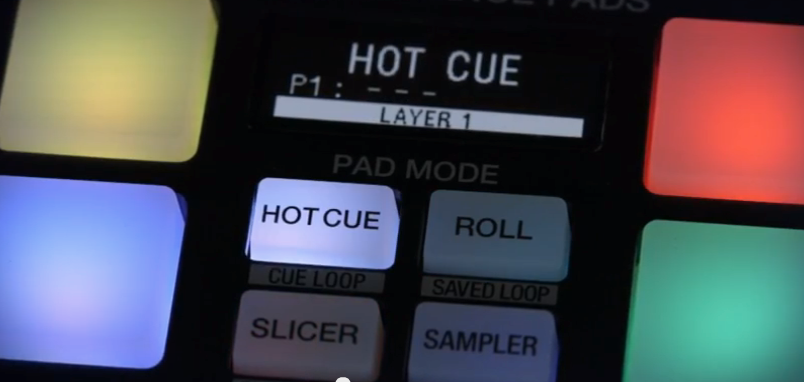
Actually I figured out how to fix my issue. Involves editing the XML file directly, focus on the 'output' section. Then use the # codes mentioned by JJ here https://serato.com/forum/discussion/1069525 So far his supplied numbers have been accurate for me!

