Have a feature request or suggestion? Post your idea here!

Publication

2 abonnés S’abonner
0
Avatar

Internal Quantization and Track Name Importing

Hi all

How do i quantize tracks within the XDJ RX please?
I have done this before on the fly, but i camt remember how.

Also i have imported 7000 songs from old cds, but the names dont show up in Rekordbox.
Obviously i cant rename each individual track tag name within Rekordbox, so how do i make the software recognise the track proper names please?

BP6 Répondu

Commentaire officiel

Avatar

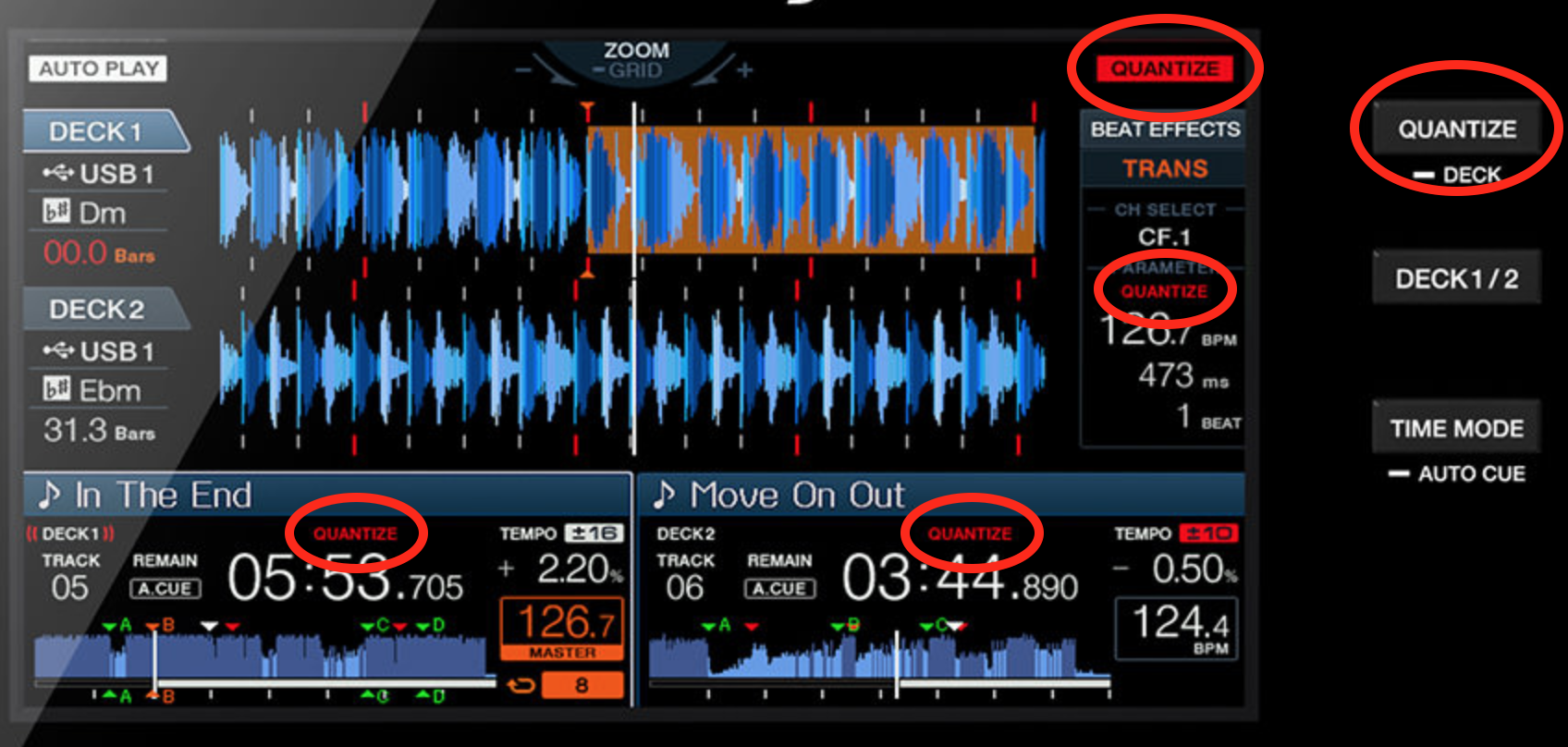
Enable quantize by simply pressing the QUANTIZE button on the face of the unit, and it's displayed in a variety of locations depending on the quantize function you're trying to use:
Track names must be in the file metadata in order for them to exist. You may need to use a 3rd party software to move the tags around, or to use audio fingerprinting to generate the tags, then rekordbox can read them.

Pulse
Actions pour les commentaires Permalien

Cette publication n’accepte pas de commentaire.

3 commentaires

0
Avatar

Hi im not asking how to turn quantize on. Im askimg how i can align the quantize grid correctly within the deck on the fly.
I have done it but forgotten how to do it.
Can you help please?

Also what software is good for metadate track id please?

BP6 0 votes
Actions pour les commentaires Permalien
0
Avatar

Ah - you're asking the wrong question; you want to edit the grid! Press and hold the rotary knob, it will toggle to grid edit mode.

I suggest using one of the Musicbrainz recommended applications (top left of their website).

Pulse 0 votes
Actions pour les commentaires Permalien