Commento ufficiale

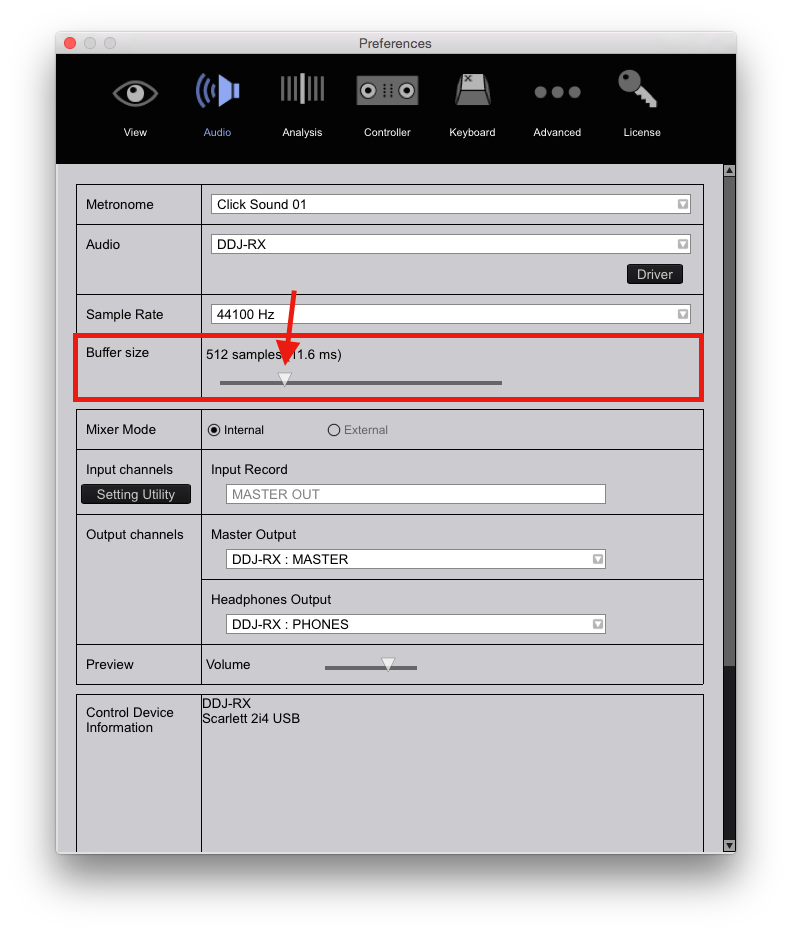
Adjust your audio buffer size to the left.


Azioni per commenti

Hello!
Just bought my Pioneer DDJ-RB and have a few questions.
I'm using iMac Late 2012 with El Capitan 10.11.6 and Focusrite 2i4.
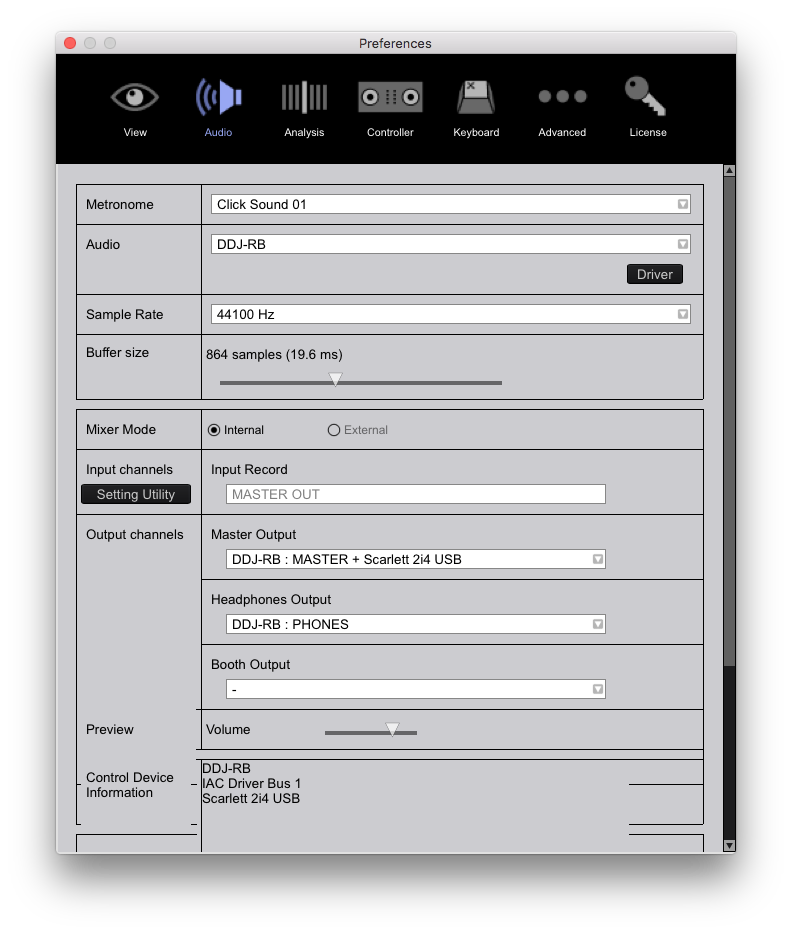
The problem is when I'm using DDJ-RB as Audio in preferences and Scarlet + DDJ-RB as output (my headphones connected to ddj-rb, speakers to Scarlet interface) I have lagging (some kind of distorted, noisy) sound after a while (3-4 tracks, sometimes more, sometimes less). Changing latency helps, but only for a while.
If I choose as Audio - Scarlet 2i4 everything is ok with 512 latency. Is it a problem with DDJ-RB and should I check the RCA master output and test the controller's audio? Or it's because of using the ddj-rb and scarlet interface in the same time?
Also I wanted to ask, is it lag or I can't understand how browser worked. When I load track into deck from browser by controller on ddj-rb, sometimes when I push this button again, previous track highlighted. Or sometimes it starts from the beginning.
How I can always continue from previous selected track?
Thanks!
Adjust your audio buffer size to the left.
Il post è chiuso ai commenti.
Please, help me
The same result(
Any other suggestions? On any size of the buffer I get sound lag after a while.

Hey,
The same problem I am also experiencing , But my problem started once i updated rekordbox with 4.2.4 , Before that everyting was working fine ,
Now if i take the buffer size to extreme left , still the sound is not perfect.
Please file a support inquiry here.