Have a feature request or suggestion? Post your idea here!

Post

2 follower Segui
0
Avatar

DDJ 1000 Beep/glitch

Hi I get an intermittent beep/glitch noise very randomly but happens most during the first 30mins of use, only bought it 2 days ago, I've tried increasing the buffer but it won't let me while the controller is connected, I can change it when not connected but it reverts back when the controller is connected.. Any ideas?
Mathew Roberts

Il post è chiuso ai commenti.

10 commenti

0
Avatar

I'd recommend you check for any available updates for your computer's drivers and BIOS as well as Windows updates, then disable EVERYTHING you can. That core i3 and only 4GB of RAM are going to need all the help they can get.

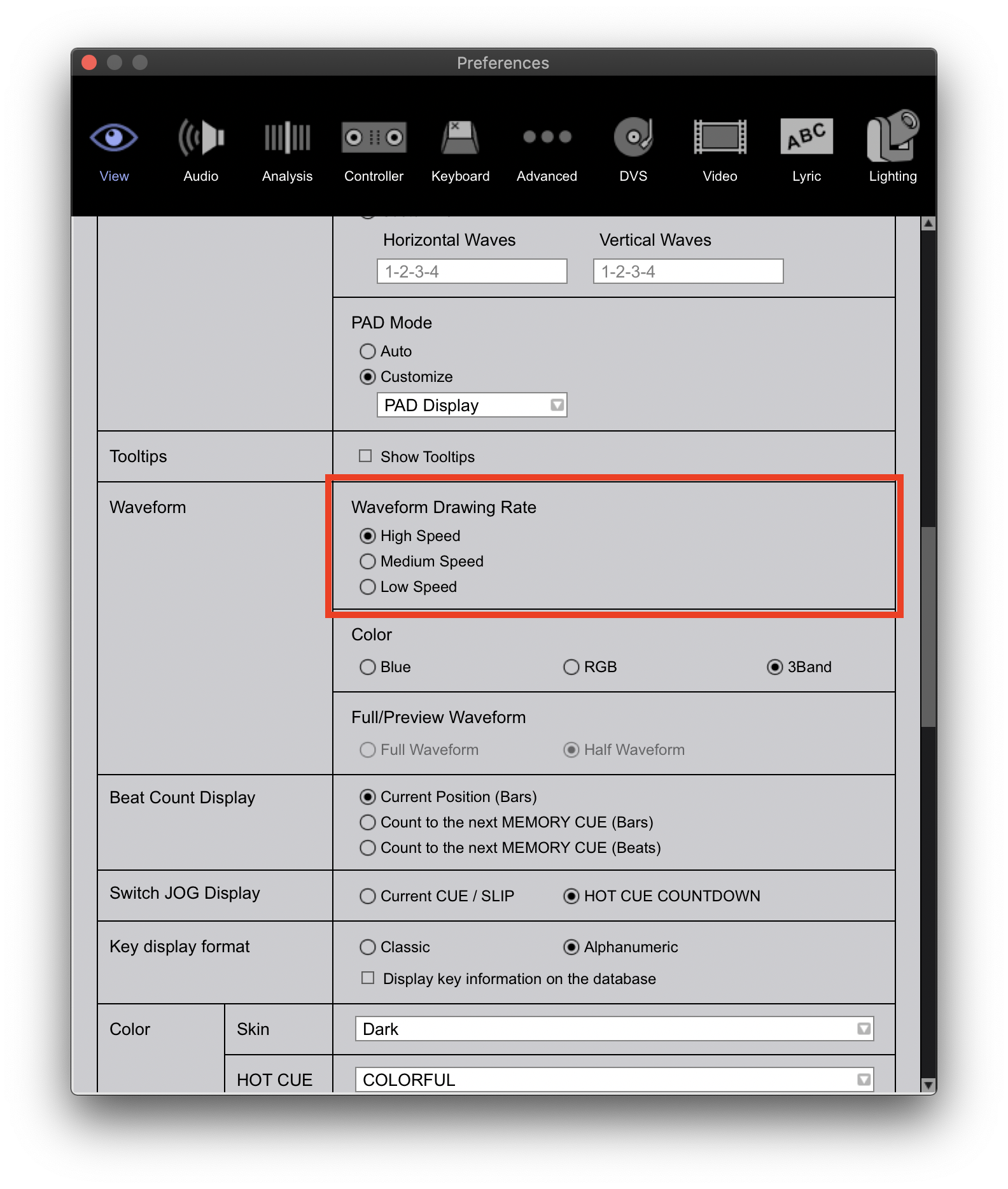
You may also want to ensure any unnecessary modes are disabled (such as DVS, video, lyric, lighting) and try decreasing the waveform to MEDIUM: 

Pulse 0 voti
Azioni per commenti Permalink
0
Avatar

Where can I disable the dvs, lyric etc I'm brand new to rekordbox and pioneer so apologies if my questions are a bit novice, I did see a recommendation to change the latency setting but it won't let me change it in settings.

Mathew Roberts 0 voti
Azioni per commenti Permalink
0
Avatar

Also my tracks are saved on the laptop too, will that make any difference to performance?

Mathew Roberts 0 voti
Azioni per commenti Permalink
0
Avatar

Mathew - no worries! Just open the preferences and go tab-by-tab, you'll see a checkbox at the top of each to enable / disable them.

The latency may only be adjustable through the DDJ's device manager application; you might try changing it while the DDJ is connected but rekordbox is closed.

Pulse 0 voti
Azioni per commenti Permalink
0
Avatar

If you've installed the drivers, go to your Start menu and you can find the DDJ driver display utility there.

Pulse 0 voti
Azioni per commenti Permalink
0
Avatar

I've downloaded the drivers for the controller, so do I just search ddj driver display in the windows start menu?

Mathew Roberts 0 voti
Azioni per commenti Permalink