Have a feature request or suggestion? Post your idea here!

投稿

7フォロワー フォローする
0
Avatar

rekordbox recordings

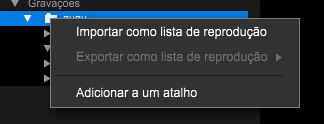
 hi i recorded a new mix, i saved the mix and in the recording section on the left hand side there is a playlist with the recording in it.

i now want to delete the recording and the playlist that it is in but there is no option on how to delete the playlist the recording is in.

can anyone help?

Ben Samuels 回答済み

正式なコメント

Avatar

If you want to save it to a USB drive, you can either copy the physical file there or you can export it (by changing the rekordbox mode from PERFORMANCE to EXPORT).

To delete the recording, you select it, but for whatever reason, I'm also unable to delete the folder structure created by the recordings -- I'll inquire and get an answer for you.

Pulse
コメントアクション パーマリンク

投稿コメントは受け付けていません。

10件のコメント

0
Avatar

Same here, is it possible to save the music mix file on a USB drive?

I have it saved in rekordbox, but can't seem to move or delete it

den1956b 0 票
コメントアクション パーマリンク
0
Avatar

I found out that the folder structure in Rekordbox can be deleted by deleting the folder in Windows Explorer.

Dancaire 0 票
コメントアクション パーマリンク
0
Avatar

Correct, but it should also be deletable from within rekordbox. I've asked our engineers to investigate.

Pulse 0 票
コメントアクション パーマリンク
0
Avatar

Sorry - unfortunately folders cannot be deleted in the tree of Windows Explorer (the rekordbox manual explains this), so folders cannot be deleted in tree whereas track files can be deleted. This applies to recordings as well.

Pulse 0 票
コメントアクション パーマリンク
0
Avatar

Tôi không thể ghi lại, họ yêu cầu tôi trả phí trong khi tôi đã có tài khoản


thanh tung bui 0 票
コメントアクション パーマリンク
0
Avatar

@thang > Next time please post a new topic for your issue...

Recording in rekordbox 6 is available for all plans:

Do you have any hardware connected?

Pulse 0 票
コメントアクション パーマリンク